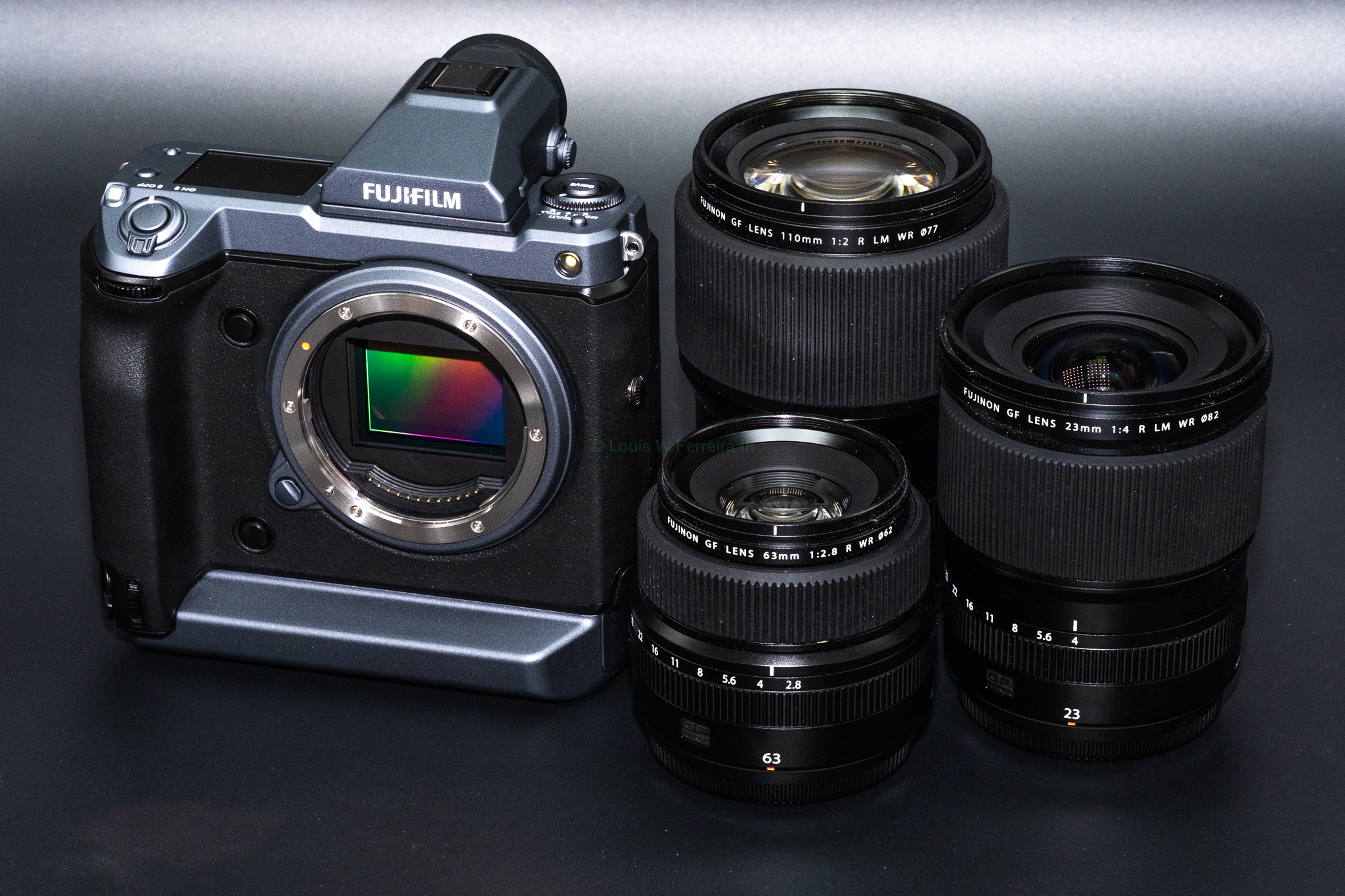
Jim Kasson published some new testing with the GFX100 of the Fujinon GF45-100mm F4 R LM OIS WR and Fujinon GF50mmF3.5 R LM WR. Below are links and quotes from all his new testing that might interest you. Also, Jim couldn’t resist the GF50mm discount so we now have testing that shows the GF50mm can out resolve the GFX100’s 102MP sensor, so the GF50mm is arguably the best 50mm $500 lens ever made.
The Last Word – Fuji 45-100/4 vs 63/2.8, Siemens star
This is impressive performance from the 45-100/4 zoom.
The Last Word – Fuji 45-100/4 vs 110/2, Siemens star
The 110 is substantially sharper at f/4, but not beyond
The Last Word – Fuji 45-100/4 focal length vs distance
So I wasn’t that far off. Some of you have asked about the focal length at portrait distances. You can see those in the above table and graph.
The Last Word – Fuji 45-100/4 focal length changes with distance
All lenses — at least all that I know of — that rely entirely on internal focusing, and quite a few that don’t, focus by shortening the focal length of the lens as you focus closer. So you’d expect that a 100 mm lens isn’t 100 mm at three feet. But some lenses change focal lengths more than others. Determining the focal length of a lens when it is close focusing can be quite involved. The thin lens equations don’t work well there. So I did something quick and dirty.
The Last Word – Fuji 45-100/4 and 110/2 bottle bokeh
In the last post, I took a technical look at the out-of-focus performance of the Fujifilm 45-100 mm f/4 lens, and found it substantially inferior to that of the Fuji 110 mm f/2. Do these differences carry over into real-world shooting?
The Last Word – Fuji 45-100/4 bokeh and out-of-focus performance
how do the far-out-of-focus point spread functions (PSFs) vary across the frame, and what it their nature?
how does the nature of the point spread function vary through the in-focus plane, and how does that vary across the frame?
The Last Word – Fuji 45-100/4 corner sharpness and field curvature
When I did my lens screening test on the Fujifilm 45-100 mm f/4 a few days ago, I noticed the corners were a bit soft wide open. Not soft for a zoom, mind you, but still substantially softer than the on-axis sharpness. I wondered if the softness was inherent in the lens, or was due in part to field curvature. So I performed a test with the same Siemens Star, this time focusing on the target for each shot, so that field curvature would not be a factor in the results.
The Last Word – Fuji 45-100/4, 100-200/5.6 on GFX 100
Not much to choose between these, except that the 45-100 is a stop faster and a lot lighter and smaller. 100 mm is the 100-200’s best focal length, and it may be the 45-100’s worst one. Even so, the 45-100 is at least as sharp as the 100-200 at 100 mm. It looks like all these images could take more sharpening.
The Last Word – Fuji 45-100/4 on GFX 100 — screening
All are pretty sharp in the center, but softer on-axis at 100 mm. The softest corners are:
- 45 mm: lower right
- 60 mm: lower left
- 100 mm: lower left
The tops and sides are pretty sharp. The corners, not so much, but still not bad for a zoom. There is little light falloff off-axis.
The Last Word – Optical low-pass filters and the Fuji GFX 50S and 50R
Considering how sharp the GFX lenses are, I think we’d be far better off with an AA filter in the camera. The slight loss in below-Nyquist sharpness could be easily compensated for in post, especially since there’d be a lot less aliasing to deal with.
The Last Word – Optical low-pass filters and high-resolution cameras
Is this abandonment of anti-aliasing filters a good thing? From my experiences (especially comparing the GFX 50S and GFX 100), I think the opposite, but it’s a good idea to look at what’s happening in detail, and I intend to do that in this post.
The Last Word – Does pixel-shift increase resolution?
There is a good deal more aliasing in the single-shot image.
With a Bayer-CFA sensor, there are additional advantages to pixel-shift shooting, but they are hard to quantify simply.
The Last Word – Fuji 50/3.5 on GFX100, Sigma 35/1.2 on a7RIV
We’re mostly limited by the sensor here, and, since the Fuji sensor is bigger and has more pixels, it looks better. There is less false color in the GFX 100 image.
These are both excellent lenses: the Sigma because of its high quality, and the Fuji because of the impressive price/performance tradeoff. I should point out that an a7RIV and the Sigma weighs a fair amount more than a GFX 50R and the Fuji 50/3.5.
The Last Word – Fuji 50/3.5 on GFX 100
I have a good copy. There is falloff in sharpness in the corners, but it’s pretty uniform. There is aliasing in all of the images, so the lens should be plenty sharp enough. It’s certainly miles ahead of your average five-hundred-buck full frame camera lens.
Fujifilm GFX News, Rumors, and Collaboration
Fujifilm GFX Owners Group
Fujifilm GFX Page
Follow Fujiaddict on Facebook, Twitter, Instagram, and YouTube
Fujifilm GFX100: B&H Photo / Amazon / Adorama
Fujifilm GFX50R: B&H Photo / Amazon / Adorama
Fujifilm GFX 50S: B&H Photo / Amazon / Adorama
GF100-200mmF5.6 R LM OIS WR: B&H Photo / Amazon / Adorama
GF45-100mm f/4 R LM OIS WR: B&H Photo / Amazon /Adorama
GF110mm F2 R LM WR: B&H Photo / Amazon / Adorama
GF63mm F2.8 R WR: B&H Photo / Amazon / Adorama
GF50mm f/3.5 (Save $500): B&H Photo / Amazon / Adorama