Fujifilm SDXC GFX/X macOS File Bug Fixed For GFX100S, GFX100, GFX50S, X-T4, X-T3, and X-S10


Notice of firmware availability due to specification changes of our digital camera
As announced on February 2, 2022 in the “Important notice for consumers processing FUJIFILM digital camera files using macOS” revised firmware for our digital cameras (GFX series and specific X series) will be released in the following schedule.

1.Models affected
(1) GFX100, GFX100S, GFX 50S*1, X-T4, X-T3*2, and X-S10
(2) GFX50R*3, GFX50S II, X-Pro3, X-E4, X-T30 II, and X100V
*1:Ver.4.00 or later   *2:Ver.3.20 or later   *3:Ver.2.00 or later

2.Publication date & time
(1) February 16
(2) Late February to early March (T.B.D.)

3.Revised firmware
The specification of the maximum number of frames that can be recorded in a single folder has been changed from 9,999 to 999 frames.
* As announced on Feb.2, this specification change is to address the following issues that may be observed when accessing SDXC memory cards with more than 4,000 files in a single folder with a macOS computer.
(1) When accessing files recorded on an SDXC card with a built-in or external card reader on a macOS computer, some of the files may not be displayed.
(2) If the memory card is not ejected correctly from a macOS computer, there is a likelihood that data may be lost when you load the card again with a built-in or external card reader of the macOS computer.
* If the proper ejection procedures are followed, no data will be lost, but (1) may occur.
* Please be aware that the above specifications will be applied to future firmware updates. Thank you for your understandings.

Links to the updated firmware
Please download the latest firmware from the following sites to update the firmware.
If you are using a macOS computer to process recorded files in the SDXC memory card, make sure to follow the procedure below before upgrading the firmware.

・ Follow the instructions in “II-2. If using an SDXC memory card with existing files or one that has not been recently formatted:” in the article titled “Important notice for consumers processing FUJIFILM digital camera files using macOS” that was published on Feb. 2 in this web site and then format the SDXC memory card before using it.

Follow Fujiaddict on Facebook, TwitterInstagram, and YouTube

Plus our owners’ groups
Fujifilm GFX Owners Group
Fujifilm X-H Owners Group
Fujifilm X-T Owners Group
Fujifilm X-S Owners Group
Fujifilm X-Pro Owners Group
Fujifilm X-E Owners Group
Fujifilm X-A Owners Group
Fujifilm X100 Owners Group

Posted in Firmware, Press releases| Tagged , , , , , , , , , , , , , , , , , , , , , , , , , , , , , , , , , , , , , , , , | Leave a comment

Instax Mini Evo Now In Stock


Instax Mini Evo: B&H Photo / Amazon / Moment / Adorama

The Fujifilm Instax Mini Evo has been a very hot seller overseas and now it is available in America through B&H Photo and Amazon. The retro design with a film advance lever used for printing photos seems to be resonating with Instax fans and it makes me want one myself, but I think I am just going to pick up an Instax Wide printer in the near future since standard Instax is a bit small for my taste.

Posted in Instax| Tagged , | Leave a comment

Tokina 500mm f/8 Now Available


The Tokina 500mm f/8 can now be ordered from B&H Photo. It was announced last month. Microlenses are very light and portable and they will allow a photographer to carry around a lot of reach in a small package. The only real downside to a mirror lens is donut bokeh, which can be offensive or distracting to some. I personally own 3 mirror lenses because I really like how well they perform for such a low price.


Posted in 3rd Party Lens| Tagged , , , | Leave a comment

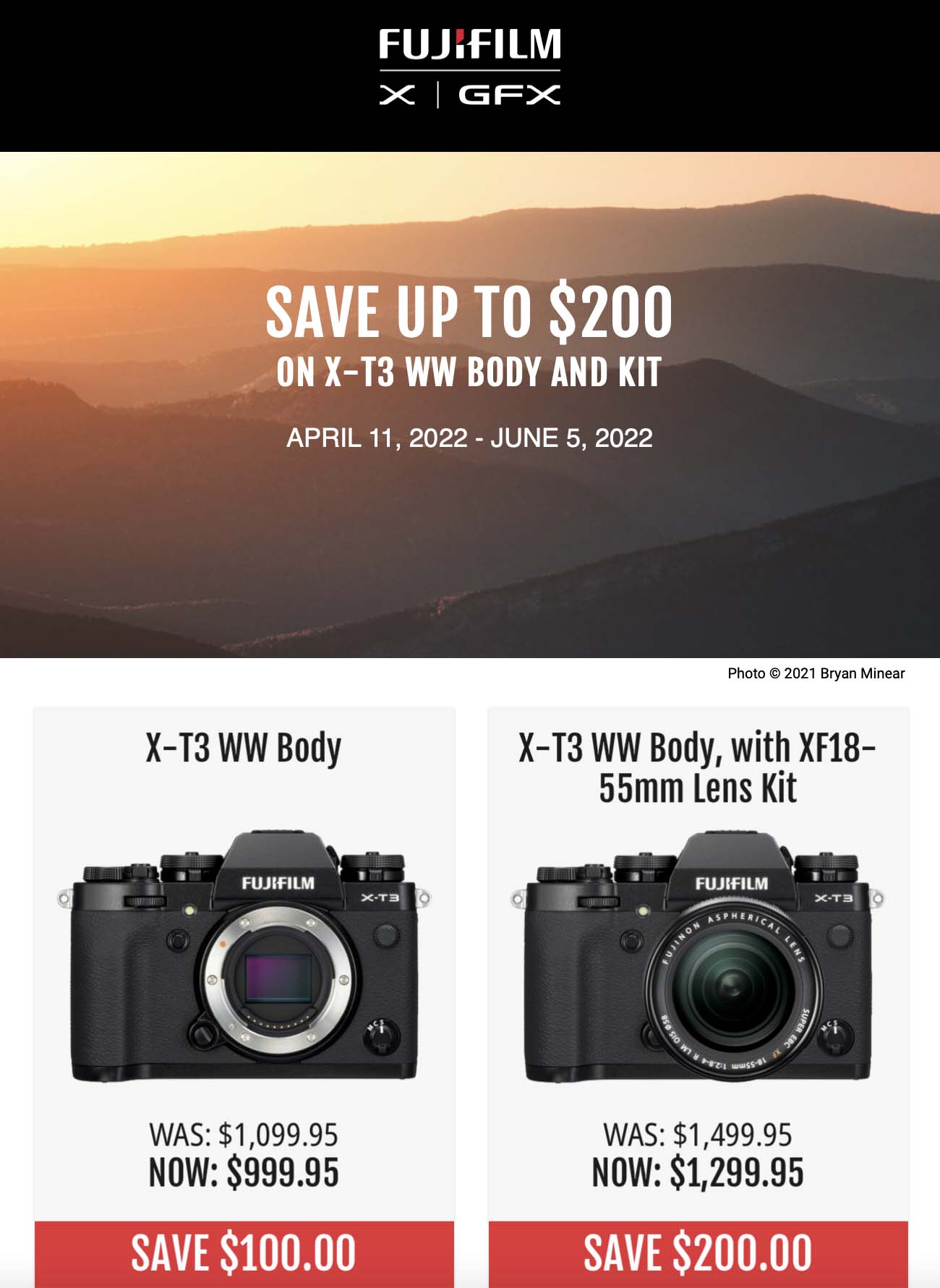
Fujifilm Savings Sunday

Posted in Deals| Leave a comment

More Signs of Sigma Lenses to Come


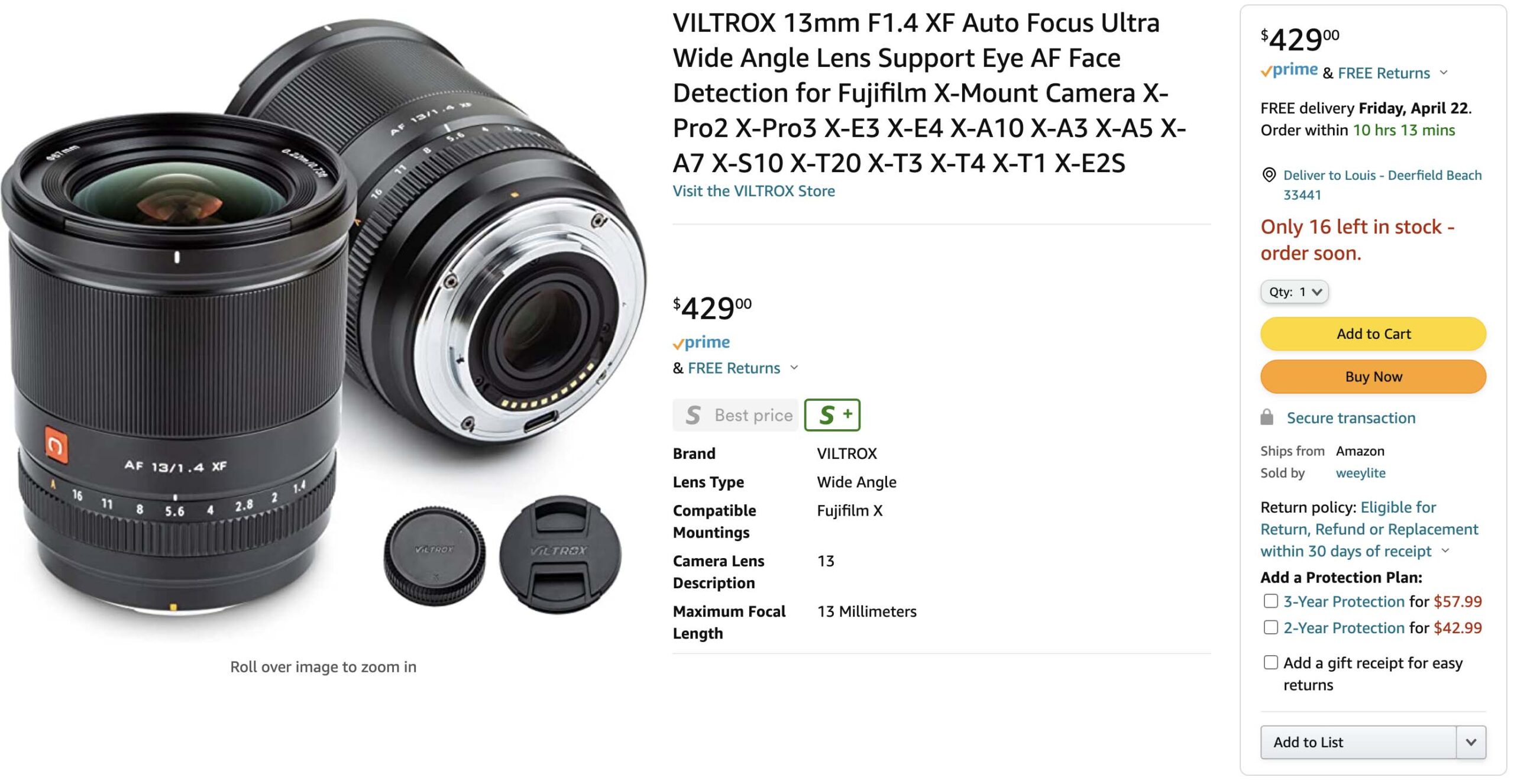
Photorumors noticed that during the Sigma  20mm f/2 DG DN | Contemporary announcement Sigma’s CEO Kazuto Yamaki mentioned that Sigma will release “at least one” new third-party mount option in 2022. This is most likely referring to Sigma coming to X-mount, which was first confirmed here by Sigma’s CEO Kazuto Yamaki. Sigma currently has 4 mirrorless APS-C designs that Sigma could modify for X-mount, the Sigma 16mm f/1.4 DC DN Contemporary, Sigma 30mm f/1.4 DC DN Contemporary, Sigma 56mm f/1.4 DC DN Contemporary, and Sigma 18-50mm f/2.8 DC DN Contemporary.

Follow Fujiaddict on Facebook, TwitterInstagram, and YouTube

Plus our owners’ groups
Fujifilm GFX Owners Group
Fujifilm X-H Owners Group
Fujifilm X-T Owners Group
Fujifilm X-S Owners Group
Fujifilm X-Pro Owners Group
Fujifilm X-E Owners Group
Fujifilm X-A Owners Group
Fujifilm X100 Owners Group

Posted in 3rd Party Lens| Tagged , , , , , , , , | Leave a comment

Fujifilm Video For Beginners

If you’re new to video pal2tech posted a great tutorial about shooting video with an X-T camera that you can view above. I am also including his recommendations below.

  • What you should have
    • You should have a good lens like the Fujinon XF18-55mm zoom or Fujinon XF10-24mm zoom since both are affordable and have OIS
    • IBIS can be useful, but if you do not have IBIS use an OIS lens or gimbal
    • You should get a good mic since the onboard mic isn’t great and audio makes up about 60% of your video so good sounding audio shouldn’t be overlooked
    • You should consider getting an ND filter so that you do not have to stop your lens down too much.
    • You should have a quality SD card that’s 300mb/s and 32-64gigs that’s fast enough for 4k video
  • Setup
    • Make sure you have OIS and/or IBIS turned on since some lenses need you to go into your settings to turn on IBIS/OIS and you can add +DIS is you are feeling very shaky from a lot of caffeine but it will slightly crop your image in
    • Shoot in 4k even if you do not need it because you will be happy you have it in the future
    • Set your movie AF mode to area so you can pick a focus point instead of having the camera choose for you which is what multi does
      • You can pick your focus point with the touch screen or nub on the back
    • Go into IQ and set your sharpness to -2 so that your footage looks less like smartphone footage
    • You should also set your tone curve, highlights, and shadows to -1
    • Film simulation can be anything but Velvia, bleach bypass, or black and white unless you are going for that look and if you want B&W you can do that in post because it is hard to turn B&W into color but easy to go the other way
      • Recommend you use Provia, Classic Chrome, Pro Neg Std.
    • Set mic level limiter to on
    • Turn wind and cut filter off for audio
    • Leave external and internal mic level adjustment on auto because the camera does a good job at choosing for you and do not set them to off
      • Lav mic you might want to manually set the mic to -20 or -15db but if conditions are all over set it to auto
    • Turn off auto power off in the power settings or 5 min
    • Set your performance mode to boost and if you have a choice set your boost mode to increase EVF frame rate for smoother video
    • Set auto power-off temp to high
    • Switch off the viewfinder and only use the rear LCD screen with the view button by the EVF
    • Your video settings will depend on the use case
      • Quick, run/gun shooting style
        • 4k 16:9 at 30fps and 200Mbps H.265 (H.264 LPCM if your computer can’t handle H.265 All-Intra) Long GOP
        • Set your shutter to 1/60
      • Cinematic high quality footage
        • 4k 16:9 at 24fps and 400Mbps H.265 (H.264 LPCM if your computer can’t handle H.265) All-Intra
        • Use Eterna with the dynamic range set to 400% which will make your base ISO 640 ISO
        • Set your shutter to 1/48 by setting your shutter to 1/30th and then use the rear command dial to make it 1/48th
        • Use an aperture of f/2 or f/4 to get a shallow depth of field
      • Use your ISO dial to get proper exposure
        • Use an ND filter if you can’t get your exposure right by adjusting ISO or stopping down
      • Set your white balance manually and do not leave your camera on auto white balance
        • It is fine to use a piece of paper if you do not have a calibration tool with you
      • Use Face/Eye auto-detect if you’re using the 18-55mm because it does a great job
        • You can make it a custom button
      • Make changes to your AF-C custom setting if the camera is not tracking your subject well with the defaults
      • Avoid using the zoom feature while shooting unless you have a specific reason because it is better to move your self towards the camera
      • If you do not have a gimbal practice your duck walk for stability
      • When panning it can be good to put something in the foreground to make your shot more interesting looking

Fujifilm X-T4:B&H Photo / Amazon / Adorama
Fujifilm X-T3:
B&H Photo / Amazon

Please don’t forget to follow us on FacebookTwitterInstagramYouPicYouTube

Plus our owners’ groups
Fujifilm GFX Owners Group
Fujifilm X-H Owners Group
Fujifilm X-T Owners Group
Fujifilm X-S Owners Group
Fujifilm X-Pro Owners Group
Fujifilm X-E Owners Group
Fujifilm X-A Owners Group
Fujifilm X100 Owners Group

Posted in Fujifilm X-T3, Fujifilm X-T4| Tagged , , , , , , , , , , , , , , , , , | Leave a comment