Fujifilm GFX Hasselblad Leaf Shutter Release


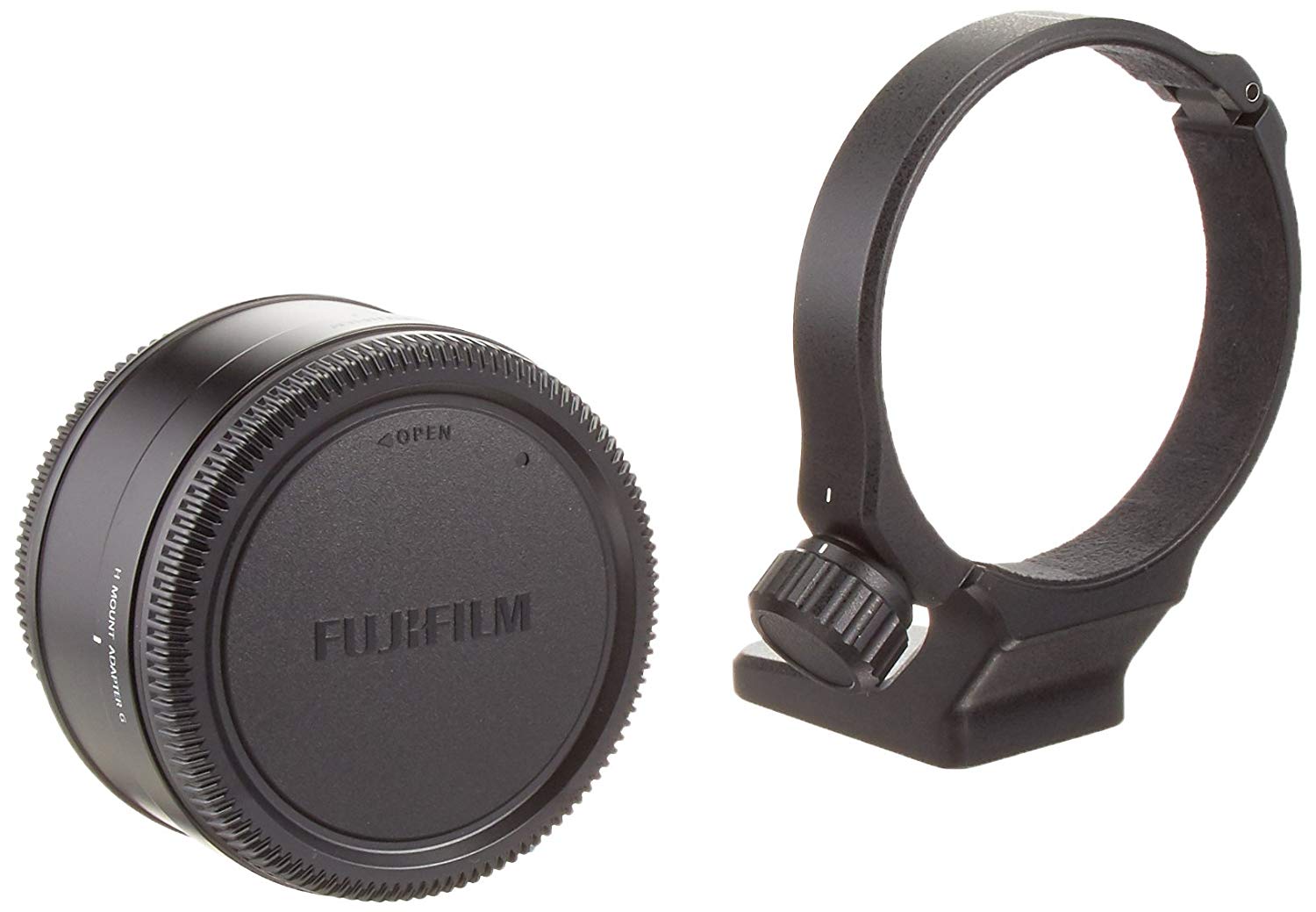
After Metabones announced their Hasselblad V to Fuji G mount adapter lots of readers asked me if it will fire the leaf shutter, which it won’t from my post. However, there is a way to use Hasselblad’s leaf shutter with the Fujifilm H Mount Adapter G and it’s even discounted on Amazon at the moment.

Below is a table of lenses that are confirmed to work with the official Fujifilm adapter, but I would also like to add that these lenses will only work up to 1/800th, which is much less than the leaf in Fujifilm’s X100 if you’re expecting the same experience. I really hope Fujifilm makes some leaf shutter lenses in the future, but until then the official Fujifilm adapter will have to do.

H MOUNT ADAPTER G

ManufacturerModelGFX 50R / GFX 50S / GFX100
AF
ApertureLens shutter
LensFUJIFILMSUPER EBC FUJINON HC 35mm 1:3.5NoYesYes
FUJIFILMSUPER EBC FUJINON HC 50mm 1:3.5NoYesYes
FUJIFILMSUPER EBC FUJINON HC 80mm 1:2.8NoYesYes
FUJIFILMSUPER EBC FUJINON HC 100mm 1:2.2NoYesYes
FUJIFILMSUPER EBC FUJINON HC Macro120mm 1:4NoYesYes
FUJIFILMSUPER EBC FUJINON HC 150mm 1:3.2NoYesYes
FUJIFILMSUPER EBC FUJINON HC 210mm 1:4NoYesYes
FUJIFILMSUPER EBC FUJINON HC 300mm 1:4.5NoYesYes
FUJIFILMSUPER EBC FUJINON HC 50mm 1:3.5-110mm 1:4.5NoYesYes
HasselbladHCD 4,8/24MMNoYesYes
HasselbladHCD 4/28MMNoYesYes
HasselbladHC 3,5/35MMNoYesYes
HasselbladHC 3,5/50MM IINoYesYes
HasselbladHC 2,8/80MMNoYesYes
HasselbladHC 2,2/100MMNoYesYes
HasselbladHC MACRO 4/120MM IINoYesYes
HasselbladHC 3,2/150MM NNoYesYes
HasselbladHC 4/210MMNoYesYes
HasselbladHC 4,5/300MMNoYesYes
HasselbladHC 3,5-4,5/50-110MMNoYesYes
HasselbladHCD 4,0-5,6/35-90MMNoYesYes
Lens AccessoriesFUJIFILMCONVERTER HC 1.7XNoYesYes
HasselbladCONVERTER H 1,7XNoYesYes
HasselbladMACRO CONVERTER HNoYesYes
HasselbladHTS 1.5 TILT AND SHIFT ADAPTER (*1)NoYesYes
HasselbladEXTENSION TUBES HNoYesYes

Fujifilm H Mount Adapter G: B&H Photo / Amazon / Adorama

Posted in Fujifilm GFX, Fujifilm GFX 100, Fujifilm GFX 100 Megapixel, Fujifilm GFX 100S, Fujifilm GFX 50R, Fujifilm GFX 50S| Tagged , , , , , , , , , , , , , , , , , , , , , , , , , , , , , , , , , , , , , , , , , , , , , , , , , , , , , , , , , , , , , , , , , , , , , , , , , , , , , , , , , , , , , , , , , , , , , , , | Leave a comment

Fujifilm X-Pro3 Rumor Update: Beware of Clickbait, SEO Gaming, IBIS and New Details

Yesterday I shared details about Fujifilm’s new unique rear flip screen first and another site tried to copy me without copying me, which caused a lot of confusion relating to the SP-X mockup. The SP-X mockup is old and not a leak at all since it was shown off at an official Fujifilm event, but since that site, won’t link back to me and put a watermark on the photo when they posted it lots of readers made assumptions that were not true. THERE CURRENTLY IS NO PHOTO OF THE X-PRO3, just the above drawings.

Now that same site is saying that an IBIS X-Pro3 Rumor I shared is not real, but it’s a weibo rumor, not mine. Of interest if you follow through to the weibo link the poster was either bullied into saying it came from the offending site or they passed the buck, but who knows weibo has a lot of rumors and there’s a lot of bait and switch on there, which is why you give credit and move on when a rumor might be wrong.

The offending site has been copying everything I do here the best they can, but I primarily target a US audience, while they are very much European and their attempt to game the system has lead to a twitter ban which is kind of humous and I think I know why. Which brings us to today with multiple posts about nothing just to game Google’s SEO and make up for lost traffic. Well, I have some more details for readers.

NEW DETAILS
My source only handled the camera for a little bit, but I asked about the previous rumor from weibo and received the following:

“there is no ibis,I didn’t talk about it but  I think it has same processor, sensor etc.at x-t”

So it looks like the Fujifilm X-Pro3 will be exactly like the X-T3 with the exception of the flip screen, which isn’t a bad thing. If Fujifilm holds anything back I imagine it might be some of the video features in the X-T3, but I like the purist Leica like the design of the X-Pro3. As for a release date, we should see the camera in the coming months, but it should come before December. I will share more when I get more until then beware of multiple low detail posts meant to game google instead of inform readers.

Fujifilm X-Pro News, Rumors, and Collaboration
Fujifilm X-Pro Owners Group

Follow Fujiaddict on Facebook, TwitterInstagram, and YouTube

Posted in Fujifilm X-Pro3| Tagged , , , , , , , , , , , , , , , , , , , , , , , , , , , , , , , , , , , , , , , , , , , , , , , , , , , , , , , , , , , , , , , , , , , , , , , , , , , , | Leave a comment

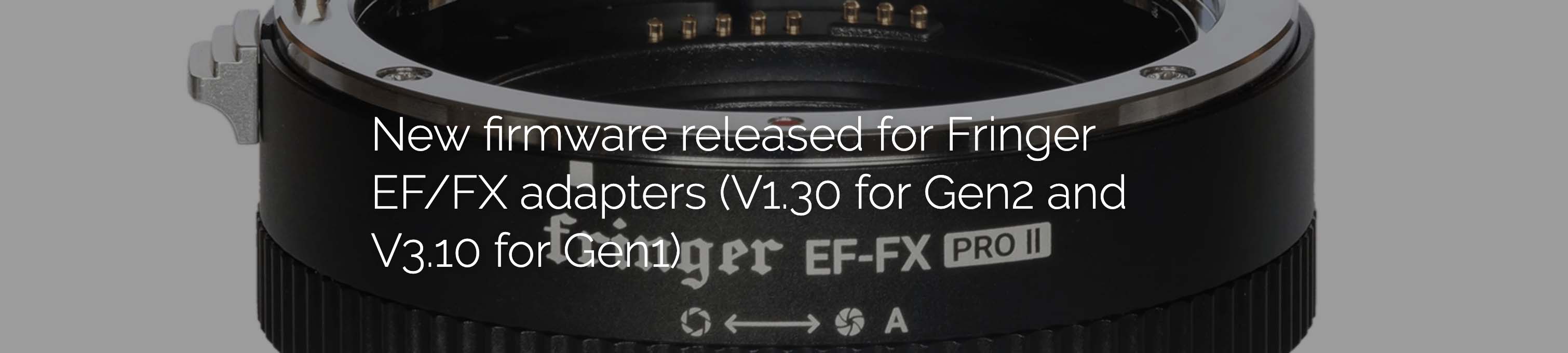
New Firmware Released For Fringer EF/FX adapters (V1.30 for Gen2 and V3.10 for Gen1)


Finger AF Adapter: B&H Photo

For Gen2 (EF-FX Pro II & EF-FX II)
Firmware download
Version 1.30 (2019/9/2):
EFX2_130P.BIN (177,816bytes, for EF-FX Pro II)
EFX2_130S.BIN (177,368 bytes, for EF-FX II)
Release notes

User’s manual download
English version                  中文版

For Gen1 (EF-FX Pro & EF-FX)
Firmware download
Version 3.10 (2019/9/2):
EFFX310P.BIN (129,880bytes, for Pro)
EFFX310S.BIN (129,432 bytes, for Std.)
Release notes
Be noted: V2.10 is the new baseline version. V1.x must be upgraded to V2.10 before installing firmware V2.20 or later.
Baseline version: EFFX210P.BIN (125,248 bytes, for Pro) EFFX210S.BIN (124,912 bytes, for Std.)

User’s manual download
English version                      中文版

In addition to those function updates introduced by both V1.30 (Gen2) and V3.10 (Gen1), v1.30 firmware also fixed a bug in Gen2 adapters.

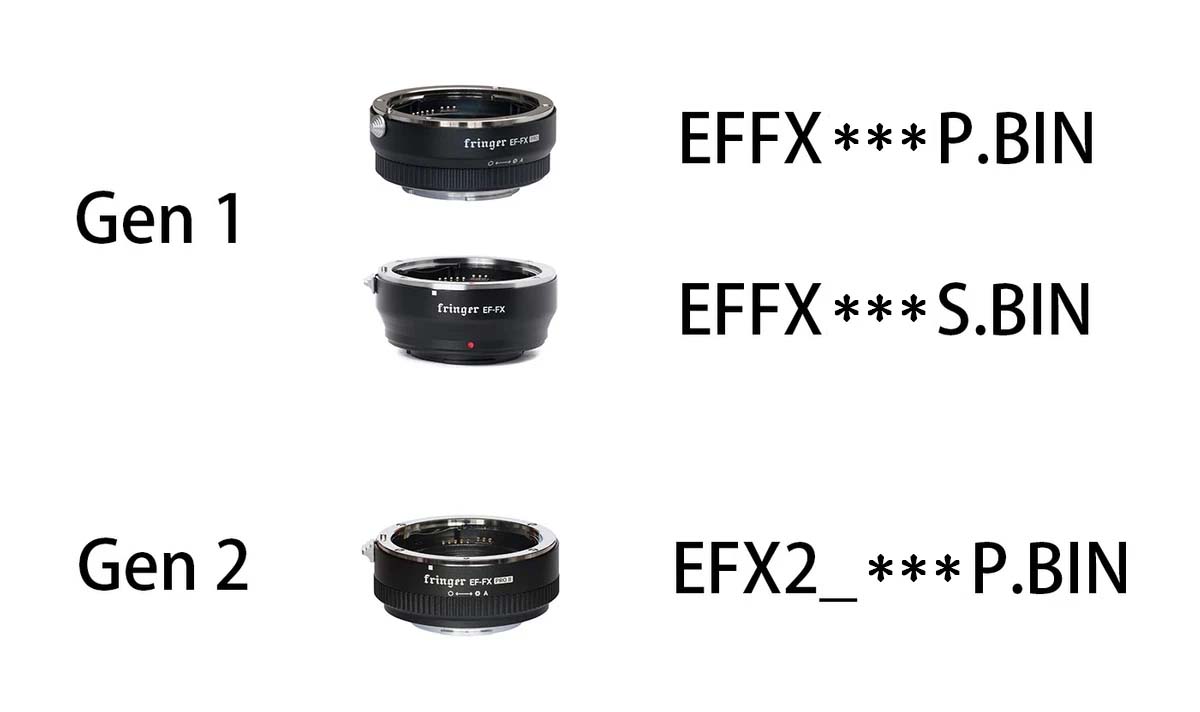
Make sure you download the correct file for the corresponding product. For Gen1, i.e. EF-FX Pro and EF-FX, you need firmware file named EFFX****.BIN. For Gen2, i.e. EF-FX Pro II, you need firmware file named EFX2_****.BIN. Using the wrong file will not damage your adapter. But it will not install.

via Fringer


Please visit our official website to download the new firmware, release notes and user’s manual.

To upgrade your adapter, connect it to a computer through a USB Micro B cable. Copy the corresponding firmware (.BIN file) to the emerged drive named “FRINGER”. Wait for 20 seconds. The adapter will upgrade itself.

Posted in 3rd Party Lens, Accessories, Firmware| Tagged , , , , , , , , , , , , , , , | Leave a comment

Fujifilm X-Pro3 New Unique Flip Screen Drawing: Updated


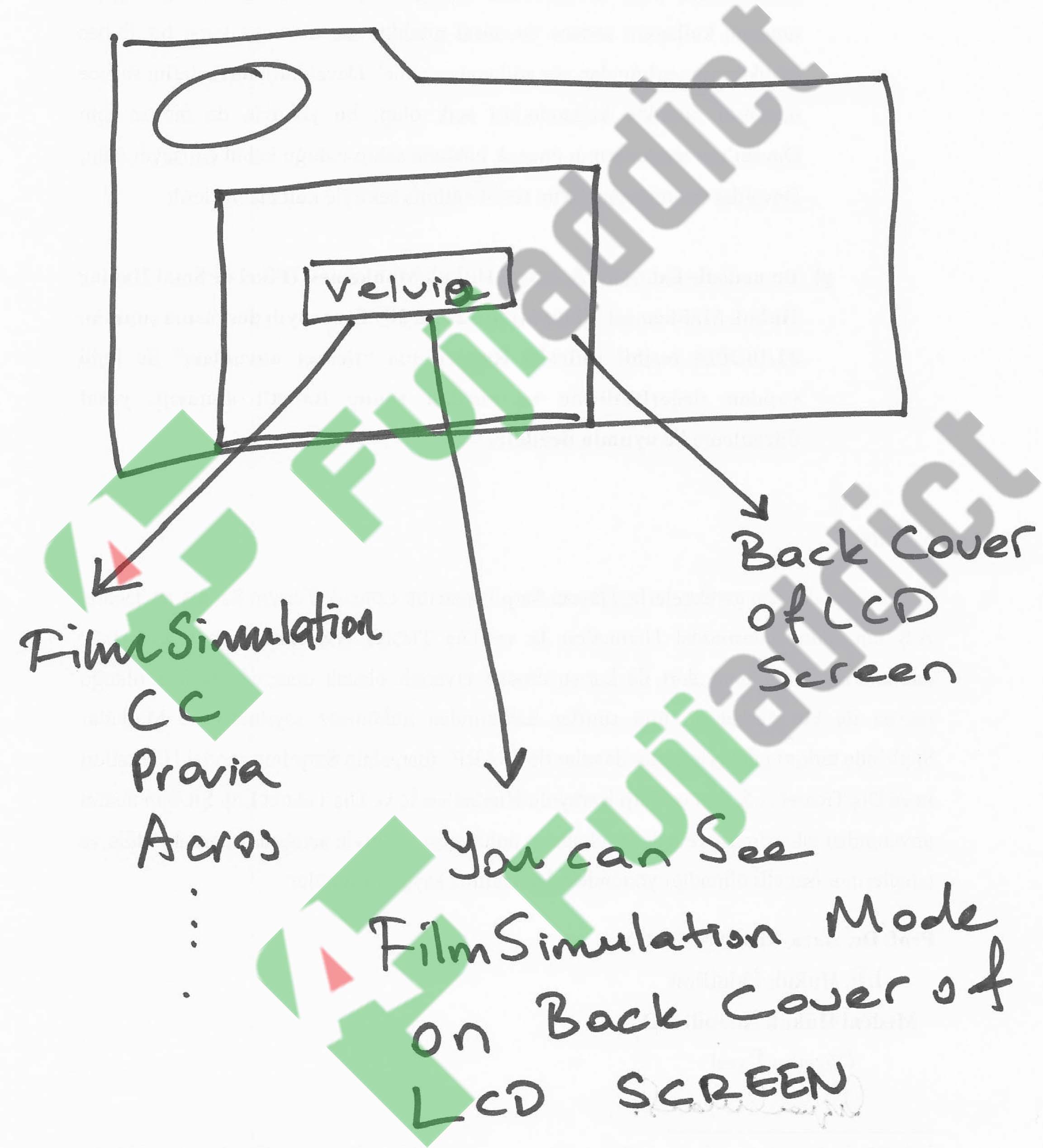
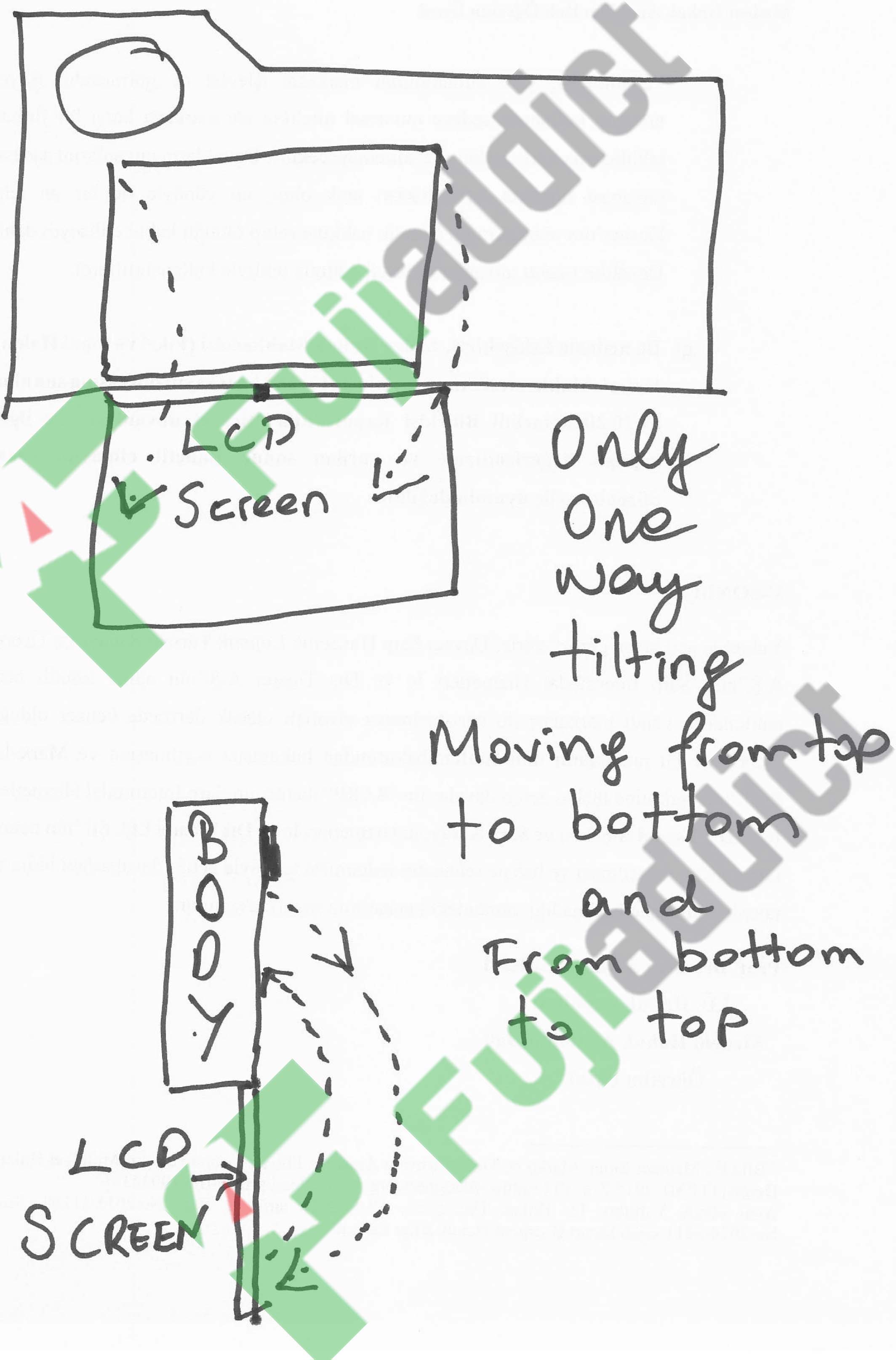
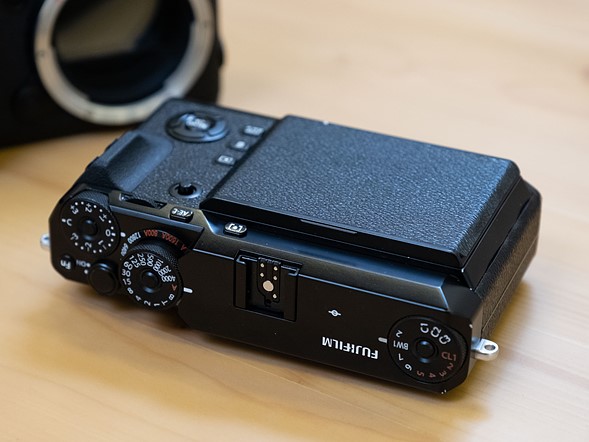
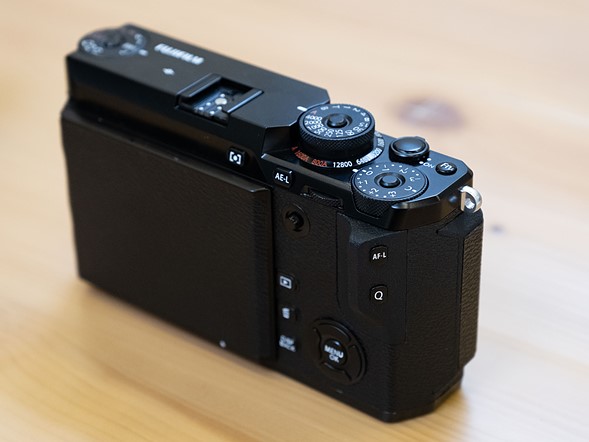
My 100% reliable inside source had a Fujifilm X-Pro3 prototype in hand recently and sent me some drawings explaining how the new flip screen will work. His drawing explains how the new flip screen works and it looks really interesting, but I have already sent him some additional questions to clarify it’s operation. This might not be the final design because it was a sample camera, but it certainly would be an interesting one if it is final.

It looks like the rear screen will just have shooting information on it until you flip it down and then you can use a more traditional screen, which purists will love. This feature really plays into the Fujifilm X-Pro 3 being a different shooting experience than other Fujifilm cameras. Below is some of the text my source sent me.

As you can see,X-pro has one way tilt screen like on my fantastic drawing😉. When you hold the camera (yes I hold a sample X-Pro3), you can see a cover and  run the camera you can also see film simulations on the middle of cover (provia,velvia,CC…)

As I Told you, Xpro3 has only one way tilting screen.Moving from top to bottom and from bottom to top. After you open the cover, you can see LCD screen. No moving from right to left or from left to right (very strange).

It was a sample camera. May be they can change and add motion from right to left or from left to wright on final camera.

As someone has pointed out without taking my post the design is similar to the concept camera seen here and below. Except obviously it will have an EVF/OVF and the small back info screen, unlike this prototype. I also confirmed that the back screen is like the sub-screen on the GFX100 so it will be some type of E-Ink display on the back.

Follow Fujiaddict on Facebook, TwitterInstagram, and YouTube

Posted in Fujifilm X-Pro3| Tagged , , , , , , , , , , , , , , , , , , , , , , , , , , , , , , , , , , , , , , , , , , , , , , , , , , , , , , , , , , , , , , , , , , , , , , , , , , , , | Leave a comment

Now Available Metabones Hasselblad V to Fuji G mount (GFX) Speed Booster


The Metabones Hasselblad V-Mount to Fujifilm G-Mount adapter is now available in a speed boost and non-speed boost edition.

Metabones CINE Speed Booster Ultra 0.71x
B&H Photo / Adorama

This CINE Speed Booster Ultra 0.71x Adapter from Metabones allows a Hasselblad V-mount lens to be used on a FUJIFILM G-Mount GFX camera. The adapter’s optics help to maximize the connected lens’s apparent angle of view while providing a one-stop increase for the camera over the lens’s aperture range.

Key Features

  • Hasselblad V Lens to G-Mount GFX Body
  • 0.71x APS-C Crop Factor Compensation
  • 1-Stop Increase in Lens Apertures
  • 6 Optical Elements in 4 Groups

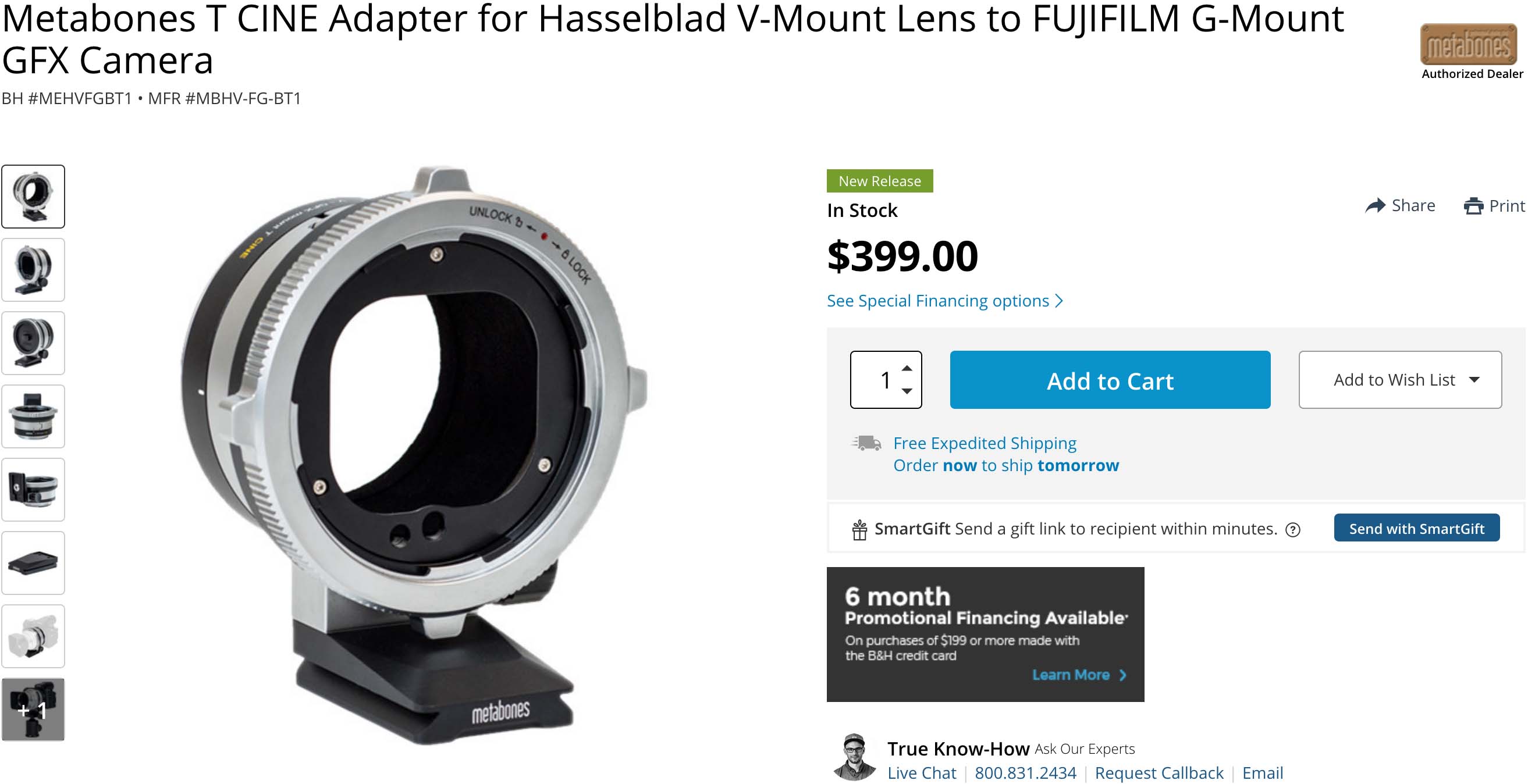
Metabones T CINE Adapter
B&H Photo / Adorama

This T CINE Adapter from Metabones allows a Hasselblad V-mount lens to be used on a FUJIFILM G-Mount GFX camera. When an image is taken with the T CINE Adapter, a matte black internal coating minimizes the potential for reflections within the adapter barrel, which could otherwise result in unwanted glare within the image.

Key Features

  • Hasselblad V Lens to G-Mount GFX Body
  • Adapter Interior Minimizes Reflections
  • Locking Mechanism to Secure Lens
  • Brass Mounting Rings

Read More »

Posted in Accessories, Fujifilm GFX, Fujifilm GFX 100, Fujifilm GFX 100 Megapixel, Fujifilm GFX 100S, Fujifilm GFX 50R, Fujifilm GFX 50S| Tagged , , , , , , , , , , , , , , , , , , , , , , , , , , , , , , , , , , , , , , , , , , , , , , , , , , , , , , , , , , , , , , , , , , , , , , , , , , , , , , , , , , , , , , , , , , , | Leave a comment

Fujifilm Hot Summer Savings Sunday: With Unbeatable Fujifilm X-H1 Savings


GFX
Fujifilm GFX50R (Save $500): B&H Photo /  Amazon / Adorama

X Series Savings Apply With or Without Lenses
X-H1 w Grip + 8-16mm f/2.8 (Save $1000) $299:
B&H Photo / Amazon / Adorama
X-H1 w Grip + 16-55mm f/2.8 (Save $800) $499:
B&H Photo / Amazon / Adorama
X-H1 w Grip + 50-140mm f/2.8 (Save $300) $999:
B&H Photo / AmazonAdorama
X-H1 w Grip + 100-400mm (Save $300) $999:
B&H Photo / Amazon / Adorama

X-H1 Body with Grip Kit (Save $300) $999:
B&H Photo / Amazon / Adorama

Fujifilm X-Pro2 (Save $200): B&H Photo / Amazon / Adorama
Fujifilm X-E3 (Save $100): B&H Photo / Amazon / Adorama

Other Deals
X-Mount Lens Deals
Lexar Professional 2000x 64GB
Sony High-Speed SD Cards
Memory Card Savings
Power Banks
Zeiss X-mount Lenses

Software Deals
Luminar 2018 & Aurora HDR 2018 (Savings code FUJIADDICT)
ON1 Photo RAW 2019
Photolemur
Picktorial

Battery Banks For Fujifilm Cameras
Anker PowerCore Speed 20000 PD
PowerCore+26800 PD
other more affordable options


New Apple iPad Pro and More: B&H Photo / Adorama
New Apple iMac Pro: B&H Photo / Adorama
New Apple MBP: B&H Photo / Adorama
MacBook Pro (Savings still available): B&H Photo

Posted in Deals, Fuji deals| Leave a comment