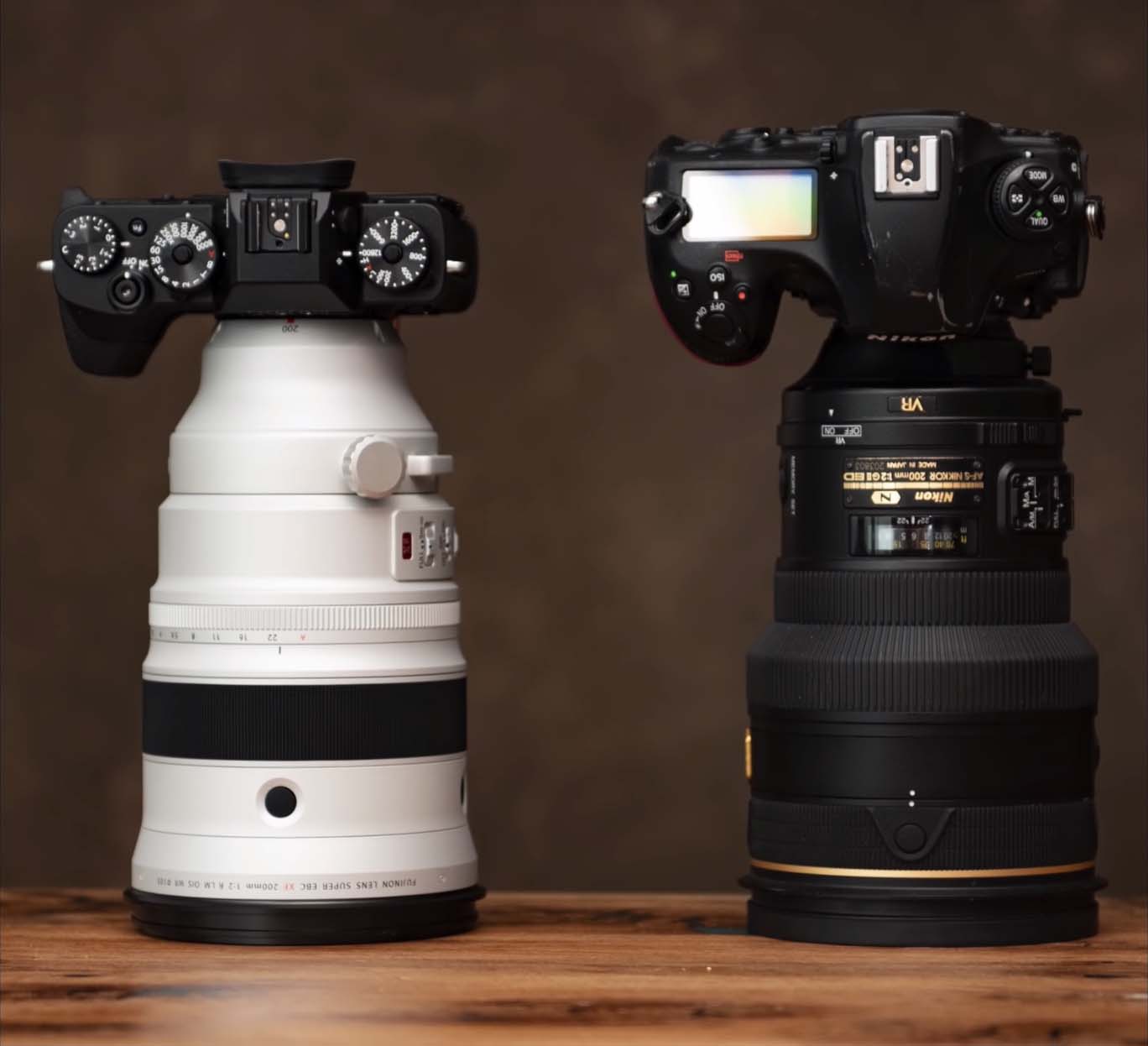
Fujinon XF 200mm f2 OIS WR Round-up


Now that the Fujinon XF200mm is shipping there are a few new reviews out worth sharing. So far I have only come across two complaints from reviewers about the XF200mm. The First is that the XF200mm does not have a drop in filter like other lenses its size so you have to buy a big 105mm filter if you want to use one. The Second complaint is a less valid complaint and it comes from full-frame DSLR users that like to review Fujifilm camera, they wish that Fujifilm didn’t use a crop sensor. Beyond that everyone seems pretty happy with the XF200 even though few will purchase theFujinon XF200mm f/2 R LM OIS WR.

josejeuland – FUJINON XF 200mm f2 OIS WR Lens / Review

julieedwards – Fujinon XF 200mm F2 and the Dancing Queen

xuehua – Fuji XF 200mm F2 R LM OIS WR lens real shot proofs

Matt Granger – Raw Files (Video Below)

Follow Fujiaddict on Facebook, TwitterInstagram, and YouTube

Fujinon XF 200mm f/2 OIS WR w XF 1.4x TC F2 WR:
B&H Photo / Amazon / Adorama
Fujifilm X-T3: 
B&H Photo / Amazon / Adorama
Fujifilm X-T3 + 18-55mm: B&H Photo / Amazon / Adorama

https://www.youtube.com/watch?v=KIMECmpqiWM

Posted in Fuji lenses, Fujifilm X-T3| Tagged , , , , , , , , , , , , , , , , , | Leave a comment

Luminar 3 With Libraries Coming December 18th


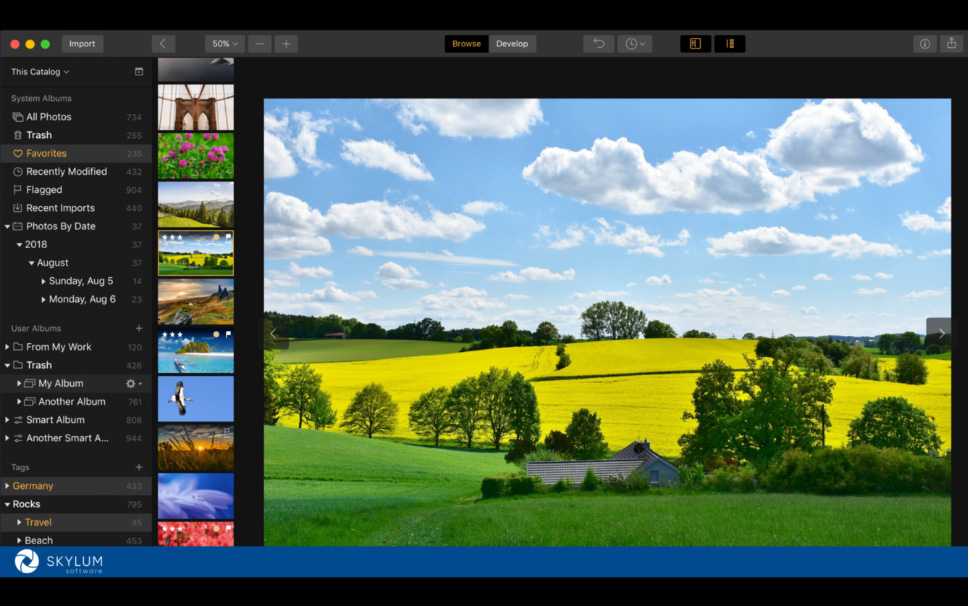
With the release of ON1 2019 the other day there are now details about Luminar 3 coming with libraries December 18th. This will be a free update for Luminar 2018 owners so no need to purchase an update, but if you haven’t purchased Luminar 2018 yet you can use our discount code FUJIADDICT too purchase a new copy or update an old copy of Luminar.

“The new AI-powered filter comes ahead of Luminar 3 with Libraries, which will start being rolled out to Luminar owners on December 18. Skylum has made the unprecedented decision to include every new feature of Luminar — big and small — at no additional cost to current Luminar 2018 owners until late 2019. This will include Luminar 3 with Libraries, which will allow photographers to organize, browse, and edit images on the fly. Additionally, Luminar customers don’t have to pay an annual subscription fee.”

With the release of ON1 2019 and Luminar adding digital asset management soon I have been asked by a few photographers which they should get. At this time I would say that I like Luminar the most for quick results, but ON1 is more lightroom like and it even includes an intelligent import from Lightroom function that maintains your edits. I do not think I could pick just one yet so if you like Lightroom maybe give ON1 2019 a try, but if you want to try a very different interface give Luminar at try.

Posted in Software| Tagged , , , , , , , , , , , , , , | Leave a comment

ON1 Photo RAW 2019 Now Available


ON1 Photo RAW 2019 – An All-New Photo Editing Experience Now Available
ON1 is one of the top Lightroom replacements on the market today and their new import features should help them take on Adobe Lightroom. You can download a copy today and there is a free trial. They also have a product page if you want more information.

Press Release:
Portland, OR – November 13, 2018 – ON1, Inc announces that ON1 Photo RAW 2019, an all-new photo editing experience and a major upgrade to ON1 Photo RAW, is available today. ON1 Photo RAW 2019 includes all-new features and technologies along with a streamlined workflow that is elegant, powerful and easy to learn.  Notable new features include a new non-destructive workflow for layers, auto-alignment of layers, focus stacking, a new portrait tab, a new text tool, new digital asset management updates and more. ON1 Photo RAW 2019 includes the tools photographers need in a single well thought out photography workflow application. Read More »

Posted in Software| Tagged , , , , , , , | Leave a comment

Medium One Optical SPEEDMASTER Series 135mm F1.4 Notice of Reservation Available


Medium One Optical SPEEDMASTER Series 135mm F1.4 Notice of Reservation Available
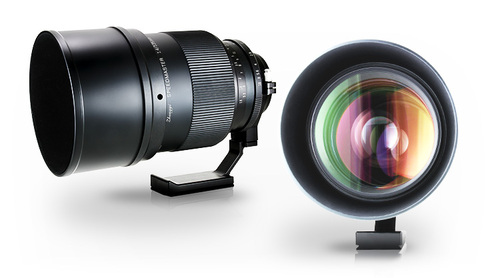
“SPEEDMASTER 135mm F1.4” has appeared from ZHONG YI OPTICS, one of the optics (Chuichi Kogaku). It is a product only for order production.

Manufacturer’s preferred price ¥ 330,000 yen (excluding tax) ($2898.82 USD)

Medium One Optical SPEEDMASTER 135mm F1.4 Monofocal Lens
SPEED MASTER 135 mm F1.4 boasts outstanding brightness as 135 mm lens. By adopting ED glass, it combines brightness and sharpness. The aperture ring is a clickless design that is conscious of movie shooting. Please experience the world view only possible with SPEEDMASTER 135mm F1.4.

  • Focal length: 135 mm (converted to 35 mm format)
  • Aperture range: F1.4 – F16
  • Shortest shooting distance: 1.6 m
  • Lens construction: 5 groups 11 pieces (3 ultra large diameter ED lenses)
  • Filter diameter: 105 mm
  • Weight: about 3000 g
  • Total length: 160 mm
  • Diameter: Φ 111 mm
  • Mount: Canon EF Mount / Nikon F Mount / Pentax K Mount / Sony E Mount / Sony A Mount / Fujifilm G Mount / Leica T Mount
  • Maximum magnification: 0.1 times
  • Diaphragm blade: 11 sheets
  • Focus: MF (manual focus)
  • Vibration reduction function: None
  • Exclusive hood included

via zyoptics

Posted in 3rd Party Lens, Fujifilm GFX, Fujifilm GFX 100, Fujifilm GFX 100 Megapixel, Fujifilm GFX 100S, Fujifilm GFX 50R, Fujifilm GFX 50S| Tagged , , , , , , , , , , , , , , , , , , , , , , , , , , , , , , , , , , , , , , , , , , , , , , , , , , , , , , , , , , , , , , , , , , , , , , , , , , , , , , , , , , , , , | Leave a comment

Fujifilm Announces Firmware Updates For FUJIFILM GFX 50S, FUJIFILM X-T3, and FUJIFILM X-H1


Fujifilm announces firmware updates for FUJIFILM GFX 50S, FUJIFILM X-T3, and FUJIFILM X-H1
New functions include the improvement of in-body image stabilization performance for X-H1, 4K HDR video recording and simultaneous output of Film Simulation / F-Log footage for X-T3, and 35mm format mode for GFX 50S

November, 13, 2018

FUJIFILM Corporation (President: Kenji Sukeno) will release new firmware updates for the FUJIFILM GFX 50S (“GFX 50S”), FUJIFILM X-T3 (“X-T3”), and FUJIFILM X-H1 (“X-H1”) X Series digital cameras in November and December.

Firmware Version:
[ FUJIFILM GFX 50S Ver. 3.30 : End of November 2018 ]

  1. Supports “35mm Format Mode” when using GF Lens and H mount adapter
    “35mm Format Mode” crops the center of the sensor 36.0mm x 24.0mm (30.5M) and records JPEG and RAW file.
  2. Improved eye-sensor response
    Reduced the time to switch between EVF and LCD when you select “eye-sensor” on the viewfinder display settings.
  3. Supports simultaneous delete for RAW and JPEG files
    When RAW / JPEG is selected in the card slot setting (for still image), RAW/JPEG image can be deleted simultaneously. By selecting “OFF”, only the RAW image will be deleted.
  4. Supports EVF and LCD color adjustment
    Color of EVF/LCD is adjustable from screen setting menu.

Firmware Version:
[ FUJIFILM X-T3 Ver. 2.00 : December 2018 ]

  1. 4K HDR video recording in Hybrid Log Gamma (HLG)
    Supports 4K HDR video recording in the Hybrid Log Gamma (HLG), one of the formats defined in the ITU-R BT.2100 international standards *. It allows the capture of rich and realistic images in a scene where there is a huge gap between highlight and shadow, or subjects with high color saturation.
    *Only compatible with H.265(HEVC). Please enjoy with television or display compatible with HLG formats.
  2. Simultaneous output of Film Simulation and F-Log footage
    **Supports simultaneous output of Film Simulation and F-Log footage. It allows you to record in F-Log while checking Film Simulation image on an external monitor.
    **Not compatible with 59.94P/50P, FHD high speed rec., 4K interframe NR, and HDMI output info display mode. Also, cannot choose different image size (4K/FHD) for HDMI output and internal SD card recording.
  3. Recording over 4GB movie file as one file
    Movie files are no longer split when the file reaches 4GB file size. The file is recorded as one file providing an SD memory card greater than 32GB is used (excludes 32GB) ***.
    ***By using SD memory cards less than or equal to 32GB, movie recording will continue without interruption when the file size reaches 4GB, however subsequent footage will be recorded to a separate file.
  4. Display color temperature (Kelvin) on EVF/LCD
    Color temperature (Kelvin) can be displayed on EVF/LCD.
  5. Supports slower shutter speeds with DCI4K/4K 29.97P/25P/24P/23.98P *4
    Slower shutter speeds than the framerate can be selected with 4K 29.97P/25P/24P/23.98P.
    *4Cannot select slower shutter speed than framerate with DCI/4K 59.94P/50P or LongGOP recording.
  6. Compatible with ALL-Intra and maximum bitrate 400Mbps with H.264
    Using H.264 compression, you will now to be able to select ALL-Intra at a maximum bitrate of 400Mbps.
  7. Display power supply icon
    Power supply icon is displayed on EVF/LCD while using AC adapter (AC-9VS), or Anker PowerCore+ 26800 PD *5 and Anker PowerCore Speed 20000 PD *6
    *5Anker and PowerCore are trademark or registered trademark of Anker Innovations Limited or associated companies.
    *6Product may not be available on your country.

Firmware Version:
[ FUJIFILM X-H1 Ver. 2.00 : December 2018 ]

  1. In-body image stabilization and optical image stabilization now work together to improve overall stability
    With an XF or XC optical image stabilized lens, in-body image stabilization worked with 3 axis (up and down / optical axis rotation). The remaining 2 axis (right and left pitch, yaw angle) was controlled by optical image stabilization in the lens. This firmware has a new image stabilization algorithm to allow the in-body image stabilization to work in all 5 axis and to achieve more than five-stops (up to the equivalent of 5.5 stops *7 ) image stabilization by cooperative control according to the types of frequency and blur amount.
    To activate this function, lenses are necessary to be updated to latest firmware version. Please check the latest firmware version from the link below.
    http://www.fujifilm.com/support/digital_cameras/software/fw_table.html#interchangeable_lens
    *7Based on CIPA standards. When using XF10-24mmF4 R OIS, XF18-55mmF2.8-4 R LM OIS, and XC16-50mmF3.5-5.6 OIS II.
Posted in Firmware, Fujifilm GFX, Fujifilm GFX 50S, Fujifilm X-H1, Fujifilm X-T3| Tagged , , , , , , , , , , , , , , , , , , , , , , , , , | Leave a comment

Time-Lapse Photography and Star Trails

DPReview posted a good beginners guide for time-lapse photography. They didn’t mention Fujifilm cameras when listing cameras that are good for creating time-lapses, which is surprising, because Fujifilm has included the feature in their cameras for a very long time. Fujifilm, unlike Sony, offers an internal intervalometer that works flawlessly across all of their cameras. It would be nice if the camera assembled time-lapses internally after capturing all of the images like others, but I generally prefer to shoot RAW when creating time lapses so the feature wouldn’t work for me.

Shooting RAW while creating a time lapses allows for the final results to fully represent the creators intent because the first image can be edited like any other photo and the results synced across the series. This has worked very well for me in my experience, but it can be difficult to find a good subject to capture. I almost always try to create a timelapse when I am shooting astrophotography, but you have to start at the beginning of the night to get a decent length video with a lot of detail.

Light limitations make astrophotography time-lapses difficult to do if you want a lot of detail and stars to be included. In the below video I set up my X-T2 to shoot all night and did noise reduction frames with exposures around 30 seconds because I wanted the Milk Way to pop. I could have removed the noise reduction frames to capture more images, but I was shooting at pretty high ISO in addition to doing long exposures so the final image would have been noisy. In the timelapse below the milky way, I was able to shoot at lower ISO and with a faster shutter speed so it only took me about an hour to capture.

The same technique can be used to create star trails also, but sometimes it’s better to capture fewer starts so that the image doesn’t look too busy. Also when shooting star trails you need to make sure that the exposure remains consistent depending on the app you choose to use, or the final result can end up looking off. This can be difficult if you shoot star trails in a group because someone always turns on a flashlight. If this happens you can just remove the frame manually, but this can also influence your final results.

For star trails, I like to use StarStaX and for time-lapse, there are a lot of free options like Time Lapse Assembler to pick from, but some are outdated since they are very simple applications.

Follow Fujiaddict on Facebook, TwitterInstagram, and YouTube.

Plus our owners’ groups
Fujifilm GFX Owners Group
Fujifilm X-H Owners Group
Fujifilm X-T Owners Group
Fujifilm X-Pro Owners Group
Fujifilm X-E Owners Group
Fujifilm X-A Owners Group
Fujifilm X100 Owners Group

Astrophotography Addict
Instagram Addict

https://www.instagram.com/p/BW44MDAhyeN/

https://www.instagram.com/p/BkySiy5ggnT/

https://www.instagram.com/p/BqGFVb9nb1x/

Posted in Fujifilm GFX, Fujifilm GFX 100, Fujifilm GFX 100 Megapixel, Fujifilm GFX 100S, Fujifilm GFX 50R, Fujifilm GFX 50S, Fujifilm X-E3, Fujifilm X-H1, Fujifilm X-T100, Fujifilm X-T20, Fujifilm X-T3| Tagged , , , , , , , , , , , , , , , , , , , , , , , , , , , , , , , , , , , , , , , , , , , , , , , , , , , , , , , , , , , , , , , , , , , , , , , , , , , , , , , , , , , , , , , , , , , , , , , , , , , , , , , , , , , , | Leave a comment