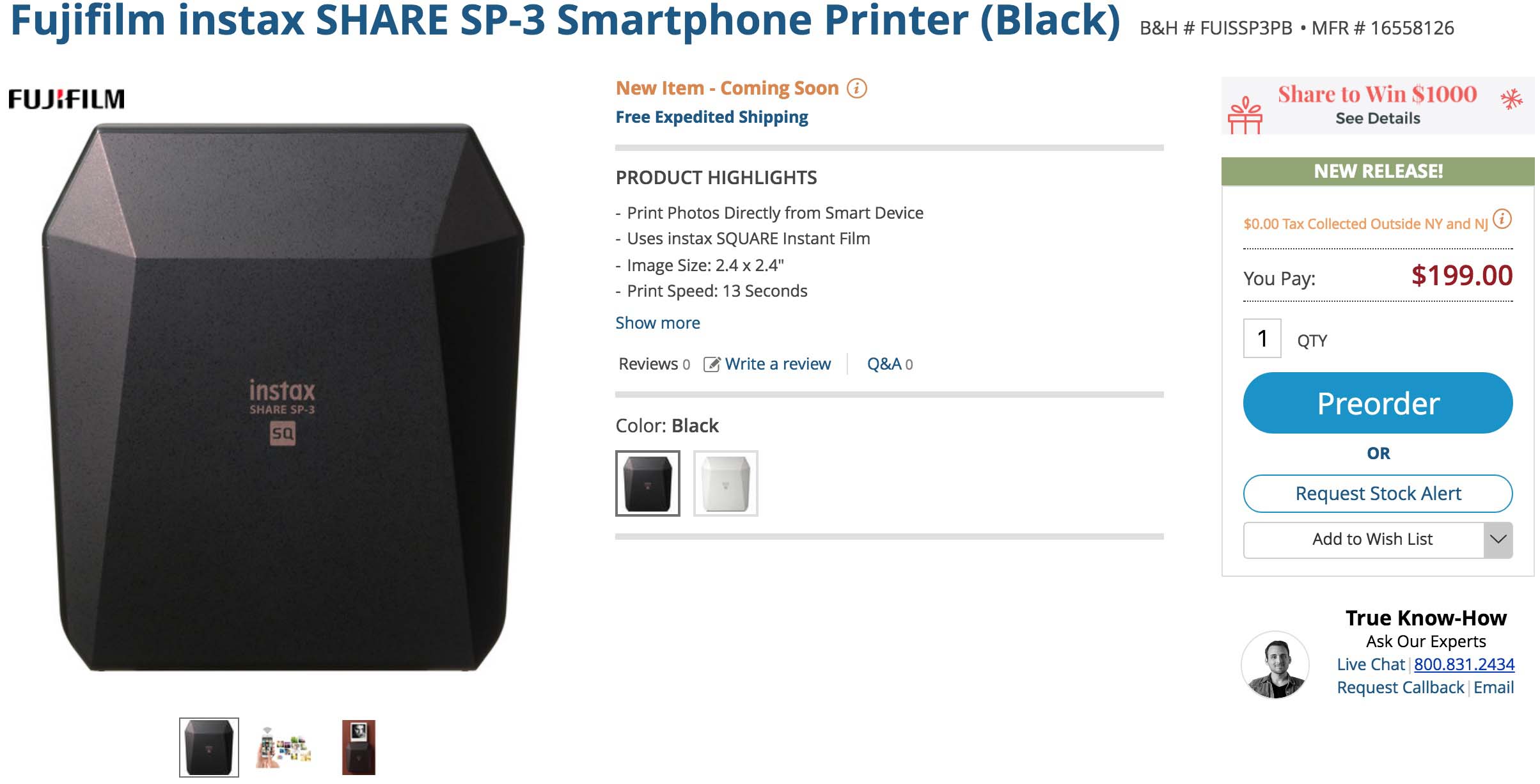
White Instax Share SP-3 In Stock Everywhere And Shipping, But Black Shipments Are Limited

https://www.youtube.com/watch?v=TPvMHRNyMCM

Fujifilm is continuing their Instax Share SP-3 push, but strangely the black edition availability appears to be limited. I placed my order the moment they became available with B&H Photo, but it is still listed as coming soon, while Amazon shows limited stock (which actually is coming from Adorama) and Adorama has them in stock. Hopefully, Fujifilm ships more black Instax Share soon.

Fujifilm SP-3: B&H Photo / Amazon / Adorama
Fujifilm Instax SquareB&H Photo / Amazon / Adorama


Posted in Instax| Tagged , , , , | Leave a comment

FUJIFILM X-T2, X-T20, GFX 50S Firmware Update User Guides + X RAW STUDIO Software User Guide


Fujifilm GFX 50S Firmware 2.00 Users Guide Download Here
GFX 50S Camera Body Firmware Update Ver.2.00 Download Here


Fujifilm X-T2 Firmware 3.00 Users Guide Download Here
X-T2 Camera Body Firmware Update Ver.3.00 Download Here


Fujifilm X-T20 Firmware 1.10 Users Guide Download Here
X-T20 Camera Body Firmware Update Ver.1.10 Download Here


FUJIFILM X RAW STUDIO Ver.1.0 Users Guide View Here
FUJIFILM X RAW STUDIO Ver.1.0 Installer for Macintosh Download Here

No users guide but Fujifilm X Acquire was also released
FUJIFILM X Acquire Ver.1.7 Installer for Macintosh Download Here
FUJIFILM X Acquire Ver.1.7 Installer for Windows Download Here

Posted in Firmware, Fuji X-T2, Fujifilm GFX, Fujifilm GFX 50S, Fujifilm X-T20| Tagged , , , , , , , , , , , , , , , , , , , | 1 Comment

3 Meikon X-T2 Underwater Housings

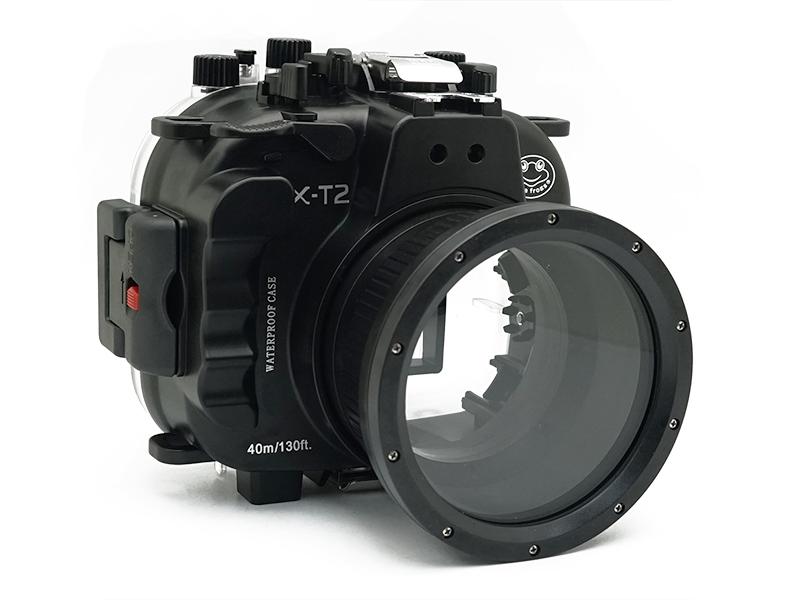
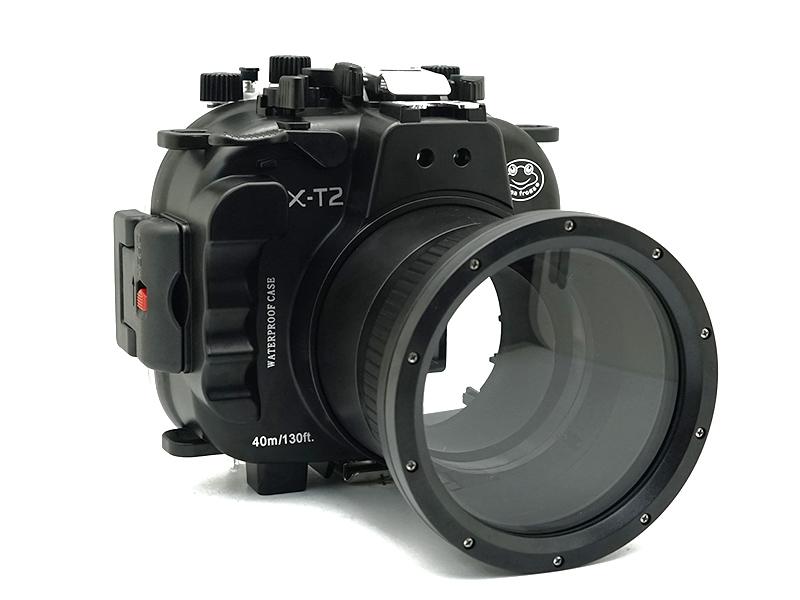
If you ever considered purchasing an underwater housing for your Fujifilm X-T2 the new Meikon X-T2 underwater housings are a bargain. These three housings range from $297 to $435 and will allow you to us your X-T2 at up to 40M/13FT with a variety of lenses. If you’re worried about the quality of these housings there is even a review of one of them here and you can pick one up from Meikon directly here.

Fujifilm X-T2 40M/130FT Underwater camera housing kit FP.1

  • Fujifilm XC 16-50mm F3.5-5.6 OIS II
  • Fujifilm XF 18-55mm F2.8-4 R LM OIS
  • Fujifilm XF 60mm F2.4 R Macro

Fujifilm X-T2 40M/130FT Underwater camera housing kit FP.2

  • Fujifilm XF 16-55mm F2.8 R LM WR

Fujifilm X-T2 40M/130FT Underwater camera housing kit with SeaFrogs Dry dome port V.1

  • Fujifilm XF 10-24mm F4 R OIS (no manual zoom/focus)
  • Fujifilm XF 14mm F2.8 R (auto-focus only)
  • Fujifilm XF 16mm F1.4 R WR (auto-focus only)
  • Fujifilm XF 18mm F2 R (auto-focus only)
  • Fujifilm XF 23mm F1.4 R (auto-focus only)
  • Fujifilm XF 23mm F2 R WR (auto-focus only)
  • Fujifilm XF 35mm F1.4 R (auto-focus only)
  • Fujifilm XF 35mm F2 R WR (auto-focus only)
  • Fujifilm XF 50mm F2 R WR (auto-focus only)
  • Fujifilm XC 16-50mm F3.5-5.6 OIS II (no manual zoom/focus)
  • Fujifilm XF 18-55mm F2.8-4 R LM OIS (no manual zoom/focus)
  • Fujifilm XF 16-55mm F2.8 R LM WR (no manual zoom/focus)

Read More »

Posted in Accessories, Fuji X-T2| Tagged , , , , , , , , , , | Leave a comment

Capture One 11 Released


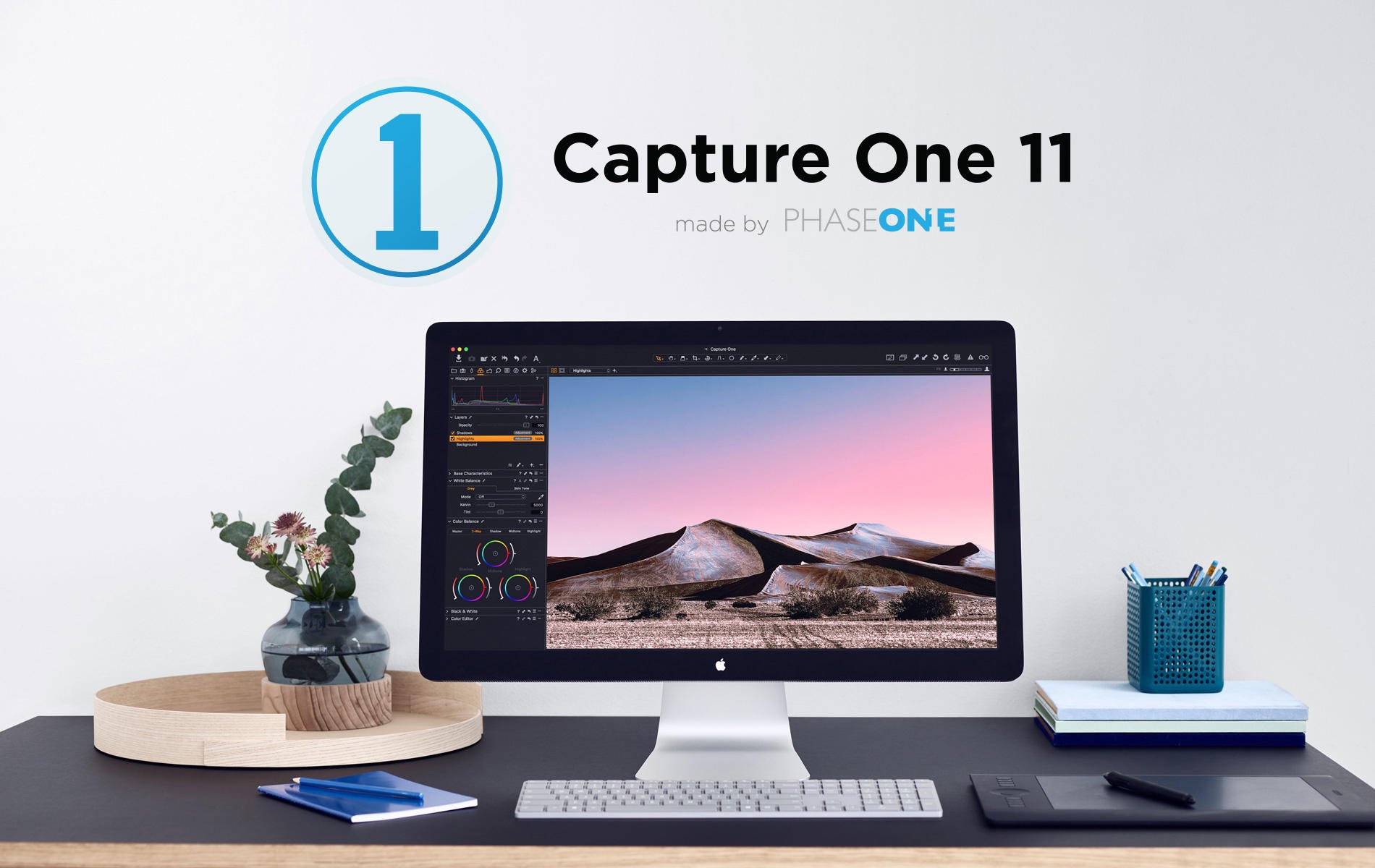
Capture One 11 was released today with a lot of new features and improvements that make it a more attractive purchase than ever. It’s on my short list of software to replace Lightroom, but it will need GFX support to be a serious contender for me. You can see a list of the improvements below.

New Feature Summary

  • Annotations
  • Export with Assets
  • Improved “Back-up And Restore” mechanism for Catalogs
  • Duplicate checker for the Importer
  • LAB Readouts
  • Levels as a Layer Adjustment
  • Color Balance as a Layer Adjustment
  • Create new Filled Layer
  • Presets for Layer capable tools
  • Master Layer Opacity
  • Feather Mask
  • Refine Mask Edge
  • Clear Mask
  • Greyscale Mask preview mode
  • Expanded AppleScript

Performance

  • Catalog load speed improved
  • More responsive sliders for Mac
  • Faster masking

Miscellaneous Improvements

  • Redesigned Local adjustments concept (now Layers)
  • New Custom tool tab icons
  • Color editor logic for blending multiple Layer adjustments
  • Layer creation options
  • Toolbar Auto tool aligned with Tool Auto
  • Added Brightness and Contrast parameter to Auto

You can get more info here.

Tutorial Videos can be found here.

Posted in Software| Tagged , , , , , | Leave a comment

Fujifilm X-H1 Spotted in FUJIFILM X RAW STUDIO Ver.1.0 Files


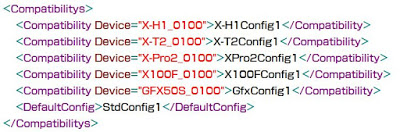
Nokishita spotted the Fujifilm X-H1 in the ConversionCaps.XML file, which can be found by showing the package content of the application. There is a bit more info in the file, but nothing of use at the moment.

“FUJIFILM X RAW STUDIO \ FUJIFILM X RAW STUDIO.app \ Contents \ Resources \ ConversionCaps.xml” Line 5: X – H 1 Config 1

“FUJIFILM X RAW STUDIO \ .Trashes \ 501 \ FUJIFILM X Acquire.app \ Contents \ Resources \ X-H1API.bundle \ Contents \ MacOS \ X-H1 API”

Number of recorded pixels: 3008 × 2000 3008 × 1688 2000 × 2000 4240 × 2832 4240 × 2384 2832 × 2832 6000 × 4000 6000 × 3376 4000 × 4000

“RawSetting_FILMSIMULATION_ETERNA” = “ETERNA / Cinema”

<PropertyGroup Config=”X-H1Config1″ >
<FileType>false</FileType>
<ImageSize type=”Std1″>true</ImageSize> <!– [type] is Std1 or Ext1 –>
<ImageQuality type=”Std1″>true</ImageQuality> <!– [type] is Std1 or Ext1 –>
<PreviewImage>true</PreviewImage>
<ExposureBias>true</ExposureBias>
<ExposureBiasRange>M2P3</ExposureBiasRange>
<DynamicRange>true</DynamicRange>
<WideDynamicRange>true</WideDynamicRange>
<FilmSimulation type=”Std2″>true</FilmSimulation> <!– [type] is Std1 or Std2 –>
<GrainEffect>true</GrainEffect>
<ChromeEffect>false</ChromeEffect>
<WhiteBalance type=”Std1″>true</WhiteBalance> <!– [type] is Std1 only –>
<WBColorTemp type=”Std1″>true</WBColorTemp> <!– [type] is Std1 only –>
<WBShift_RB>true</WBShift_RB>
<HighlightTone>true</HighlightTone>
<ShadowTone>true</ShadowTone>
<Color>true</Color>
<Sharpness>true</Sharpness>
<NoiseReduction>true</NoiseReduction>
<LensModulationOpt>true</LensModulationOpt>
<ColorSpace>true</ColorSpace>
</PropertyGroup>

X Acquire also has some info hidden inside too according to Nokishita, but I was unable to find the file they mention and they didn’t provide a screenshot of the code they came accross. I’d be currious what makes the .Trashes/501/ folder show up in their Fujifilm X RAW Studio Folder. I am sure someone will reproduce this and yes I have my OS setup to show me hidden files.

“FUJIFILM X RAW STUDIO \ .Trashes \ 501 \ FUJIFILM X Acquire.app \ Contents \ Resources \ X-H1API.bundle \ Contents \ MacOS \ X-H1 API”
Number of recorded pixels: 3008 × 2000 3008 × 1688 2000 × 2000 4240 × 2832 4240 × 2384 2832 × 2832 6000 × 4000 6000 × 3376 4000 × 4000

In other files, the settings such as the number of pixels of “X – H1” (24 million pixels) and the shutter speed (maximum speed of 1/32000) etc are described, but the XML file containing the compatible device is the easiest to read I think. Details are unknown, but it seems that there is no doubt that “X – H1” is under development.

It certainly will be interesting to see what this camera ends up being when it launches. It will most certainly have RAW photo capabilities that justify X Acquire and RAW Studio Support, but will it have the video capabilities that I suspect are coming to compete with Sony and go along with the launch of the Fujinon MK lenses for X-Mount? The products and segmentation seem to be lining up nicely, but only time will tell if I am right about the limitations that Fujifilm made clear to all of us and IBIS being of very limited use in future Fujifilm cameras. It’s seeming more and more like the X-T2S was simply smoke and mirrors, but there are still a few cameras sitting out there for Fujifilm to announce and maybe some more details will turn up from these recently released programs.

Maybe H stands for Hybrid…

Via Nokishita, Photorumors


Posted in Fujifilm X-H1| Tagged , , , , , , , , | Leave a comment

FUJIFILM X-T2, X-T20, GFX 50S Firmware Updates + X RAW STUDIO Software Released and X Acquire 1.7


X-T2 Camera Body Firmware Update Ver.3.00 Download Here

  • 1.New AF tracking algorithm for moving subject
    Thanks to the newly developed image recognition algorithm, the update enhances AF-C to track moving subjects twice as fast as previous firmware. In addition, the update also enhances tracking to be able to capture up to 50% smaller moving subjects than before.
  • 2.Support “FUJIFILM X RAW STUDIO” for Macintosh
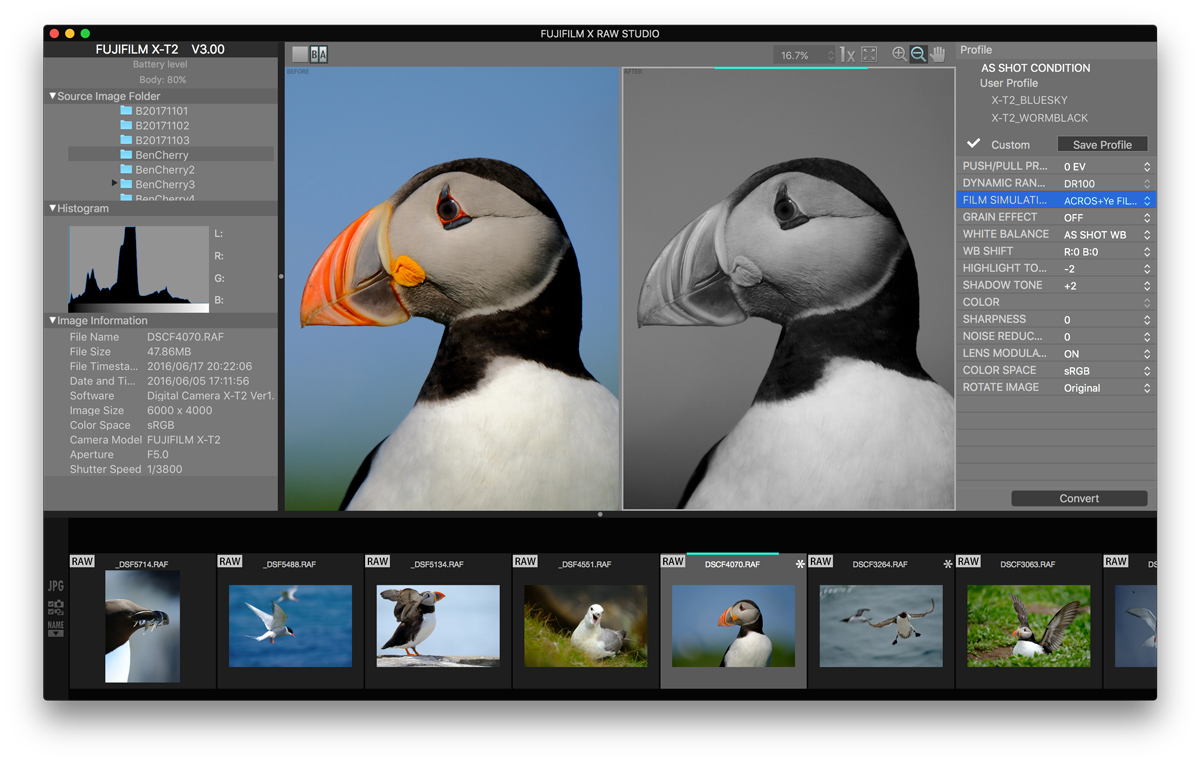
    Once connecting a camera to a computer via USB cable, the “FUJIFILM X RAW STUDIO” enables users to convert RAW files with X Processor Pro. The fast batch processing will also be available. The “FUJIFILM X RAW STUDIO” can be downloaded from the FUJIFILM website for free.*”FUJIFILM X RAW STUDIO Ver.1.0 Installer for Macintosh” can be downloaded from the URL below.

  • 3.Improve radio flash controller usability
    The upgrade allows users to shoot with compatible third party studio flash in high speed sync. or TTL mode via their radio controllers.
  • 4.Support for backup/restore of camera settings via “FUJIFILM X Acquire”
    Once connecting a camera to a computer via USB cable, the “FUJIFILM X Acquire” allows users to backup/restore camera settings to/from a file. Copying all camera settings from one camera to another is available.*”FUJIFILM X Acquire Ver.1.7 Installer for Windows/Macintosh” can be downloaded from the URL below.

  • 5.Support for “Instax SHARE SP-3″
    Additionally,” Instax SHERE SP-3″ has become compatible with this camera.
  • 6.RGB histogram display and highlight warning
    If you press the function button allocated to the histogram, RGB histogram and highlight warning (High brightness portion will blink.) are displayed.
  • 7.The phenomenon is fixed that exposure compensation is not correctly reflected to brightness of live view on LCD and EVF when ISO setting is “AUTO”, exposure compensation is “C” and it is changed by the command dial.

X-T20 Camera Body Firmware Update Ver.1.10 Download Here

  • 1.Touch panel operation when using the EVF
    The firmware update will make it possible to use the touch panel while looking into the viewfinder. According to the operation method, it’s possible to set the effective range of the touch panel to the full screen, right half, left half, or OFF.
  • 2.Support for “Instax SHARE SP-3″
    Additionally,” Instax SHERE SP-3″ has become compatible with this camera.

GFX 50S Camera Body Firmware Update Ver.2.00 Download Here

  • 1.Support “FUJIFILM X RAW STUDIO” for Macintosh
    Once connecting a camera to a computer via USB cable, the “FUJIFILM X RAW STUDIO” enables users to convert RAW files with X Processor Pro. The fast batch processing will also be available. The “FUJIFILM X RAW STUDIO” can be downloaded from the FUJIFILM website for free.*”FUJIFILM X RAW STUDIO Ver.1.0 Installer for Macintosh” can be downloaded from the URL below.

  • 2.Improve radio flash controller usability
    The upgrade allows users to shoot with compatible third party studio flash in high speed sync. or TTL mode via their radio controllers.
  • 3.Support for backup/restore of camera settings via “FUJIFILM X Acquire”
    Once connecting a camera to a computer via USB cable, the “FUJIFILM X Acquire” allows users to backup/restore camera settings to/from a file. Copying all camera settings from one camera to another is available.*”FUJIFILM X Acquire Ver.1.7 Installer for Windows/Macintosh” can be downloaded from the URL below.

  • 4.Addition of “Eye Sensor + LCD Image Display” in the View Mode
    The update gives the “Eye Sensor + LCD Image Display” option in the View Mode that allows you to shoot through the viewfinder and check images on the LCD, just as you would with an SLR.
  • 5.ON/OFF for 1/3-step shutter speed adjustment
    The update allows you to turn off the Command Dial’s function to adjust shutter speed by 1/3 steps in order to prevent unintended adjustments.
  • 6.Addition of “Shoot Without Card” mode
    With the update, you can have the “Shoot Without Card” mode turned OFF so that the camera will not shoot when there is no SD card inserted.
  • 7.Addition of “-6” and “-7” to EVF’s brightness setting
    The update will extend the “EVF Brightness” setting options to “-6” and “-7” so that, even in an extremely low-light condition, the brightness of the EVF does not distract you from shooting.
  • 8.Support for ” Instax SHARE SP-3″
    Additionally, “Instax SHERE SP-3” has become compatible with this camera.

FUJIFILM X RAW STUDIO Ver.1.0 Installer for Macintosh Download Here

“FUJIFILM X RAW STUDIO” is new RAW conversion software completely different from conventional RAW conversion software.

Once connecting a digital camera to a computer, “FUJIFILM X RAW STUDIO” allows users to:

  • Convert RAW files in a short time just almost same duration as a camera takes a photo. And it does not depend on the performance of your computer as the FUJIFILM X RAW STUDIO system utilizes the image processor in the camera instead of the CPU in the computer.
  • Get an image with retained exceptional image quality (tonality, color reproduction, noise reduction, and so on of the camera).

FUJIFILM X Acquire Ver.1.7 Installer for Macintosh Download Here

FUJIFILM X Acquire Ver.1.7 Installer for Windows Download Here

Posted in Accessories, Firmware, Fuji X-T2, Fujifilm GFX, Fujifilm GFX 50S, Fujifilm X-T20, Software| Tagged , , , , , , , , , , , , , , , , , , , , , , , | Leave a comment