Fujinon XF18mm f/1.4 R LM WR Development Interview: All About Resolution…

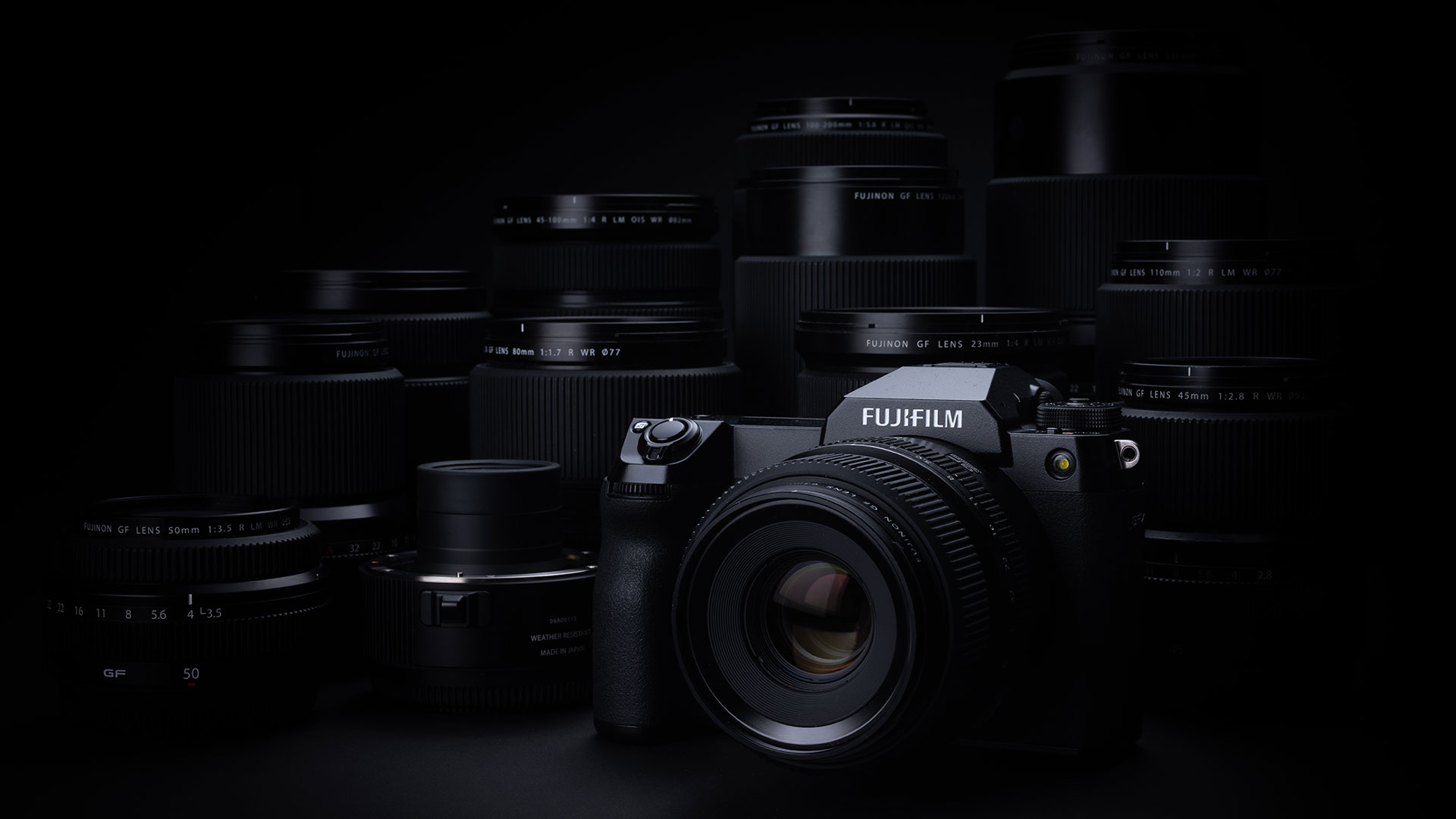
The Fujinon XF18mm f/1.4 R LM WR is an interesting lens because the XF16mm f/1.4 WR is a pretty great lens that comes highly recommended by owners, but Fujifilm seems to be hinting that the XF16mm won’t cut it as sensor resolution increases and the XF18mm f/1.4 has been designed with that in mind. It looks like Fujifilm is getting their lens lineup ready for a high megapixel X-H2.

  • Mr. Ware was in charge of the development
  • XF18mm f/2 R was the original 18mm design and the new one is the XF18mm f/1.4 LM WR
  • The resolution was their top priority
  • The original 18mm was released 10 years ago
  • The resolution was a priority because pixel counts keep going up
  • Fujifilm is trying to keep aberration, coma, color, etc…. under control
  • Fujifilm is aiming for a rich optical design that increases resolution and autofocus speed
  • Adding linear motors makes a big difference
  • The XF18mm f/1.4 design came from correcting the aberration issues of the XF18mm f/2
  • Fixing the flaws of the 18mm made it a little bigger but accomplished the other goals
  • Went from 2 aspherical elements to 3 and one ED element that’s normally used for telephoto to correct the lens
  • Even though this lens is wide the bokeh blur quality is important
  • The shortest shooting distance is 20cm
  • It’s hard to move a lot of aspherical elements well
  • The 18mm has an aperture position lock like the 10-24mm and GF lenses have
  • Future XF lenses will be designed to make it hard to take the lens off auto
  • The reason to put a focus clutch on a lens is the focus distance scale, which is important for rangefinder-style shooting like on the x-pro
  • Most lenses have a focus ring that rotates 360 all around with no absolute value
  • Focus scales are only approximate and accurate focus will become more important the more pixels you add
  • Since Pixel Pitch affects depth it actually changes with temperature and other characteristics
  • The XF18mm f/2 was designed to be compact, but the XF18 f/1.4 is designed for resolution wide open and speed
  • The XF18mm f/1.4 has less aberration wide open than the XF16mm f/1.4
  • Great for summer starscape photos
  • The XF16mm smears a little in the corners compared to the XF18mm for Astrophotography
  • Optical performance can change a lot with even just 1mm of change in focal length
  • Fujifilm has optical distortion down to zero on the 14mm
  • Building stand up really straight tat 14mm
  • The 16mm feels a little soft compared to the 18mm
  • 2mm can make a big difference

Fujinon XF18mm f/1.4 R LM WR: B&H Photo / Amazon /Adorama
Fujinon XF16mm f/1.4 WR: B&Hphoto  / Amazon / Adorama

Follow Fujiaddict on Facebook, TwitterInstagram, and YouTube

Plus our owners’ groups
Fujifilm GFX Owners Group
Fujifilm X-H Owners Group
Fujifilm X-T Owners Group
Fujifilm X-S Owners Group
Fujifilm X-Pro Owners Group
Fujifilm X-E Owners Group
Fujifilm X-A Owners Group
Fujifilm X100 Owners Group
Posted in Fuji lenses| Tagged , , , , , , , , , , , , , , , , , , | Leave a comment

Regarding The Fujifilm Pixel Shift Combiner Released on April 22, 2021


Regarding The Fujifilm Pixel Shift Combiner Released on April 22, 2021
Apr 22, 2021
FUJIFILM Corporation

To our valued customers
Thank you very much for purchasing and using our products.

We have found that the Pixel Shift Combiner Ver.1.2.0 which was released on Apr 22 2021 was wrong software and
already replaced it with the correct one.
If you have already downloaded it, follow the procedure below.
・For Windows
If the software cannot be installed in a normal manner, download and install it again.
Even if you have installed it, check if its version is 1.2.0.2 by right-clicking the “FUJIFILM Pixel Shift Combiner” in the
white bar upper and checking the version shown in “About  FUJIFILM Pixel Shift Combiner”
・For Mac
Start the software and then check if its version is 1.2.0.2  by clicking the “FUJIFILM Pixel Shift Combiner” in the menu
bar and checking the version shown in “About  FUJIFILM Pixel Shift Combiner”.
If the version is 1.2.0.0,  download and install it again.

We would appreciate it if you could understand this situation.

Download Here

Posted in Software| Leave a comment

Godox Light Tube and Accessories Announced


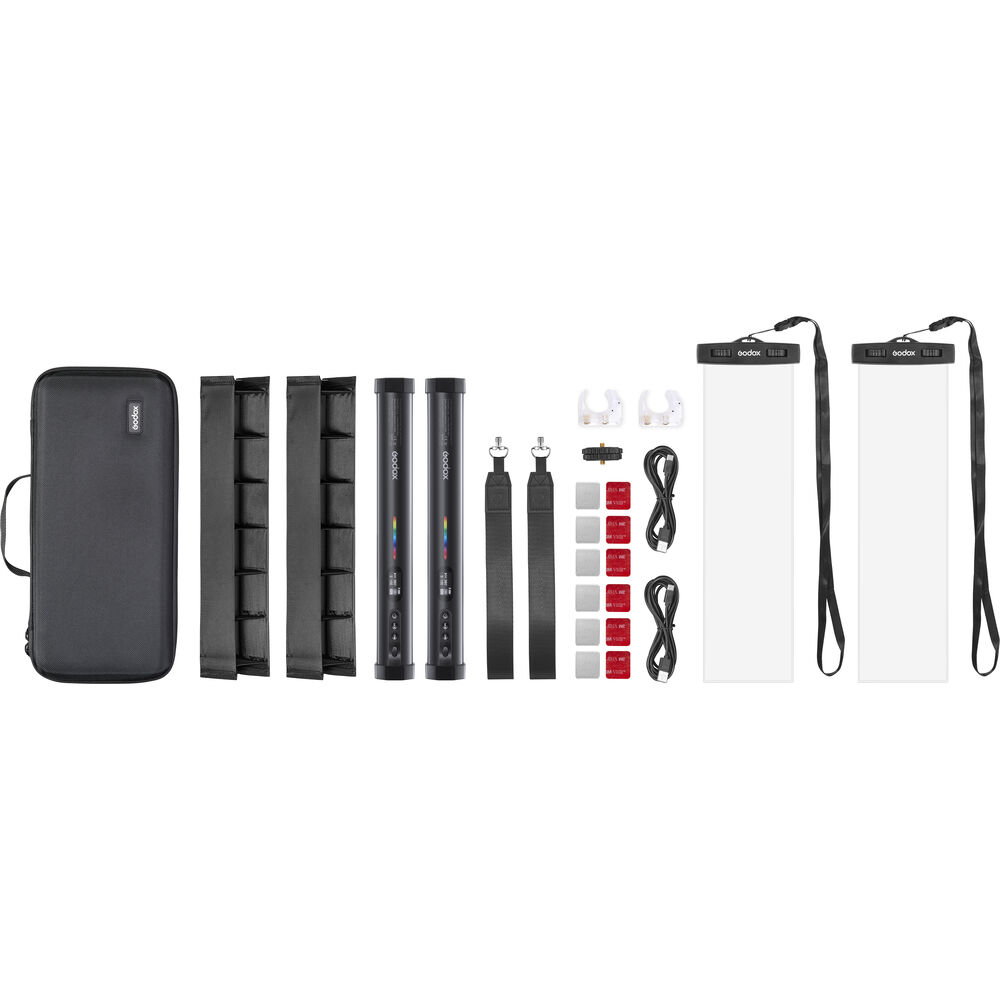
Godox announced the Godox Light Tube and Accessories which you can get here.

Key Features
  • Surface Area: 11.8 x 1.5″
  • Beam Spread: 180°
  • Color Temperature Range: 2700-6300K
  • RGB, CCT, and HSI Color Modes
  • Full Gamut Color Mixing
  • Hue and Saturation Control
  • Advanced Green/Magenta Control
  • 13 Tunable Effects
  • 0-100% Dimming, Bluetooth Control
  • Integrated Li-Ion Battery, USB-C Port

The TL30 RGB LED Tube Light from Godox is a lightweight LED light with a compact tube-shaped form factor, featuring a bi-color Kelvin range from 2700-6300K, with an incredibly high TLCI rating of 99 and CRI rating of 97, so colors will render with extremely high accuracy in still and video applications alike. It also features full RGB gamut output for an array of up to 36,000 available colors, with green/magenta adjustability, and 13 tunable effects.

For all its versatility, the TL30 is simple to set up and use. It is easily controlled using intuitive, built-in analog controls and an LED display, and also pairs with the free-to-download control App via Bluetooth from up to approximately 98 feet away. An integrated lithium-ion battery will power the TL30 for 60 minutes at full power, and it recharges or operates via a USB-C port from any 5V/2A USB source. Built-in magnets allow it to attach to any metal surface, and each end of the tube has a 1/4″-20 threaded female socket.

  • RGB, CCT, HSI modes
  • 36,000 Colors
  • 13 Tunable effects
  • Advanced Green/Magenta adjustment
  • Bluetooth control with free App
  • USB-C charging port
  • Integrated lithium-ion battery, 3.6V/2900mAh/10.7Wh
  • Embedded magnetic mounts
  • 1/4″-20 Mount on each end

Posted in Accessories| Tagged , | Leave a comment

New App For Smartphone Printer “instax mini Link”


<Flow of printing from Nintendo Switch with the smartphone printer “Link” through a dedicated app>
Ⓒ Nintendo Nintendo Switch is a trademark of Nintendo.

Instax Mini Link:  B&H Photo / Amazon / Adorama
Instax Mini LiPlay:
 B&H Photo / Amazon / Adorama

We propose a new way to enjoy Nintendo Switch ™ and instax mini Link!
New app for smartphone printer “instax mini Link”
Easily turn the world of various games such as “Animal Crossing: New Pokemon Snap”, “Super Mario”, and “New Pokemon Snap” into check prints

FUJIFILM Corporation (President: Kenji Sukeno) has selected favorite scenes and characters from all games of Nintendo Co., Ltd.’s “Nintendo Switch” for smartphone printers “Cheki” and “instax mini Link” (hereinafter “Link”). A smartphone app for “Link” that can be printed with * 1 “instax mini Link for Nintendo Switch” will be released on April 30th. This will create a new printing experience that will allow you to check the world in the game.

Memorial moments in “Animal Crossing: New Magnificent Forest”, commemoration of clearing the course in the “Super Mario” series, best shots and rare characters of characters in “New Pokemon Snap” * 2 (scheduled to be released on April 30, 2021) There are various scenes in the game that you want to keep as screenshots, such as encounters with. These screenshots and videos recorded on Nintendo Switch can be easily made into check prints with “Link” through a dedicated app, and filed as a collection or displayed in the room * 3 to make the game world and characters more familiar. You can feel it.

Fujifilm’s “Link” is a smartphone printer that can output smartphone images to high-quality instax prints via Bluetooth * 4 from a dedicated app . You can edit images on the dedicated app, combine images with various frames installed in the app, and cut out and print the best shots from videos. It is small and lightweight, weighing about 200g in the palm of your hand, and has excellent portability. Since its launch in October 2019, it has been well received by many customers as a tool that allows you to have a good time anywhere without missing an opportunity.

In addition to the traditional way of enjoying this “Link”, the newly provided dedicated application “instax mini Link for Nintendo Switch” allows you to save the scenes and characters in the game that you want to keep in the Nintendo Switch. It is possible to make a screenshot of or a cropped image of a video as a check print. When you select an image saved on Nintendo Switch, the QR code will be displayed on the game screen, and when you read it with the dedicated app, the image will be transferred to your smartphone and displayed on the app. You can print the image as it is, or you can enlarge / reduce it or trim it to print it.

The screen design of this dedicated app can be selected from three types: “Animal Crossing: New Pokemon Snap”, “Super Mario”, and “New Pokemon Snap”, and you can enjoy the app operation while feeling the world of games and characters. In addition, as a design for “frame print” that can print by combining various frames and images, in addition to the 36 frame designs provided by the conventional dedicated application for “Link”, character design of 3 types of games 59 points are available. You can enjoy printing by combining a frame designed with the character of your favorite game with an image. This dedicated app can be downloaded * 5 for free and used. Read More »

Posted in Instax, Instax Mini Link, Instax Mini LiPlay| Tagged , , | Leave a comment

FUJIFILM Tether Plugin PRO For GFX And FUJIFILM Pixel Shift Combiner Updated


FUJIFILM Tether Plugin PRO for GFX has been updated to Ver.1.20.0 Download Here

The software update Ver.1.20.0 incorporates the following issue:
The phenomen is fixed that the “ETERNA BLEACH BYPASS” in the FILM SIMULATION menu cannot be selected when used with FUJIFILM GFX100S.


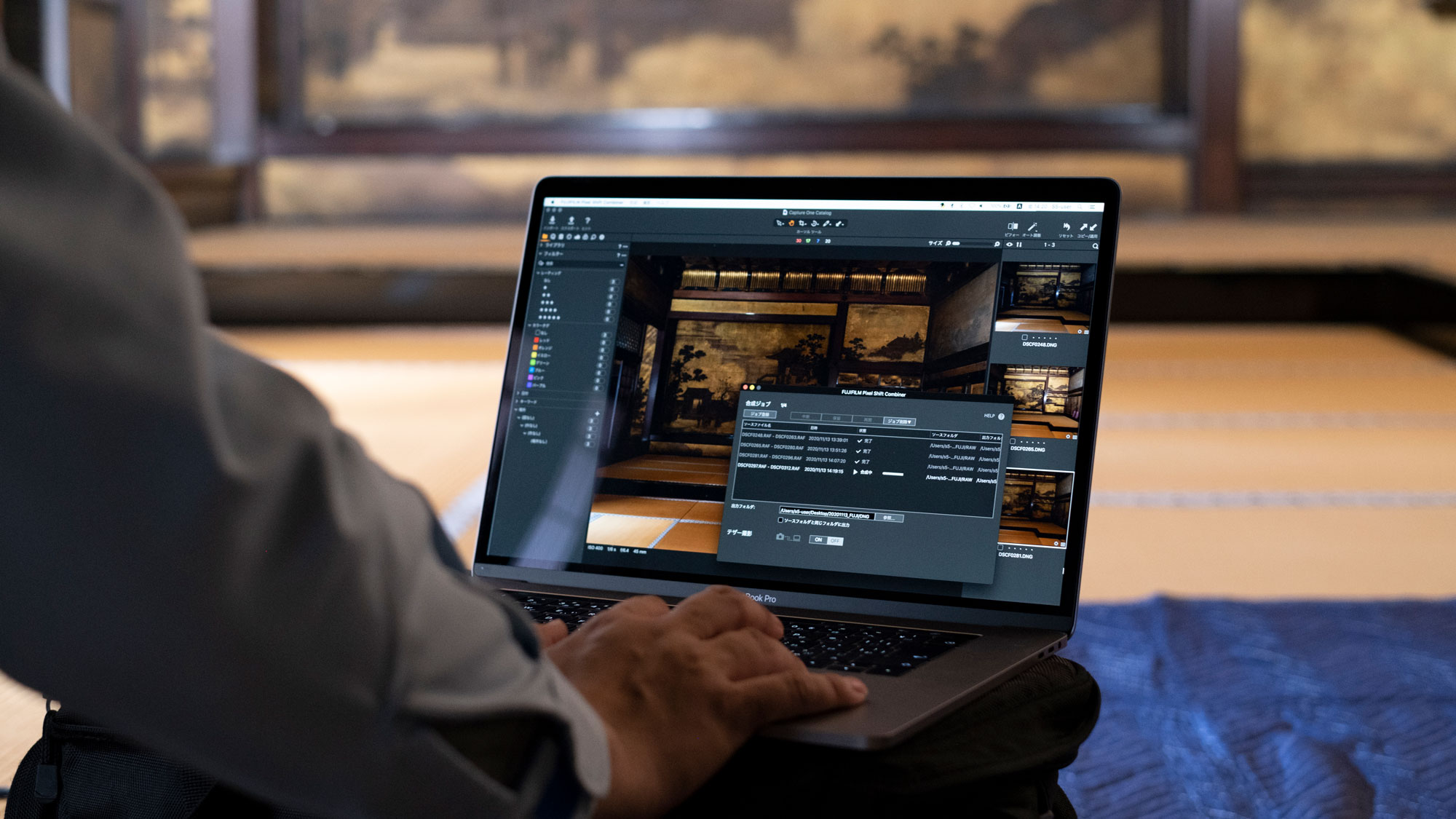
FUJIFILM Pixel Shift Combiner updated to Ver.1.2.0 Download Here

The software update Ver.1.2.0 incorporates the following issues:

  1. A new “Accurate color” option to produce 100MP image with no false colors is added, in addition to the existing function of generating ultra-high 400MP resolution images in Accurate color*. *Generally, an image sensor records only one of three colors, red (R), green (G) or blue (B) within a pixel. The information about the other two colors is estimated and complemented based on data from surrounding pixels. The Pixel Shift Multi-Shot function automatically takes images while shifting the camera’s image sensor to record information about all three colors for each of its pixels, thereby allowing color reproduction that completely eliminates false colors (=Accurate color).*Generally, an image sensor records only one of three colors, red (R), green (G) or blue (B) within a pixel. The information about the other two colors is estimated and complemented based on data from surrounding pixels. The Pixel Shift Multi-Shot function automatically takes images while shifting the camera’s image sensor to record information about all three colors for each of its pixels, thereby allowing color reproduction that completely eliminates false colors (=Accurate color).
  2. Function to automatically detect an error when images cannot be correctly combined due to camera shake, etc. that occurred during photo shooting is added. The ability to detect flawed images before the completion of image generation is expected to speed up photographers’ workflow.**This function does not detect flawed images at 100% accuracy.
  3. Function to enables enlarged viewing of combined RAW images for checking details is added. This means users can visually check details of combined RAW images inside the Pixel Shift Combiner before processing them in RAW developing software. In other words, workflow steps up to checking combined images can be completed within the Pixel Shift Combiner.Other operability is improved and some bugs are fixed.

Adding the ability to generate 100MP images in accurate colors and detect flawed images during the process of image generation Read More »

Posted in Software| Leave a comment

FUJIFILM Releases New Digital Camera Control Software Development Kit


FUJIFILM Releases New Digital Camera Control Software Development Kit
TOKYO, April 22, 2021 – FUJIFILM Corporation (President: Kenji Sukeno) is pleased to announce the release of the FUJIFILM X Series and GFX System Digital Camera Control Software Development Kit (SDK), which will help software developers integrate the functionality of FUJIFILM X Series and GFX System cameras into any applications that are currently being developed. Available on April 22, 2021 the SDK will allow developers to initiate the automatic transfer of images, from a supported Fujifilm camera, to a computer using a Windows*1 or macOS*2 operating system. Remote access to the basic controls of any supported Fujifilm camera is also supported. Information regarding the conversion of the RAW image data contained in Fujifilm’s proprietary RAF file is not provided with this SDK.
*1 Windows is a registered trademark of U.S. Microsoft Corporation in the United States and other countries.
*2 Mac is a trademark of Apple Inc. registered in the United States and other countries. Read More »

Posted in Software| Leave a comment