Atomos NINJA V Adds H.265 Support


Atomos NINJA V 10.65 was released today with H.265 support which is great for savings space and works well with the Apple M1’s h.265 hardware decoder.
From 10.61 and above there has been a change to the activation process. The system is now based on downloadable token files from my.atomos.com. The process allows you to activate multiple free codecs (Apple ProRes RAW and Avid DNx) and also unlock other new features via paid activation keys.

10.65 adds the ability to Record and play back recorded H.265 HEVC files. This firmware update is free to download and install but to use the H.265 HEVC features you will need to purchase the Activation key from www.atomos.com for $99 USD.

  • To unlock the H.265 functions in this AtomOS you need to visit www.atomos.com/activation
    • You will need to register as a new user, or login if you are an existing user to your my.atomos.com account. With your account live you can add your product or access a previously registered Atomos product.
  • You will be required to add the new Activation ID (AID) under the ACTIVATION tab/menu of your updated Ninja’s AtomOS 10.65 screen
    > (tap top info bar > scroll menu tabs to left > tap ACTIVATION)
  • Here you will find an AID, DID and a QR code
    • Scanning the QR code will place your DID and AID into the cache of your phone browser and automatically complete these details during product registration.
    • You can also copy and paste the link to your desktop browser to use this function.
  • If you have already registered your device but not added your AID you will need to update your product registration to do this.
    • Click edit product to add the AID
    • If you experience any issues please contact [email protected]
  • With the AID in place, you will be presented with options for new paid Activation features and codec options. • Click on the H.265 icon and read through the functional features before committing to your purchase.
  • After you have entered your credit card details and successfully made payment, the activation token will be available to download.

The token can then be downloaded from my.atomos.com and will also be emailed to your registered email address.

All activation keys are for a one time activation and are locked to the registered device you purchased the activation on in your my.atomos.com account.

Upon download, please unzip and copy the activation.bin file to the root of your SSD (Solid State Drive), insert the disk into your Ninja V and press activate when prompted.

Atomos will continue with the ongoing developments for H.265, with any additional features being provided to users who have purchased the activation for $99 USD.

New features
H.265 HEVC Recording/Playback
Ability to record Video inputs to H.265 .MOV video files:

  • Support of Progressive video signals via HDMI YUV video inputs:
    – Up to 4K UHD p60
    – Up to 1080p FHD p60
  • When using the optional AtomX SDI module:
    – SDI Video input up to 4KUHD p60
    – File Naming for Arri & RED • Codec recording options:
    – 8-bit 4:2:0 and 4:2:2
    – 10-bit 4:2:2
  • Codec Compression options:
    – HQ – all ‘i’ Frame up to 350mbps – MQ – up to 150Mbps
    – LQ – as low as 30mbps

Known Limitations

  • Not all Devices and Player applications natively support all of the bit depth options for H.265.
    • Older version of QuickTime player may display the message:
      – This file contains some media that isn’t compatible with QuickTime Player.
      Would you like to play the file anyway? Simply click OK.
  • It is not advised to burn in LUTs to 8bit codecs as the limited bit depth / code values may lead to color banding in your recording.
  • Inputs in 4K DCI 17:9 are cropped to 4K UHD 16:9
  • Inputs in 720p resolutions are not supported.
  • Recording in 1080i resolutions is not supported, 2:2 pulldown function is automatically applied where supported to record in 1080p.
    • For 8-bit 4:2:0 codec recording, the 3:2 and 2:2 pulldown function is not supported for inputs in 1080i.
  • Possible instances of compression artifacts or macro blocking may be recorded and are input dependent. • If there is a loss of HDMI or SDI input lock whilst using the H.265 codec, recording will stop and will not automatically restart recording.
  • Playback of 3rd party H.265 encoded video files is currently not supported on the device\Preview of non H.265 videos when in H.265 playback mode can cause the file browser to stop working correctly.
    Reboot to ProRes RAW, DNx, or ProRes playback modes to view recorded files.
  • For all codecs XML favorite, reject and other tags are not available whilst recording.
    • To use this function you will be need to be in playback mode.
    • Non “I” frame codecs will use the nearest “I” frame as the mark for in and out of all metadata tags.
  • In playback mode the following points apply:
    • Frame by frame stepping is not fully supported in non “I”frame codecs
    • Reverse playback mhodes are not fully supported in non “I”frame codecs
    • Over or undercranked playback modes are not fully supported in non “I”frame codecs • Playlists functionality is not fully supported.
    • Edit Decision lists for both playlist and XML export are limited to “I”frame codecs

H.265 codec recording does NOT support:

  • 4K DCI 17:9 Recording
  • Pre-Roll recording
  • Time Lapse recording

Download Here

Follow Fujiaddict on Facebook, TwitterInstagram, and YouTube

Atomos NINJA V: B&H Photo / Amazon / Adorama

Apple M1: B&H Photo / Amazon / Adorama

Fujifilm GFX100: B&H Photo / Amazon / Adorama
Fujifilm GFX50R: B&H Photo / Amazon / Adorama
Fujifilm GFX 50S: B&H Photo / Amazon / Adorama

Posted in Accessories, Firmware, Fujifilm GFX, Fujifilm GFX 100, Fujifilm GFX 100 Megapixel, Fujifilm GFX 100S, Fujifilm GFX 50R, Fujifilm GFX 50S, Fujifilm GFX100 IR| Tagged , , , , , , , , , , , , , , , , , , , , , , , , , , , , , , , , , , , , , , , , , , , , , , , , , , , , , , , , , , , , , , , , , , , , , , , , , , , , , , | Leave a comment

Godox V860III Listed Early


The Godox V860III was listed early at B&H Photo and you can preorder one today.

Power, speed, and integrated radio transmission make the Ving V860IIIF TTL Li-Ion Flash Kit from Godox a hard-to-beat option for your FUJIFILM cameras. Fully compatible with TTL systems, the Ving V860IIIF supports many advanced functions and features. Also, it features the Godox X wireless radio system, which provides both master and slave TTL functionality at a distance. On top of this, the flash is powerful and versatile, featuring a guide number of 197′ at ISO 100 and 200mm along with a zoom range of 20-200mm. And this flash runs off a rechargeable lithium-ion battery pack that ensures fast recharge with a capacity of up to 450 full-power flashes.

For general operation, the Ving V860IIIF features full bounce flash capabilities, including tilting and rotation left and right. As a TTL-compatible unit, this flash offers support for high-speed sync, flash exposure compensation, 1st and 2nd curtain sync, and much more. Additionally, it can function as an optical master or slave unit if needed.

Key Features
  • Built-In X Wireless Radio System
  • Recycling 1.5 sec Full Power
  • Guide Number: 197′ at ISO 100
  • Battery Gives 450 Full-Power Flashes
  • Flash Coverage: 20-200mm
  • Wireless Master/Slave TTL Functionality

Godox V860III: B&H Photo / Amazon


Via Diyphotography, Photorumors

Posted in Accessories, Fuji flashes| Tagged , | Leave a comment

Fujifilm Photo Exhibition Contest “PHOTO IS”


Participatory photo exhibition “Connecting the feelings of” PHOTO IS”. Photo exhibition 2021 in which you play the leading role”
Make all of Japan smile with “the power of photography”.
Call for works starts from June 1st! All exhibited works are also published online

FUJIFILM Corporation (President: Kenji Sukeno) is a participatory photo exhibition “Connecting the Thoughts of” PHOTO IS “. You are the leading photo exhibition 2021” where the works of all exhibitors are always exhibited at the venue of your choice. Will be held sequentially at 10 venues nationwide from the Tokyo venue on October 8, 2021. The works will be exhibited together with the “feelings put into the photographs” added by the exhibitors. Prior to the event, we are looking for exhibited works * 1 from June 1st to July 31st.

We believe that photography has the power to leave important moments of joy and emotion in the form of memories, share those feelings by actually seeing the printed photos, and make many people smile and cheer up. I have. This photo shows the feelings of each and every one of you who want to make the whole of Japan smile with “the power of photography” because it is difficult to easily meet important people and have a good time together in the corona. I wanted to convey it through the exhibition, so I decided to hold “Connecting the” PHOTO IS “Thoughts. You are the leading photo exhibition 2021”. Read More »

Posted in Press releases| Leave a comment

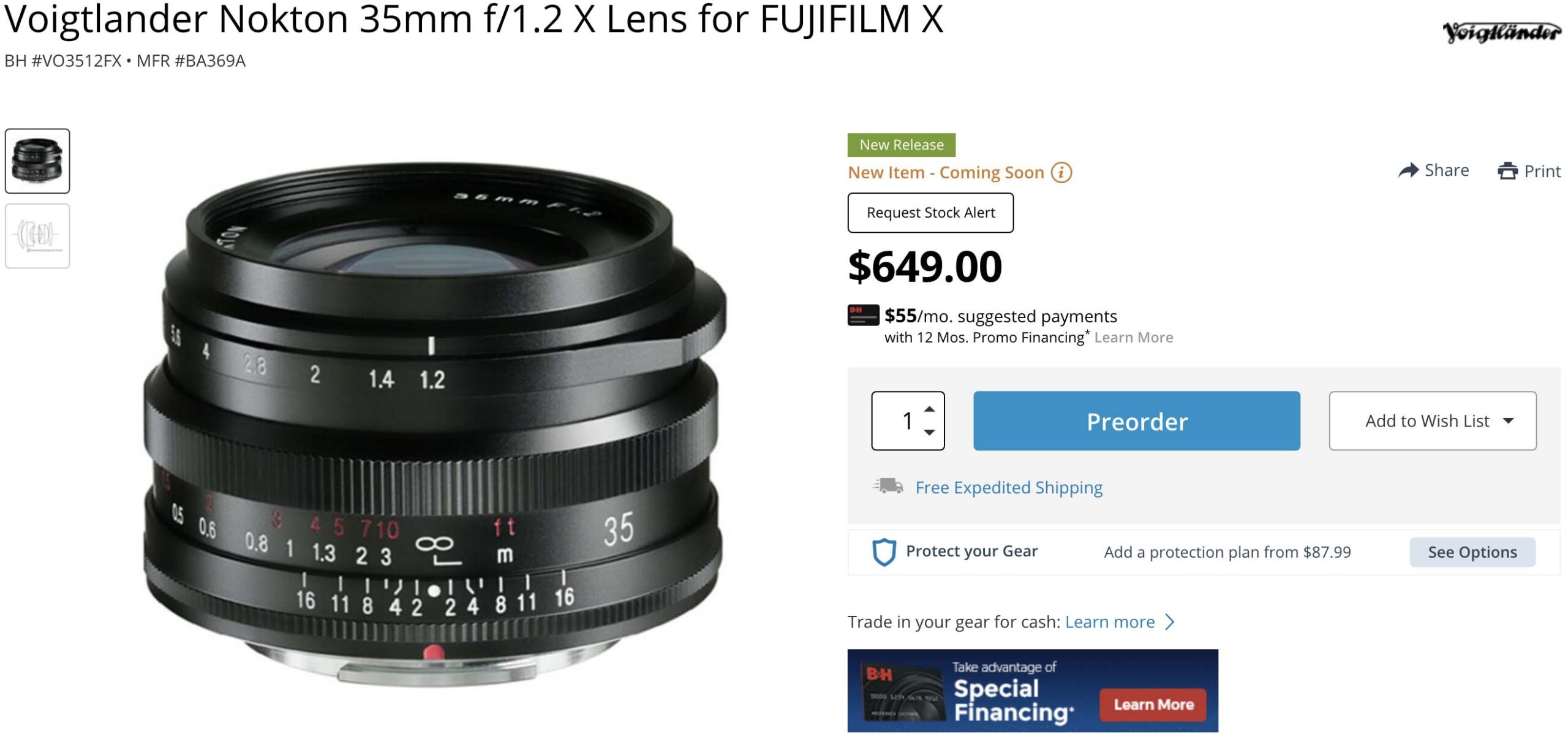
TTArtisan 17mm f/1.4 Announced

The TTArtisan 17mm f/1.4 was just announced and you can get on from Amazon

  • X-Mount Lens, APS-C Format: The wide-angle lens is designed for APS-C-format Fuji X-mount mirrorless cameras and provides a 25.5mm equivalent focal length.
  • High-performance Optical Design: Its optical system consists of 9 elements in 8 groups, including One ED element in the optical design and helps to reduce chromatic aberrations and color fringing for high clarity and color accuracy
  • Ideal Aperture: Bright f/1.4 maximum aperture suits working in a variety of lighting conditions. A 10-blade diaphragm contributes to a smooth and pleasing bokeh quality.
  • 81° Wide -angle of View: Improve contrast and color rendering in a variety of lighting conditions. the lens design renders an 81° angle of view to produce a distinct visual, it is perfect for still-lifes, close-ups, street, and travel photography.
  • Lightweight & Compact, with clicked aperture: the lens is compact that with weighs only 248g. with the clicked aperture, you can switch without looking at the lens, especially shooting at night.


via Photorumors

Posted in 3rd Party Lens| Tagged , | Leave a comment

New To Fujifilm Tutorial / Guide

I personally have never understood people that consider PSAM professional since most of my experience with cameras has been analog and digital cameras that use an exposure triangle like Fujifilm and Leica. In my experience, I only ever came across PSAM on point and shoot cameras and I always hated it with a passion because it wasn’t direct enough, but if you have had the opposite experience pal2tech made a guide for you.

  • Many Fujifilm photographers prefer to use film simulations instead of RAW files
  • There is no PSAM dial so here is how you operate the camera
    • For Auto put the Shutter and ISO on A and the lens on A also to make the camera fully automatic
    • For Aperture priority mode put the Shutter and ISO on A and then set your desired Aperture
    • For Shutter priority mode put the Aperture and ISO on A and then set your desired Shutter
    • For ISO priority put the Aperture and Shutter on A and then set your desired ISO
    • These modes all work with the exposure composition dial
    • For full manual do not use any of the Auto modes
  • Fujifilm has great high ISO so don’t be afraid to use 3,200 ISO or even 6,400 ISO if the shutter speed gets too low
    • It’s great to set your cameras ISO range from 160 to 3,200 ISO and let your camera pick the ISO based on your shutter and aperture settings
    • If you leave minimum shutter speed on AUTO then you might get motion blur so it might be good to limit the shutter speed from falling below 1/125th, which can be helped by 6,400 ISO
  • Fujifilm has great autofocus and manual focus
    • AF-C and AF-S performance are quite good which you can view below which you can view below
    • Full manual focus has a few assist modes and the lenses are focus by wire so it is not mechanical manual focus
    • The manual focus settings are under the AF/MF settings assist menu where focus peaking is probably the best mode to work with and you can assign this function to a button if you like
    • Pressing the rear command dial lets you zoom in for critical focus and you can turn the dial to zoom in even more and to exit just press the command dial again
  • You should customize the buttons on the back and your my menu
    • To customize buttons press and hold the display button until the customize menu comes up, which also gives you access to hidden features like the histogram
    • To customize my menu go into the wrench, user settings, my menu settings and on XT4 the camera has a my menu for video and photos
    • There is also a Q menu but that’s not useful for RAW shooters and it is best for dialing in JPEGs
  • It’s best to make sure you have enough batteries especially with the old Fujifilm NP-W126 batteries, but one new Fujifilm NP-W235 might be enough
    • If you want to get the full performance of your camera leave it in boost mode even though it burns through batteries quickly
  • Fujifilm’s handgrip can be a little small for larger lenses so if you like to shoot large lenses the battery grip might help

Please don’t forget to follow us on FacebookTwitterInstagramYouTube

Plus our owners’ groups
Fujifilm GFX Owners Group
Fujifilm X-H Owners Group
Fujifilm X-T Owners Group
Fujifilm X-S Owners Group
Fujifilm X-Pro Owners Group
Fujifilm X-E Owners Group
Fujifilm X-A Owners Group
Fujifilm X100 Owners Group
Posted in Technology guides| Tagged , , , | Leave a comment

Fujifilm GFX 100 vs Hasselblad H6D 400c: Is It Worth 5x The Price?

The Fujifilm GFX100 and GFX100S are incredible values in the larger than full-frame world of medium format, but many owners will never be able to compare the GFX to a camera like the Hasselblad H6D 400c, which is 5x the price. So Sonder Creative has created a comparison to see if the Hasselblad is really worth 5x the price of the Fujifilm GFX100.

  • The Hasselblad H6D 400c is a DSLR
  • The Fujifilm GFX100 is much smaller and lighter as a mirrorless camera
  • GFX100 autofocus destroys the H6D’s autofocus
  • H6D autofocus is so bad that 9 times out of 10 your photos will be out of focus
  • The GFX100 lets you capture subtle movements
  • H6D only really works as a manual focus camera and there is a delay with every photo you take
  • FOV difference between the GFX100 and H6D makes a big difference because you have more usable working distance with long lenses
  • Looking at images on the back of the camera screen the Hasselblad looks a little better from a depth of field perspective and colors
  • Hasselblad captures more in the frame at the same focal length due to the larger sensor
  • Color-wise Hasselblad is a little more neutral and Fujifilm is a little more vibrant
  • Both cameras do a good job, but the video maker prefers the more neutral look of the Hasselblad
  • The Hasselblad 45m lens is noticeably sharper, but the 45mm for Fujifilm is one of the softer lenses
  • When comparing the 120mm lenses the Fujifilm is doing significantly better in every way and even the color looks better than Hasselbad in this comparison
  • The GF120mm from Fujifilm is one of the sharpest lenses you will ever get
  • The color preference goes back and forth depending on the shot, but the reviewer is very sensitive to magenta and many Fujifilm profiles favor it
  • Yet another opinion is that Hasselblad files are easier to work with than Fujifilm when editing to taste
  • The Fujifilm seems to maintain contrast better when pushing your files while the Hasselblad files get washed out
  • Both cameras have good dynamic range and high ISO
  • The Fujifilm seems to have a lot of hot pixels at high ISO but they are easy to get ride of
  • Hasselblad loses more detail at high ISO than the Fujifilm
  • The GF120 is so sharp wide open that there is no improvement when stopping down
  • When stopping down the Hasselblad 120 it still can’t surpass the GF120
  • The GF45mm is noticeably softer than the Hasselblad, but if you stop it down to f/4 it sharpens up a lot and at f/11 it is a winner even compared to the Hasselblad lens
  • Hasselblad is unbeatable at pixel shift for now and it is the reason to get the camera
  • GFX100 is the best medium format system on the market
  • Pixel Shift and more subjectively colors are the only reason you would want the Hasselblad

Very interesting comparison and in my opinion I do not think that it is worth 5x the price and I also prefer Fujifilm’s more punchy colors. Also if you need more neutral colors you can build a profile to create them and save $40k. You can also just get a GFX100S and save an additional 4k, which makes the Hasselblad H6D 400c look even more over priced.

Fujifilm GFX100: B&H Photo / Amazon / Adorama
Fujifilm GFX100S:
 B&H Photo / Amazon / Moment / Adorama
Hasselblad H6D 400c:
B&H Photo / Adorama

Please don’t forget to follow us on FacebookTwitterInstagramYouTube

Plus our owners’ groups
Fujifilm GFX Owners Group
Fujifilm X-H Owners Group
Fujifilm X-T Owners Group
Fujifilm X-S Owners Group
Fujifilm X-Pro Owners Group
Fujifilm X-E Owners Group
Fujifilm X-A Owners Group
Fujifilm X100 Owners Group
Posted in Fujifilm GFX, Fujifilm GFX 100, Fujifilm GFX 100 Megapixel, Fujifilm GFX 100S, Fujifilm GFX 50R, Fujifilm GFX 50S, Fujifilm GFX100 IR| Tagged , , , , , , , , , , , , , , , , , , , , , , , , , , , , , , , , , , , , , , , | Leave a comment