Godox iT20 TTL and Godox iT22 TTL Announced


Godox iT20 TTL Black and Silver: B&H Photo / Amazon / Adorama
Godox iT22 TTL Black and Silver: B&H Photo / Amazon / Adorama

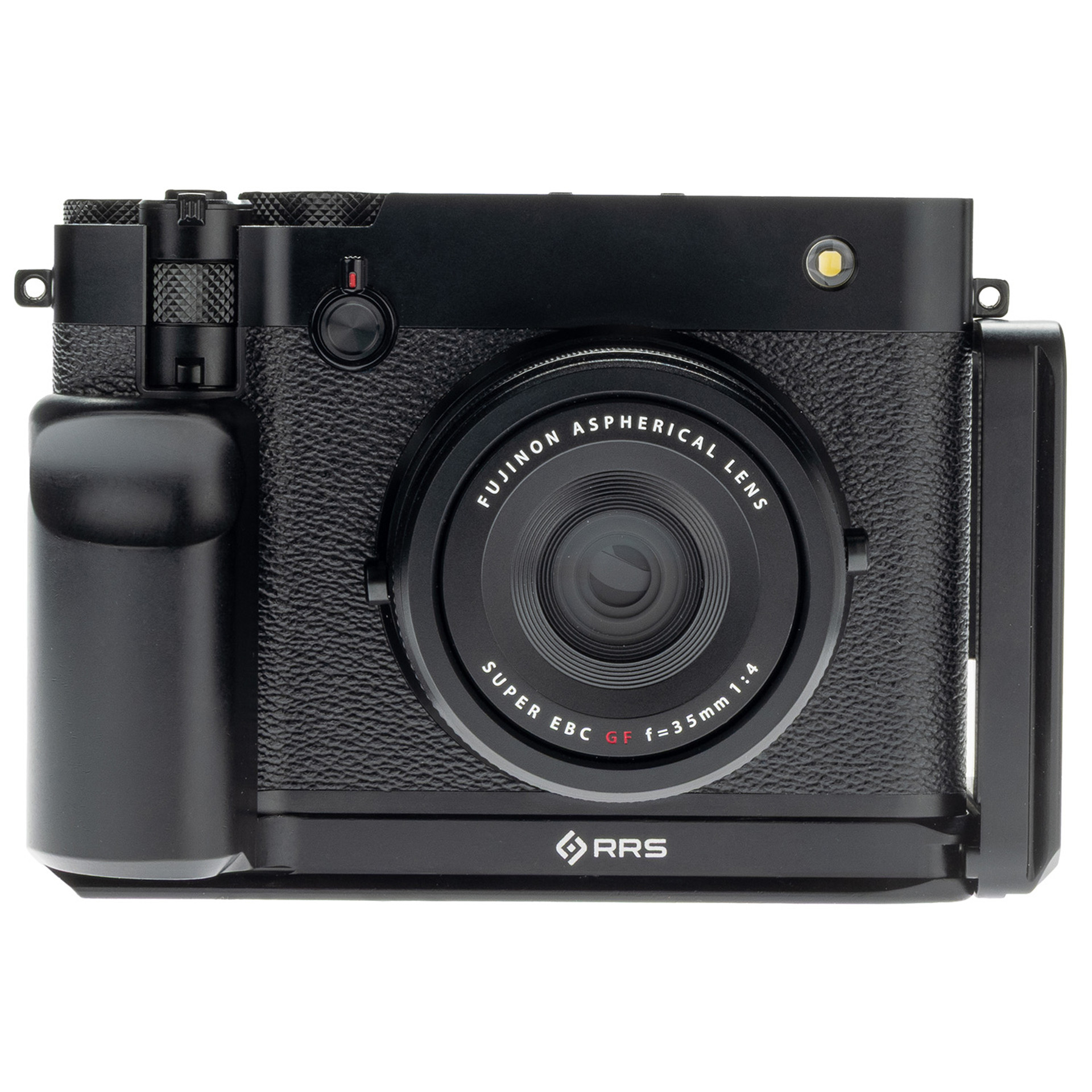
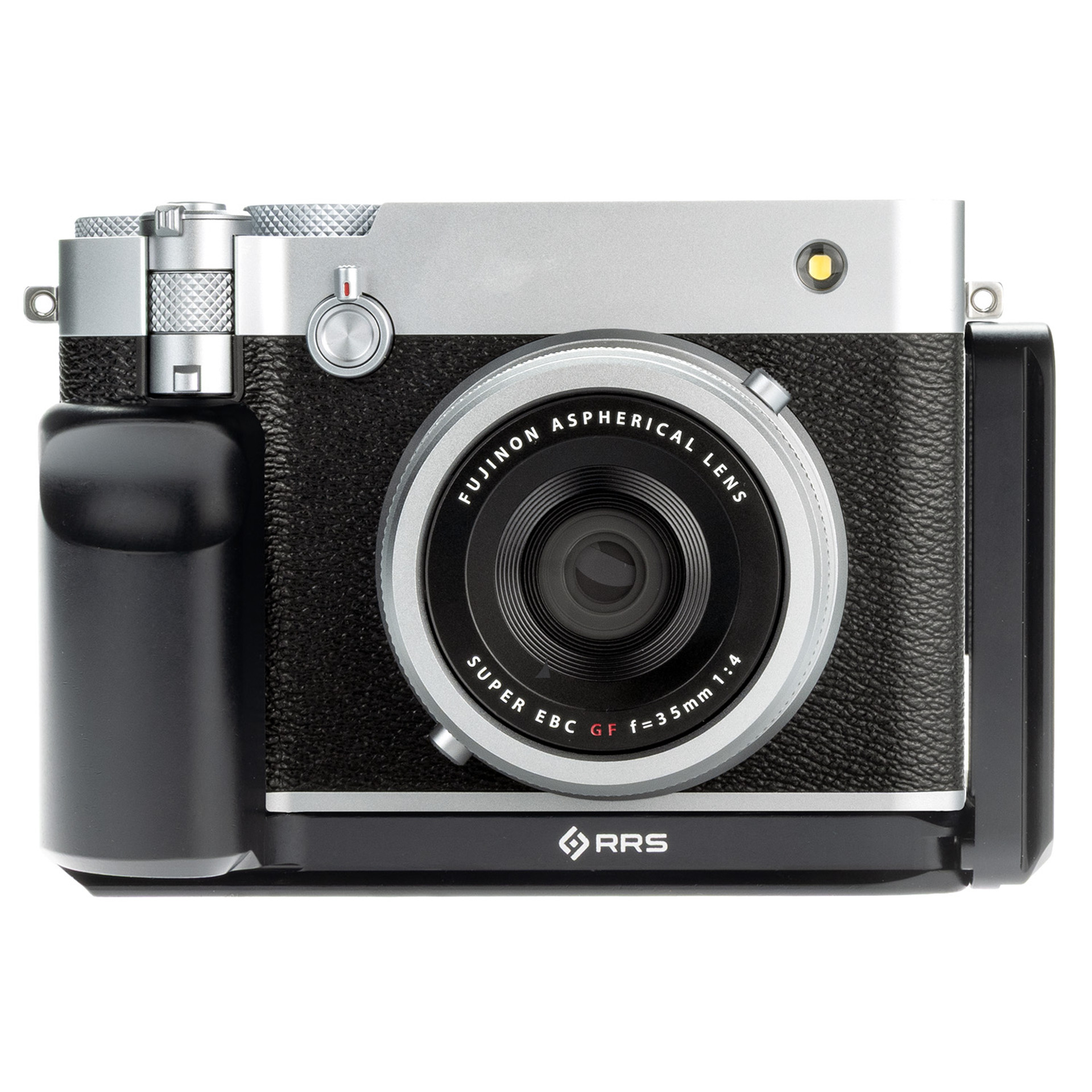
Godox announced the Godox iT20 TTL and Godox iT22 TTL today for Fujifilm cameras

Mini Flash, Maxi Fun!
Introducing iT20/iT22 iFlash Camera Flash. 45g Ultra-compact body with TTL function, perfect for both indoor and outdoor use, easily fits in your pocket for anytime creativity. Innovative magnetic accessories for quick light effect switching, creating unique atmospheres and creative possibilities.

Smart TTL, Effortless Results
Say goodbye to complex setups. Our mini TTL flash delivers perfect lighting instantly, empowering you to shoot faster and smarter.

45g Ultra-Compact Design
Its featherlight build takes up minimal space, ensuring you’re always prepared to seize life’s precious moments.

One-Touch M/TTL Mode Switching
Toggle between manual and TTL modes instantly via a dedicated button. The high-definition display shows clear, real-time settings for rapid adjustments.

Magnetic Accessories: Creativity Unleashed
Equipped with magnetic snap-on diffusers, color filters (CTO/CTB), creative gels, and honeycomb grids, the iT20/iT22 transforms light in seconds. Experiment with atmospheric effects and craft distinctive visual stories.

700+ Flashes & 1.5 s Recycling
Shoot uninterrupted with 1.5-second recycle times at full power and a remarkable 700-flash battery endurance.

Precise Power Control
Adjust flash intensity across 6 stops (1/32 to 1/1 power) in precise ±1/3-step increments for total command over your lighting.

Lightweight Lithium Battery
The built-in lithium battery charges swiftly via USB-C—keeping your creativity powered through extended shoots.

Elevate your flash—literally
The Optional TR TTL Hot Shoe Riser lifts your flash by 30mm, ensuring better clearance from the frame edge when using wide or protruding lenses. Compatible with Canon E-TTL II, Nikon i-TTL, Sony, Fujifilm, OM System and Panasonic TTL systems, it supports both auto flash and High-Speed Sync (HSS) functions. A 0-90° tilt adjustment gives you the flexibility to shoot with direct or bounce flash.

*Recommended for use with Godox camera flashes under 300g for optimal balance and stability.

Posted in Accessories| Tagged , , , , | Leave a comment

Fujifilm X-T5, X-S20, X-T50, X-M5, X100VI, X Half, and GFX100RF Firmware Updates Released


Fujifilm has released multiple firmware updates today.

FUJIFILM GFX100RF Ver.1.10 Download Here

The firmware update Ver.1.10 from Ver.1.00 incorporates the following issues:

< Important notice after firmware update >
* After the firmware update, you cannot connect the camera to the iOS version of FUJIFILM Camera Remote. Be sure to upgrade your smartphone or tablet to iOS13 or later and use FUJIFILM XApp instead of Camera Remote.
* After the firmware update, you cannot use the FUJIFILM Camera Remote (Android version) to connect with the camera through Bluetooth: Ver.4.1 and earlier. To pair via Bluetooth, smartphone/tablet must be Bluetooth Ver. 4.2 and latter.

Regarding the details of No.1 download the “GFX100RF New Features Guide[Ver.1.10]” from our website.
GFX 100RF New Features Guide: EnglishFrançaisDeutschEspañolItalianoNederlandPolskiSvenskaNorskDanskPусскийSuomi中文简中文繁體한국어ภาษาไทยArabic

    1. The wireless communication security is enhanced while camera is connecting with a smartphone application or external device wirelessly.After updating the firmware, security will be enhanced, so the connection procedure with the smartphone application will be changed, or the “WIRELESS COMMUNICATION” setting menu on the camera will be deleted (see section, <Changes after firmware update> below for details).

      < Changes after firmware update >
      1) The procedure for pairing the camera with a smartphone is changed.
      2) “WIRELESS COMMUNICATION” option in the “SHOOTING SETTING”, “MOVIE SETTING”, and “PLAY BACK MENU” are removed.
      3) “WIRELESS COMMUNICATION” option is removed from the functions assigned by the following operation flow in the “Setup Menu”.
      ・Operation flow: “BUTTON/DIAL SETTING” ➔ “FUNCTION (Fn) SETTING”
      4) “WIRELESS COMMUNICATION” option is removed from the “Fn1 BUTTON SETTING” menu in the “BUTTON/DIAL SETTING” of the “Setup menu”.
      5) “instax PRINTER CONNECTION SETTING” menu is removed from the “NETWORK/USB SETTING” of the “Setup menu” .
      6) “instax PRINTER PRINT” option is removed from the “PLAY BACK MENU”.

      < Precautions After Firmware Update >
      1) Network security level is improved by updating to the latest versions for both the smartphone applications (FUJIFILM XApp / FUJIFILM Camera Remote) and connected cameras, since the latest versions change the network setting menus and connecting procedures to enhance the wireless communication security.

      Be aware that the security level remains unchanged in the following case.
      ・In case that the camera’s firmware is the current version, and the smartphone application (FUJIFILM XApp / FUJIFILM Camera Remote) is the latest version.

      2) After updating the camera firmware, if the smartphone application (FUJIFILM XApp / FUJIFILM Camera Remote) is not updated to the latest version, you cannot connect to the camera. Be sure to upgrade your smartphone application software to the latest version.

      3) After updating the firmware, the “WIRELESS COMMUNICATION” setting menu of the camera will be removed, so if the “CONNECTION MODE” setting in the “NETWORK/USB SETTING” menu is set to “USB TETHER SHOOTING FIXED”, the setting is reset to the default value.

      4) After updating the firmware, you will no longer be able to print images taken with a digital camera directly from the instax™ SHARE SP-1/2/3. When printing images using instax™ SHARE SP-1/2/3, please use the smartphone application
      (FUJIFLM XApp or FUJIFILM Camera Remote) to import images and print from the dedicated instax™ printer application.

FUJIFILM X-T5 Ver.4.30 Download Here

The firmware update Ver.4.30 from Ver.4.21 incorporates the following issues:

< Important notice after firmware update >
* After the firmware update, you cannot connect the camera to the iOS version of FUJIFILM Camera Remote. Be sure to upgrade your smartphone or tablet to iOS13 or later and use FUJIFILM XApp instead of Camera Remote.
* After the firmware update, you cannot use the FUJIFILM Camera Remote (Android version) to connect with the camera through Bluetooth: Ver.4.1 and earlier. To pair via Bluetooth, smartphone/tablet must be Bluetooth Ver. 4.2 and latter.

Regarding the details of No.1 download the “X-T5 New Features Guide[Ver.4.30]” from our website.
・X-T5 New Features Guide: EnglishFrançaisDeutschEspañolItalianoNederland, PolskiSvenskaNorskDanskPусскийSuomi中文简中文繁體한국어ภาษาไทยArabic

    1. The wireless communication security is enhanced while camera is connecting with a smartphone application or external device wirelessly.After updating the firmware, security will be enhanced, so the connection procedure with the smartphone application will be changed, or the “WIRELESS COMMUNICATION” setting menu on the camera will be deleted (see section, <Changes after firmware update> below for details).< Changes after firmware update >
      1) The procedure for pairing the camera with a smartphone is changed.
      2) “WIRELESS COMMUNICATION” option in the “SHOOTING SETTING”, “MOVIE SETTING”, and “PLAY BACK MENU” are removed.
      3) “WIRELESS COMMUNICATION” option is removed from the functions assigned by the following operation flow in the “Setup Menu”.
      ・Operation flow: “BUTTON/DIAL SETTING” ➔ “FUNCTION (Fn) SETTING”
      4) “WIRELESS COMMUNICATION” option is removed from the functions assigned by the following operation flow in the “Setup Menu”.
      ・Operation flow: “BUTTON/DIAL SETTING” ➔ “POWER ZOOM LENS FUNCTION (Fn) SETTING”
      5) “WIRELESS COMMUNICATION” option is removed from the “Fn1 BUTTON SETTING” menu in the “BUTTON/DIAL SETTING” of the “Setup menu” .
      6) “instax PRINTER CONNECTION SETTING” menu is removed from the “NETWORK/USB SETTING” of the “Setup menu” .
      7) “instax PRINTER PRINT” option is removed from the “PLAY BACK MENU”.< Precautions After Firmware Update >
      1) Network security level is improved by updating to the latest versions for both the smartphone applications (FUJIFILM XApp / FUJIFILM Camera Remote) and connected cameras, since the latest versions change the network setting menus and connecting procedures to enhance the wireless communication security.Be aware that the security level remains unchanged in the following case.
      * In case that the camera’s firmware is the current version, and the smartphone application (FUJIFILM XApp / FUJIFILM Camera Remote) is the latest version.2) After updating the camera firmware, if the smartphone application (FUJIFILM XApp / FUJIFILM Camera Remote) is not updated to the latest version, you cannot connect to the camera. Be sure to upgrade your smartphone application software to the latest version.3) After updating the firmware, the “WIRELESS COMMUNICATION” setting menu of the camera will be removed, so if the “CONNECTION MODE” setting in the “NETWORK/USB SETTING” menu is set to “USB TETHER SHOOTING FIXED”, the setting is reset to the default value.4) After updating the firmware, you will no longer be able to print images taken with a digital camera directly from the instax™ SHARE SP-1/2/3. When printing images using instax™ SHARE SP-1/2/3, please use the smartphone application
      (FUJIFLM XApp or FUJIFILM Camera Remote) to import images and print from the dedicated instax™ printer application.

FUJIFILM X-S20 Ver.3.30 Download Here

The firmware update Ver.3.30 from Ver.3.20 incorporates the following issues:

< Important notice after firmware update >
* After the firmware update, you cannot connect the camera to the iOS version of FUJIFILM Camera Remote. Be sure to upgrade your smartphone or tablet to iOS13 or later and use FUJIFILM XApp instead of Camera Remote.
* After the firmware update, you cannot use the FUJIFILM Camera Remote (Android version) to connect with the camera through Bluetooth: Ver.4.1 and earlier. To pair via Bluetooth, smartphone/tablet must be Bluetooth Ver. 4.2 and latter.

Regarding the details of No.1 download the “X-S20 New Features Guide[Ver.3.30]” from our website.

・X-S20 New Features Guide: EnglishFrançaisDeutschEspañolItalianoNederland, PolskiSvenskaNorskDanskPусскийSuomi中文简中文繁體한국어ภาษาไทยArabic

    1. The wireless communication security is enhanced while camera is connecting with a smartphone application or external device wirelessly.After updating the firmware, security will be enhanced, so the connection procedure with the smartphone application will be changed, or the “WIRELESS COMMUNICATION” setting menu on the camera will be deleted (see section, <Changes after firmware update> below for details).< Changes after firmware update >
      1) The procedure for pairing the camera with a smartphone is changed.
      2) “WIRELESS COMMUNICATION” option in the “SHOOTING SETTING”, “MOVIE SETTING”, and “PLAY BACK MENU” are removed.
      3) “WIRELESS COMMUNICATION” option is removed from the functions assigned by the following operation flow in the “Setup Menu”.
      ・Operation flow: “BUTTON/DIAL SETTING” ➔ “FUNCTION (Fn) SETTING”
      4) “WIRELESS COMMUNICATION” option is removed from the functions assigned by the following operation flow in the “Setup Menu”.
      ・Operation flow: “BUTTON/DIAL SETTING” ➔ “POWER ZOOM LENS FUNCTION (Fn) SETTING”
      5) “WIRELESS COMMUNICATION” option is removed from the “ISO BUTTON SETTING” menu in the ”BUTTON/DIAL SETTING” of the “Setup menu”.
      6) “instax PRINTER CONNECTION SETTING” menu is removed from the “NETWORK/USB SETTING” of the “Setup Menu”.
      7) “instax PRINTER PRINT” option is removed from the “PLAY BACK MENU”.< Precautions After Firmware Update >
      1) Network security level is improved by updating to the latest versions for both the smartphone applications (FUJIFILM XApp / FUJIFILM Camera Remote) and connected cameras, since the latest versions change the network setting menus and connecting procedures to enhance the wireless communication security.Be aware that the security level remains unchanged in the following case.
      * In case that the camera’s firmware is the current version, and the smartphone application (FUJIFILM XApp / FUJIFILM Camera Remote) is the latest version.2) After updating the camera firmware, if the smartphone application (FUJIFILM XApp / FUJIFILM Camera Remote) is not updated to the latest version, you cannot connect to the camera. Be sure to upgrade your smartphone application software to the latest version.3) After updating the firmware, the “WIRELESS COMMUNICATION” setting menu of the camera will be removed, so if the “CONNECTION MODE” setting in the “NETWORK/USB SETTING” menu is set to “USB TETHER SHOOTING FIXED”, the setting is reset to the default value.4) After updating the firmware, you will no longer be able to print images taken with a digital camera directly from the instax™ SHARE SP-1/2/3. When printing images using instax™ SHARE SP-1/2/3, please use the smartphone application
      (FUJIFLM XApp or FUJIFILM Camera Remote) to import images and print from the dedicated instax™ printer application.

FUJIFILM X-T50 Ver.1.30 Download Here

The firmware update Ver.1.30 from Ver.1.20 incorporates the following issues:

< Important notice after firmware update >
* After the firmware update, you cannot connect the camera to the iOS version of FUJIFILM Camera Remote. Be sure to upgrade your smartphone or tablet to iOS13 or later and use FUJIFILM XApp instead of Camera Remote.
* After the firmware update, you cannot use the FUJIFILM Camera Remote (Android version) to connect with the camera through Bluetooth: Ver.4.1 and earlier. To pair via Bluetooth, smartphone/tablet must be Bluetooth Ver. 4.2 and latter.

Regarding the details of No.1 download the “X-T50 New Features Guide[Ver.1.30]” from our website.

・X-T50 New Features Guide: EnglishFrançaisDeutschEspañolItalianoNederland, PolskiSvenskaNorskDanskPусскийSuomi中文简中文繁體한국어ภาษาไทยArabic

    1. The wireless communication security is enhanced while camera is connecting with a smartphone application or external device wirelessly.After updating the firmware, security will be enhanced, so the connection procedure with the smartphone application will be changed, or the “WIRELESS COMMUNICATION” setting menu on the camera will be deleted (see section, <Changes after firmware update> below for details).< Changes after firmware update >
      1) The procedure for pairing the camera with a smartphone is changed.
      2) “WIRELESS COMMUNICATION” option in the “SHOOTING SETTING”, “MOVIE SETTING”, and “PLAY BACK MENU” are removed.
      3) “WIRELESS COMMUNICATION” option is removed from the functions assigned by the following operation flow in the “Setup Menu”.
      ・Operation flow: “BUTTON/DIAL SETTING” ➔ “FUNCTION (Fn) SETTING”
      4) “WIRELESS COMMUNICATION” option is removed from the functions assigned by the following operation flow in the “Setup Menu”.
      ・Operation flow: “BUTTON/DIAL SETTING” ➔ “POWER ZOOM LENS FUNCTION (Fn) SETTING”
      5) “WIRELESS COMMUNICATION” option is removed from the “Fn1 BUTTON SETTING” menu in the “BUTTON/DIAL SETTING” of the “Setup Menu”.
      6) “instax PRINTER CONNECTION SETTING” menu is removed from the “NETWORK/USB SETTING” of the “Setup Menu”.
      7) “instax PRINTER PRINT” option is removed from the “PLAY BACK MENU”.< Precautions After Firmware Update >
      1) Network security level is improved by updating to the latest versions for both the smartphone applications (FUJIFILM XApp / FUJIFILM Camera Remote) and connected cameras, since the latest versions change the network setting menus and connecting procedures to enhance the wireless communication security.Be aware that the security level remains unchanged in the following case.
      * In case that the camera’s firmware is the current version, and the smartphone application (FUJIFILM XApp / FUJIFILM Camera Remote) is the latest version.2) After updating the camera firmware, if the smartphone application (FUJIFILM XApp / FUJIFILM Camera Remote) is not updated to the latest version, you cannot connect to the camera. Be sure to upgrade your smartphone application software to the latest version.3) After updating the firmware, you will no longer be able to print images taken with a digital camera directly from the instax™ SHARE SP-1/2/3. When printing images using instax™ SHARE SP-1/2/3, please use the smartphone application
      (FUJIFLM XApp or FUJIFILM Camera Remote) to import images and print from the dedicated instax™ printer application.

FUJIFILM X-M5 Ver.1.20 Download Here

The firmware update Ver.1.20 from Ver.1.10 incorporates the following issues:

< Important notice after firmware update >
* After the firmware update, you cannot connect the camera to the iOS version of FUJIFILM Camera Remote. Be sure to upgrade your smartphone or tablet to iOS13 or later and use FUJIFILM XApp instead of Camera Remote.
* After the firmware update, you cannot use the FUJIFILM Camera Remote (Android version) to connect with the camera through Bluetooth: Ver.4.1 and earlier. To pair via Bluetooth, smartphone/tablet must be Bluetooth Ver. 4.2 and latter.

Regarding the details of No.1 download the “X-M5 New Features Guide[Ver.1.20]” from our website.

・X-M5 New Features Guide: EnglishFrançaisDeutschEspañolItalianoNederland, PolskiSvenskaNorskDanskPусскийSuomi中文简中文繁體한국어ภาษาไทยArabic

    1. The wireless communication security is enhanced while camera is connecting with a smartphone application or external device wirelessly.After updating the firmware, security will be enhanced, so the connection procedure with the smartphone application will be changed, or the “WIRELESS COMMUNICATION” setting menu on the camera will be deleted (see section, <Changes after firmware update> below for details).< Changes after firmware update >
      1) The procedure for pairing the camera with a smartphone is changed.
      2) “WIRELESS COMMUNICATION” option in the “SHOOTING SETTING”, “MOVIE SETTING”, and “PLAY BACK MENU” are removed.
      3) “WIRELESS COMMUNICATION” option is removed from the functions assigned by the following operation flow in the “Setup Menu”.
      ・Operation flow: “BUTTON/DIAL SETTING” ➔ “FUNCTION (Fn) SETTING”
      4) “WIRELESS COMMUNICATION” option is removed from the functions assigned by the following operation flow in the “Setup Menu”.
      ・Operation flow: “BUTTON/DIAL SETTING” ➔ “POWER ZOOM LENS FUNCTION (Fn) SETTING”
      5) “WIRELESS COMMUNICATION” option is removed from the “REC BUTTON SETTING” menu in the “BUTTON/DIAL SETTING” of the “Setup Menu”.
      6) “instax PRINTER CONNECTION SETTING” menu is removed from the “NETWORK/USB SETTING” of the “Setup Menu”.
      7) “instax PRINTER PRINT” option is removed from the “PLAY BACK MENU”.< Precautions After Firmware Update >
      1) Network security level is improved by updating to the latest versions for both the smartphone applications (FUJIFILM XApp / FUJIFILM Camera Remote) and connected cameras, since the latest versions change the network setting menus and connecting procedures to enhance the wireless communication security.Be aware that the security level remains unchanged in the following case.
      * In case that the camera’s firmware is the current version, and the smartphone application (FUJIFILM XApp / FUJIFILM Camera Remote) is the latest version.2) After updating the camera firmware, if the smartphone application (FUJIFILM XApp / FUJIFILM Camera Remote) is not updated to the latest version, you cannot connect to the camera. Be sure to upgrade your smartphone application software to the latest version.

      3) After updating the firmware, the “WIRELESS COMMUNICATION” setting menu of the camera will be removed, so if the “CONNECTION MODE” setting in the “NETWORK/USB SETTING” menu is set to “USB TETHER SHOOTING FIXED”, the setting is reset to the default value.

      4) After updating the firmware, you will no longer be able to print images taken with a digital camera directly from the instax™ SHARE SP-1/2/3. When printing images using instax™ SHARE SP-1/2/3, please use the smartphone application
      (FUJIFLM XApp or FUJIFILM Camera Remote) to import images and print from the dedicated instax™ printer application.

FUJIFILM X100VI Ver.1.30 Download Here

The firmware update Ver.1.30 from Ver.1.21 incorporates the following issues:

< Important notice after firmware update >
* After the firmware update, you cannot connect the camera to the iOS version of FUJIFILM Camera Remote. Be sure to upgrade your smartphone or tablet to iOS13 or later and use FUJIFILM XApp instead of Camera Remote.
* After the firmware update, you cannot use the FUJIFILM Camera Remote (Android version) to connect with the camera through Bluetooth: Ver.4.1 and earlier. To pair via Bluetooth, smartphone/tablet must be Bluetooth Ver. 4.2 and latter.

Regarding the details of No.1 download the “X100VI New Features Guide[Ver.1.20]” from our website.

X100VI New Features Guide: EnglishFrançaisDeutschEspañolItalianoNederland, PolskiSvenskaNorskDanskPусскийSuomi中文简中文繁體한국어ภาษาไทยArabic

    1. The wireless communication security is enhanced while camera is connecting with a smartphone application or external device wirelessly.After updating the firmware, security will be enhanced, so the connection procedure with the smartphone application will be changed, or the “WIRELESS COMMUNICATION” setting menu on the camera will be deleted (see section, <Changes after firmware update> below for details).< Changes after firmware update >
      1) The procedure for pairing the camera with a smartphone is changed.
      2) “WIRELESS COMMUNICATION” option in the “SHOOTING SETTING”, “MOVIE SETTING”, and “PLAY BACK MENU” are removed.
      3) “WIRELESS COMMUNICATION” option is removed from the functions assigned by the following operation flow in the “Setup Menu”.
      ・Operation flow: “BUTTON/DIAL SETTING” ➔ “FUNCTION (Fn) SETTING”
      4) “WIRELESS COMMUNICATION” option is removed from the “Fn1 BUTTON SETTING” menu in the “BUTTON/DIAL SETTING” of the “Setup Menu”.
      5) “instax PRINTER CONNECTION SETTING” menu is removed from the “NETWORK/USB SETTING” of the “Setup Menu”.
      6) “instax PRINTER PRINT” option is removed from the “PLAY BACK MENU”.< Precautions After Firmware Update >
      1) Network security level is improved by updating to the latest versions for both the smartphone applications (FUJIFILM XApp / FUJIFILM Camera Remote) and connected cameras, since the latest versions change the network setting menus and connecting procedures to enhance the wireless communication security.Be aware that the security level remains unchanged in the following case.
      * In case that the camera’s firmware is the current version, and the smartphone application (FUJIFILM XApp / FUJIFILM Camera Remote) is the latest version.

      2) After updating the camera firmware, if the smartphone application (FUJIFILM XApp / FUJIFILM Camera Remote) is not updated to the latest version, you cannot connect to the camera. Be sure to upgrade your smartphone application software to the latest version.

      3) After updating the firmware, you will no longer be able to print images taken with a digital camera directly from the instax™ SHARE SP-1/2/3. When printing images using instax™ SHARE SP-1/2/3, please use the smartphone application
      (FUJIFLM XApp or FUJIFILM Camera Remote) to import images and print from the dedicated instax™ printer application.

FUJIFILM X half Ver.1.20 Download Here

The firmware update Ver.1.20 from Ver.1.01 incorporates the following issues:

Regarding the details of No.1 download the “X half New Features Guide[Ver.1.20]” from our website.

X half New Features Guide: EnglishFrançaisDeutschEspañolItalianoNederland, PolskiSvenskaNorskDanskPусскийSuomi中文简中文繁體한국어ภาษาไทยArabic

    1. The procedure for pairing the camera with a smartphone is changed.
    2. A firmware bug is fixed that the camera freezes in rare cases when power is turned off and on.< Precautions After Firmware Update >
      1) Network security level is improved by updating to the latest versions for both the smartphone applications (X half app) and connected cameras and instax™ printers (mini Link3, SQUARE Link and Link WIDE), since the latest versions change the network setting menus and connecting procedures to enhance the wireless communication security.Be aware that the security level remains unchanged in the following cases.
      * In case that the camera’s firmware is the current version, and the smartphone application (X half app) is the latest version.
      * In case that the instax™ printer (mini Link3/SQUARE Link/Link WIDE) is the current version.2) After updating the camera firmware, if the smartphone application (X half app) is not updated to the latest version, you cannot connect to the camera. Be sure to upgrade your smartphone application software to the latest version.

Follow Fujiaddict on Facebook, TwitterInstagram, and YouTube

Plus, our owners’ groups
Fujifilm GFX Owners Group
Fujifilm X-H Owners Group
Fujifilm X-T Owners Group
Fujifilm X-S Owners Group
Fujifilm X-Pro Owners Group
Fujifilm X-E Owners Group
Fujifilm X-A Owners Group
Fujifilm X100 Owners Group

Posted in Firmware, Fuji X100, Fujifilm GFX, Fujifilm GFX 100, Fujifilm GFX 100 Megapixel, Fujifilm X-M5, Fujifilm X-S20, Fujifilm X-T5, Fujifilm X-T50, Fujifilm X100VI| Tagged , , , | Leave a comment

Anker PowerCore 10000 A1263 Recall


Fujifilm has recommended Anker PowerCore PD power banks since the Fujifilm X-T3, but the Anker PowerCore Speed 20000 PD and PowerCore+26800 PD have been discontinued, so some Fujifilm photographers have likely purchased power banks like the Anker PowerCore 10000 A1263, which is currently being recalled for “The lithium-ion battery in the power bank can overheat, posing fire and burn hazards to consumers.”

You can submit your claim for the recall here, or if you can’t wait, Amazon has many Anker Powercore products with same-day and next-day delivery.

Recall Details

Description:
This recall involves Anker PowerCore 10000 power banks with model number A1263. The brand name “Anker” is engraved on the front of the product. The model number “A1263” and serial number “SN” are printed on the bottom. Only model number A1263 power banks sold in the U.S. with qualifying serial numbers are included in the recall. Consumers should check their serial number at https://www.anker.com/product-recalls to determine whether their power bank is included in the recall.

Note: Do not throw this recalled lithium-ion battery or device in the trash, in the general recycling stream (e.g., street-level or curbside recycling bins), or in used battery recycling boxes found at various retail and home improvement stores. Recalled lithium-ion batteries must be disposed of differently than other batteries, because they present a greater risk of fire. Your municipal household hazardous waste (HHW) collection center may accept this recalled lithium-ion battery or device for disposal. Before taking your battery or device to a HHW collection center, contact it ahead of time and ask whether it accepts recalled lithium-ion batteries. If it does not, contact your municipality for further guidance.

Remedy:
Consumers should immediately stop using the recalled power banks and contact Anker Innovations for instructions on receiving a free replacement power bank. Visit https://www.anker.com/product-recalls to register for the recall. To receive a replacement, consumers will be required to submit a photo of their recalled power bank showing the model number, serial number, their name, the date of the photograph, and the word “recalled” written on the power bank in permanent marker. A purchase receipt will be requested but will not be required to participate in the recall. Consumers will also be required to confirm disposal of the power bank in accordance with applicable laws and regulations before receiving a replacement.

Incidents/Injuries:
Anker has received 19 reports of fires and explosions. This includes two reports of minor burn injuries not requiring medical attention and 11 reports of property damage totaling over $60,700.

Sold At:
Online at Anker, Amazon, Newegg and Ebay from June 2016 through December 2022 for about $27.
Manufacturer(s):
Anker Innovations Limited, of China
Manufactured In:
China
Recall number:
25-338

Posted in Accessories| Tagged , , | Leave a comment

PT: Fujinon XF23mm F2.8 R WR Review – An Ultra-light, Compact, Sharp, Fast, Pancake Lens

Fujinon XF23mm f/2.8 R WR: B&H Photo / Amazon / Moment / Adorama

Phototrend published its full review of the Fujinon XF23mm F2.8 R WR pancake, which you can read in full here or check out an excerpt from the review below:

Ultra-light and compact, the Fujinon XF 23mm f/2.8 R WR seduces us with its good optical performance and the speed of its autofocus. 

Pro

  • Ultra-light and compact
  • (Very) responsive autofocus
  • Manual aperture ring
  • Tropicalized
  • Good sharpness and good uniformity from f/2.8

Cons

  • Autofocus not completely silent
  • Pronounced vignetting at f/2.8
  • Slight barrel distortion
  • Maximum aperture at “only” f/2.8

Follow Fujiaddict on Facebook, TwitterInstagram, and YouTube

Plus, our owners’ groups
Fujifilm GFX Owners Group
Fujifilm X-H Owners Group
Fujifilm X-T Owners Group
Fujifilm X-S Owners Group
Fujifilm X-Pro Owners Group
Fujifilm X-E Owners Group
Fujifilm X-A Owners Group
Fujifilm X100 Owners Group

Posted in 3rd Party Lens| Tagged , , , | Leave a comment

FUJIKINA London September 18-21 and 25-28


FUJIKINA London 2025
We’re proud to present FUJIKINA London 2025, a photography festival in the heart of London where anyone can learn and feel inspired through a shared sense of creativity and curiosity. Bringing together creatives, enthusiasts and professionals, at FUJIKINA London we’re on a mission to take the gatekeeping out of photography. With masterclasses, seminars, 1-2-1s, exhibitions, photowalks and much more, there’s something for everyone.

More Information Available Here

FUJIKINA Cologne September 27–28th 2025

Posted in Fuji Event| Tagged | Leave a comment

Photo & Imaging Expo Shanghai 2025 Fujifilm Booth

The P&I Expo has just started and will run through July 19th. Some photos of Fujifilm’s booth were shared on Weibo. You can see the images above and check out a translated summary of the booth below:

[Virtual Tour of the P&I Expo]
Fujifilm arguably had the largest booth at the show, with their “entire family on display.” The most eye-catching elements were the giant transparent camera at the entrance and the family photo zone showcasing the whole Fujifilm lineup. From the stylish X100VI to the newly announced X-E5, the most buzzworthy model was clearly the X-Half. Naturally, Fujifilm also featured its high-end GFX medium format cameras, including the recently popular GFX100RF. At the center of the booth, we also spotted the yet-to-be-officially-released GFX ETERNA, a medium format cinema camera paired with a 32–90mm cine lens—truly attention-grabbing.

As in previous years, Fujifilm set up various themed shooting zones so visitors could try out different models firsthand. Whether it’s the medium format line, the new X-series bodies, or hot models like the X-Half, attendees had the chance to get hands-on with the gear.

The Fujifilm booth also showcased disposable film cameras and Instax products—an absolute paradise for analog photography lovers. The self-service film vending machine on-site attracted the biggest crowd, and once you see it, you’ll probably feel tempted to make a purchase too.

via weibo

Posted in Fuji Event| Tagged , , , , | Leave a comment