


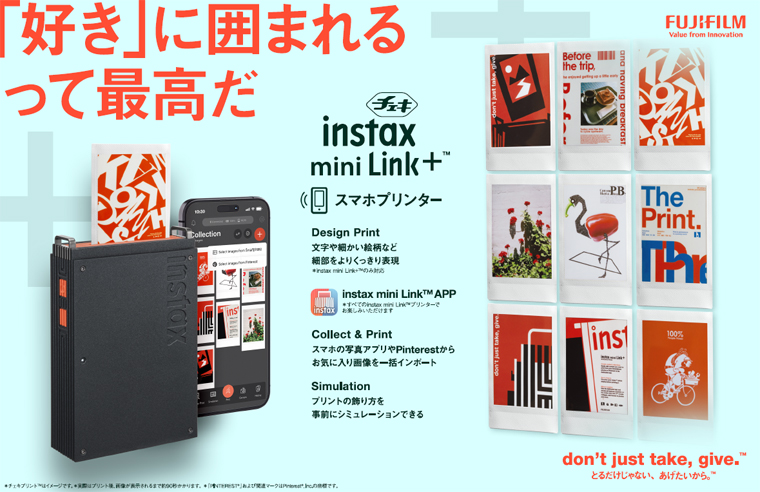
instax mini Link+: B&H Photo / Amazon
New smartphone printer “instax mini Link+ ™ ” released
Easily print your favorite photos with Instax ™ ! Introducing a high-end model that will expand the fun of decorating your everyday life!
Newly equipped with “Design Print” mode that allows for clear printing of text and fine patterns
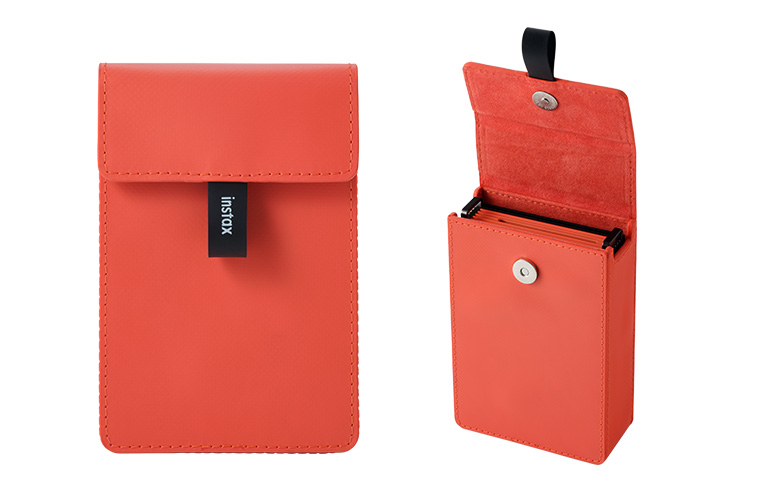
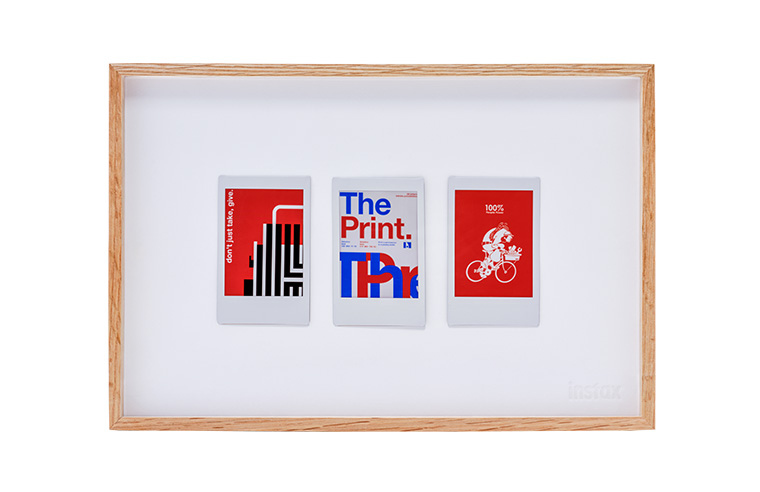
FUJIFILM Corporation (Headquarters: Minato-ku, Tokyo; President and CEO: Yoshikazu Goto) will release the instax mini Link+ ™ (hereinafter referred to as “mini Link+”), an advanced model in the instax ™ smartphone printer “mini Link” series , on January 30, 2026. Also being released at the same time are a printer case matching the printer body color and the instax ™ mini photo frame , a photo frame for beautifully displaying instax ™ prints.
The “mini Link” series is a smartphone printer that easily turns photos taken with your smartphone into card-sized Instax prints ™ . Connecting with the dedicated app *1 allows you to print high-quality Instax prints ™ anytime, anywhere, making it popular with people of all ages around the world. In addition to printing memorable photos, the range of Instax prints ™ available is expanding, including favorite characters and game worlds. The newly released “mini Link+” is a premium model that expands the enjoyment of displaying Instax prints ™ as interior or fashion accessories. The printer body features a dignified, linear design with metallic black and striking orange accents. Its high-quality design, combined with a metal strap hook, is a highlight. The “mini Link+” features a new “Design Print” mode that focuses on the fine details of content. Compared to the previous “mini Link” series, the printer’s image processing capabilities have been enhanced to clearly reproduce even small text and patterns. It can be used in conjunction with “Simple Print” mode, which produces smoother prints of portraits and paintings. In addition to the features of the previous “mini Link” series, the dedicated app also includes new functions that make printing content even easier. It connects with smartphone photo apps and Pinterest® *2 apps, allowing you to import your favorite images saved in those apps into the dedicated app *3 . Imported images are displayed in a list with an instax ™ frame. Additionally, a new “Simulation” function allows you to see the ideal image you’d like to decorate your daily life with Instax ™ on a photo frame, the back of your smartphone, or anywhere else before printing . This streamlines the process of turning your favorite content into Instax ™ prints and displaying them, expanding the joy of adding color to your daily life with Instax ™ prints. The new features of the dedicated app can also be used with other “mini Link” series devices by updating the app *4 .
Fujitsu will continue to propose a variety of ways to enjoy ChekiPrint ™ and expand the world of the instax ™ instant photo system.
- *1 A free app for Android devices and iPhones. Available for download from Google Play for Android devices and the App Store for iPhones. Android and Google Play are trademarks or registered trademarks of Google Inc. iPhone and App Store are trademarks of Apple Inc. The iPhone trademark is used under license from Aiphone Co., Ltd.
- *2 Pinterest® and the Pinterest® logo are trademarks or registered trademarks of Pinterest, Inc.
- *3 When using images imported from Pinterest® or your smartphone, please comply with copyright and other laws. For details, please refer to the terms of use for the app.
- *4 With the release of the dedicated app update on January 28, 2026, “instax mini Link,” “instax mini Link 2,” and “instax mini Link 3” will also be able to link with the photo app Pinterest® and use the “simulation function.” Enjoy switching between the default “Original Mode” and “Content Print Mode,” which allows you to use the new functions of “mini Link+.” “Design Print” mode is only available with “mini Link+.”
Note
1. Product name, release date, and price
| Product name | release date | price |
|---|---|---|
| (1) Smartphone printer “instax mini Link+ ™ “ | January 30, 2026 | Open price |
| (2) Printer case for “instax mini Link+ ™ “ | ||
| (3) Instax ™ mini photo frame |
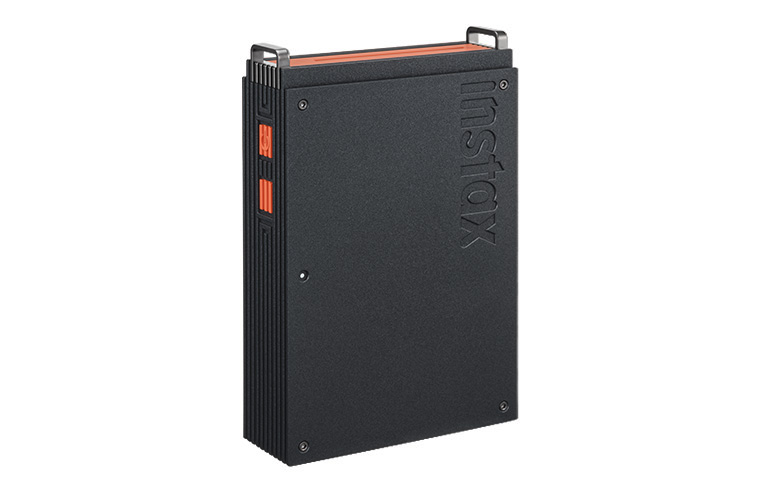
(1) Smartphone printer “instax mini Link+ ™
(2) Printer case for “instax mini Link+ ™ ”
(3) Instax ™ mini photo frame
2. Main features of the instax mini Link+ ™
(1) High-quality design that also looks great as interior décor
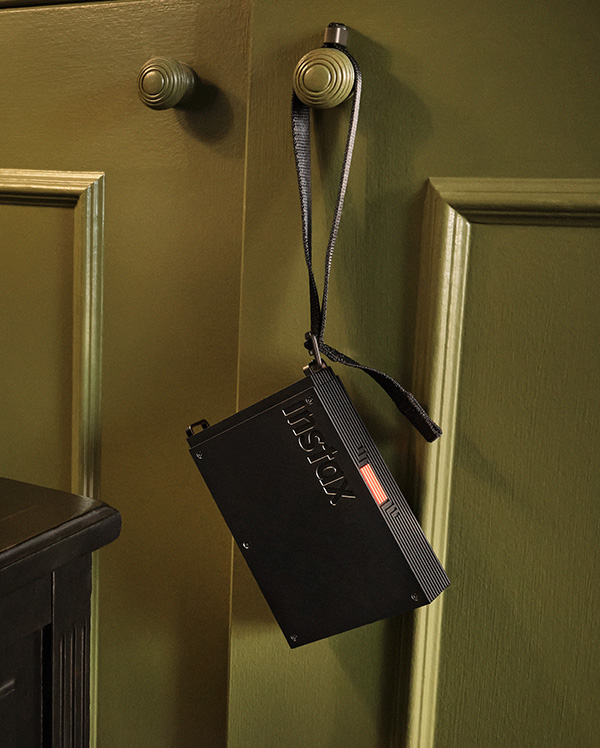
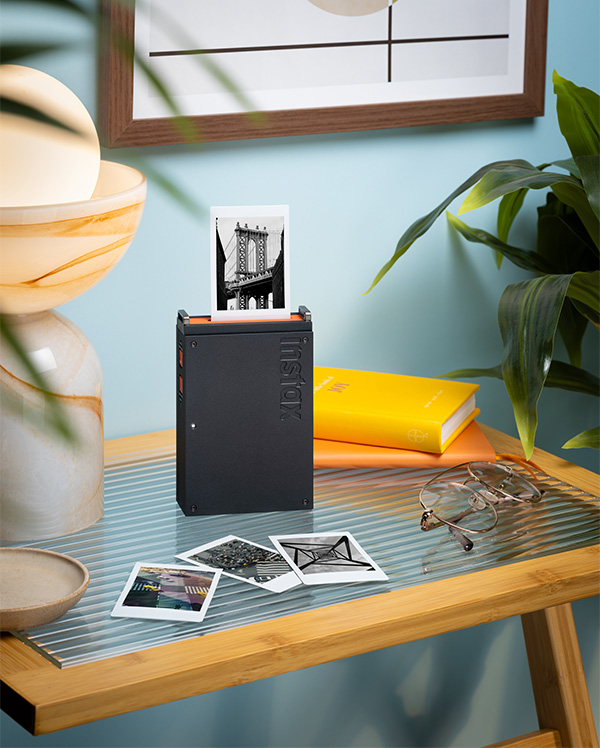
The printer itself features a solid, linear design with a metallic black finish and striking orange accents on the sides. The high-quality design, combined with a metal strap hook, makes it a striking addition to any interior décor. The included wrist strap can be worn around the wrist or hung on a wall.
-

- Hanging from a shelf handle using the included wrist strap
-
- High-quality design that also stands out as an interior
(2) “Design Print” mode for beautifully expressing details
Compared to the previous “mini Link” series, the printer’s image processing capabilities have been strengthened, allowing you to select from two image quality modes to suit the content you are printing.
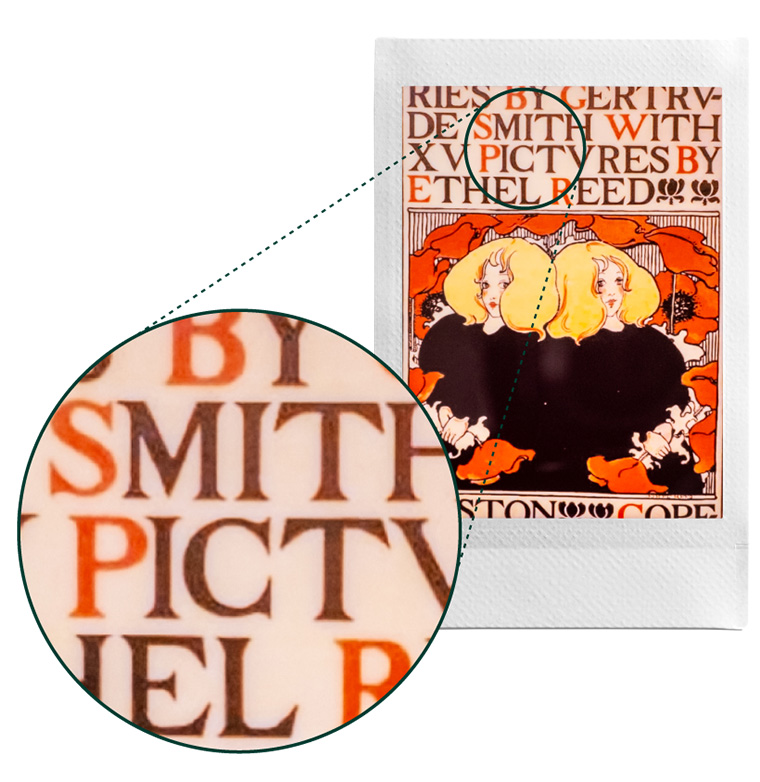
- “Design print”: Clearly expresses details, including small letters and images.
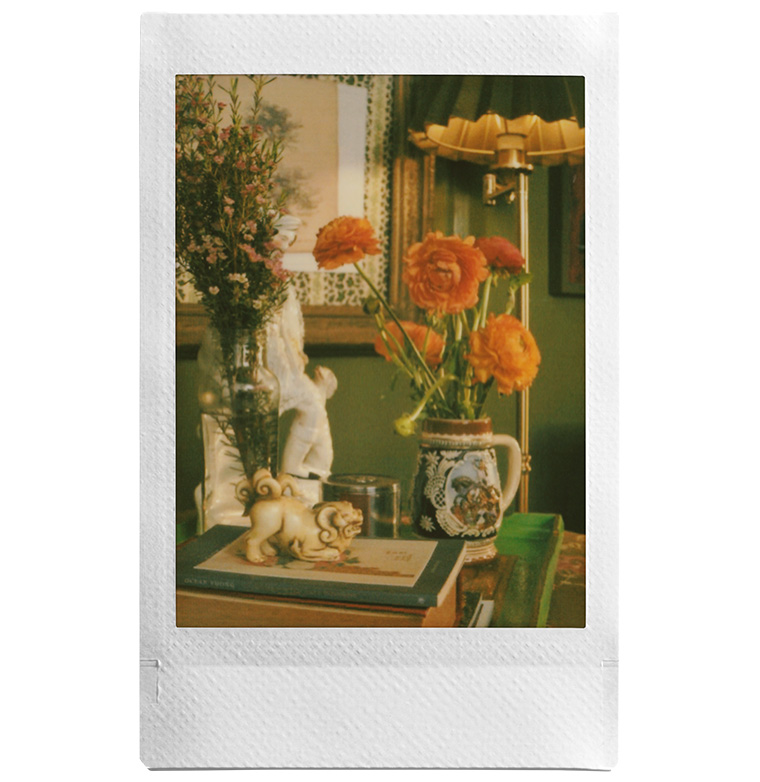
- “Simple print”: Smoothly expresses the texture of content such as photographs of people and paintings.
-

- Design Print mode
-
- Simple Print mode
(3) By linking with photo apps and Pinterest® , you can easily print your favorite images on Instax.
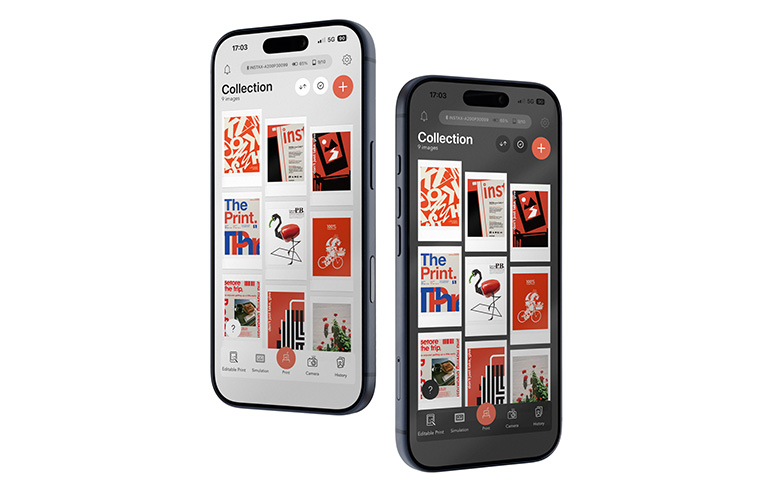
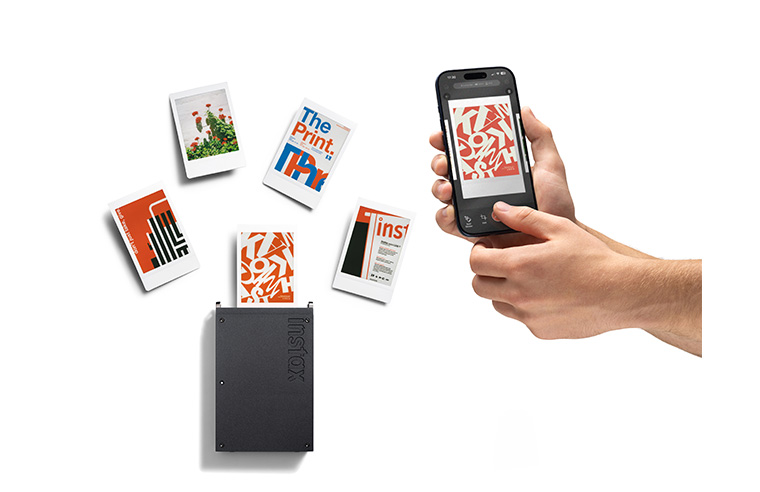
It works with smartphone photo apps and Pinterest® apps , allowing you to import images saved in each app into the dedicated app. Imported images are displayed in a list on the home screen of the dedicated app with an instax ™ frame. You can select multiple images from the list and print them all at once.
-

- App top screen
-
- Multiple images can be printed at once
(4) Equipped with a “Simulation Function” that expands the imagination of displaying Instax prints ™ in your daily life
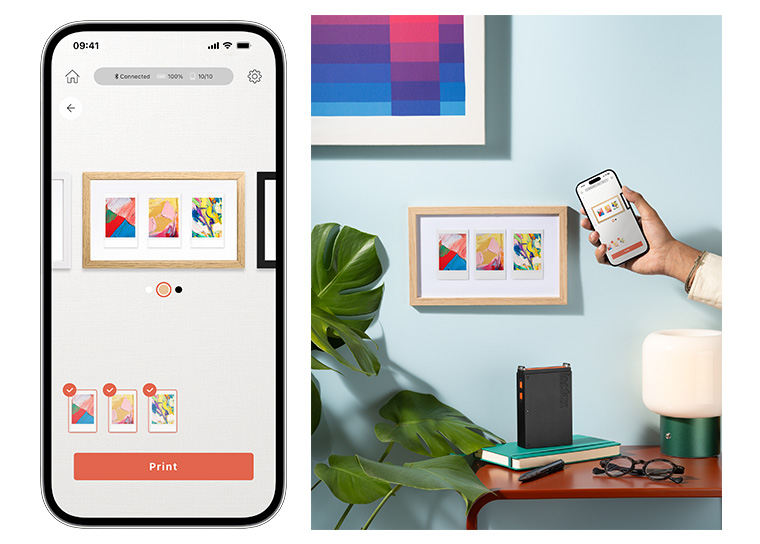
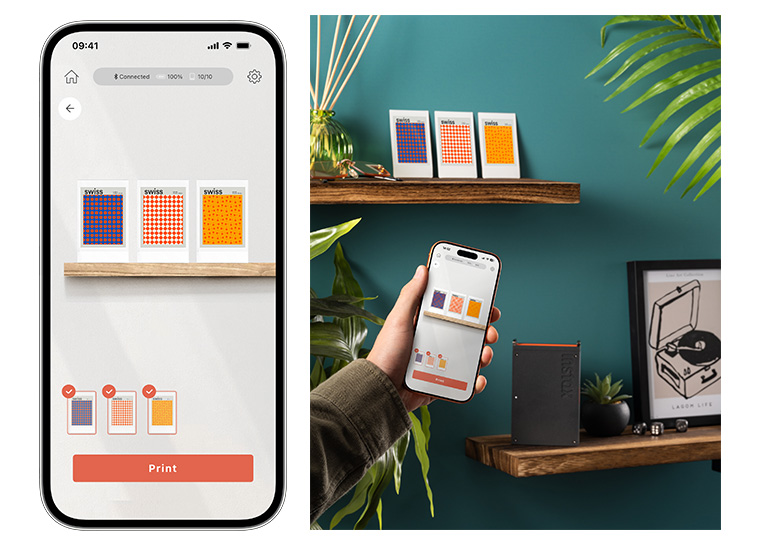
The app lets you simulate how to display your Instax prints ™ in four different ways: in a frame, on the back of your smartphone, on a shelf, or on the wall. You can also adjust the arrangement and swap out images, allowing you to choose the images to print while imagining how you’ll display your Instax prints ™ in your daily life.
-

- A simulation of “displaying in a frame” is performed, and the photo is then displayed as an Instax print ™
-
- A simulation of placing the photo on a shelf, then displaying it as an Instax print ™
(5) You can also enjoy the shooting functions of the “mini Link” series using the dedicated app!
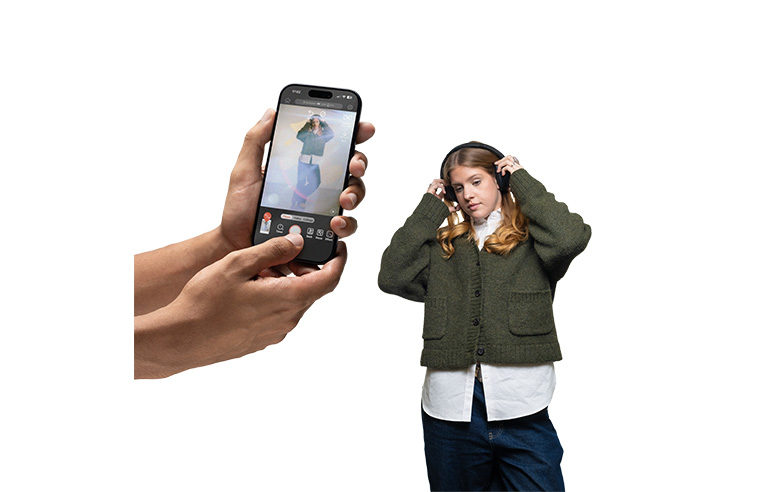
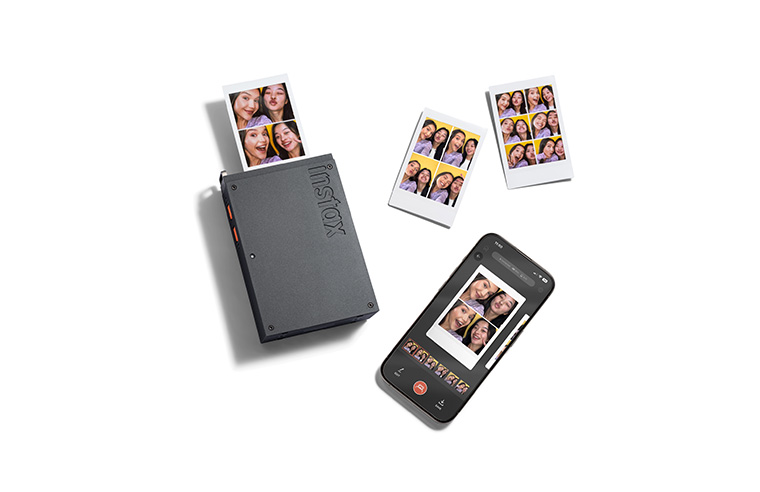
The dedicated app allows you to enjoy popular features from the existing mini Link series, such as instax AiR Studio ™ , which lets you freely decorate spaces with three-dimensional AR effects, and Click to Collage, which lets you create collage prints from continuous shots in a photo booth-like style.
-
- Enjoying taking photos with AR effects using “instax AiR Studio ™ “
-
- “Click to Collage” lets you take continuous shots and print them on the spot
3. Promotion of “instax mini Link+ ™ ”
“miniLink+” allows you to easily turn content saved in the photo app or Pinterest® into Instax prints™ using a dedicated app . We hope that you will decorate your life with Instax prints ™ by displaying your favorite prints on the wall or carrying them around in your smartphone case . Our message, “It’s great to be surrounded by things you love,” is what we want to convey globally. We will be promoting the appeal of “mini Link+” to as many people as possible online, on social media, in stores, and elsewhere.
