


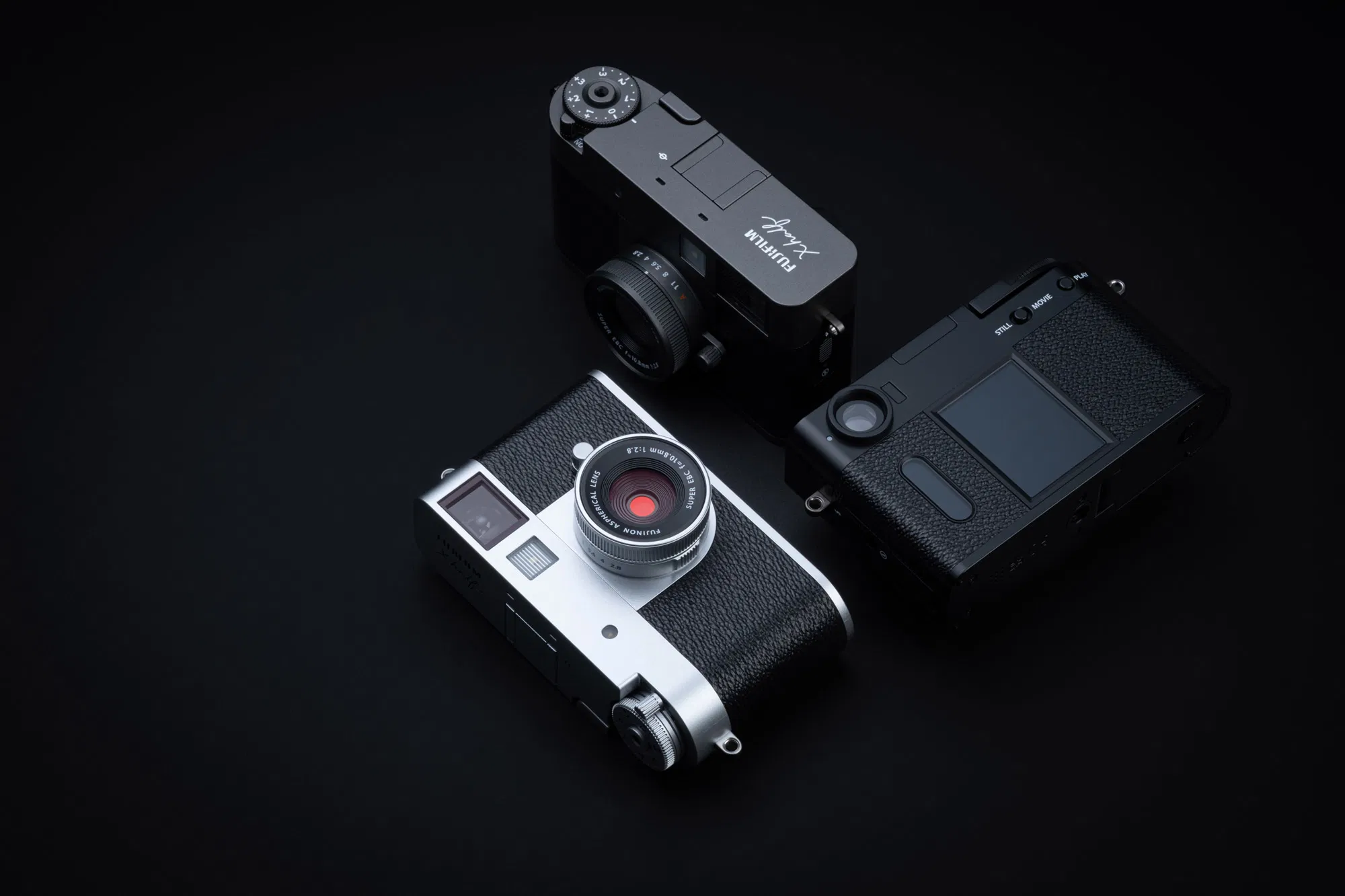
 Fujifilm X-Half Frame (Save $200):
B&H Photo / Amazon (Silver / Charcoal / Black) / ShopMoment / Adorama
The Fujifilm X-Half has been on sale for a bit now, and I wrote a Mini Review about how much I am enjoying the camera, but it had some bugs left to fix. Well, today Fujifilm announced firmware 1.30, and it appears to address all of my concerns. You can download the update here or through the Fujifilm App, and you can find the firmware update notes below:
Fujifilm X-Half Ver.1.30 Release Notes
The firmware update Ver.1.30 from Ver.1.20 incorporates the following issues:
Regarding the details of No.1,2,3,4,5 and 6, download the “X half New Features Guide[Ver.1.30]” from our website.
X half New Features Guide: English, Français, Deutsch, Español, Italiano, Nederland, Polski, Svenska, Norsk, Dansk, Pусский, Suomi, 中文简, 中文繁體, 한국어, ภาษาไทย, Arabic
- You can make prints from instax™ to connect the instax™ Evo and instax™ LiPlay series.
- When [AF MODE] is set to [AREA], you can move the focus frame on the LCD monitor using a swipe gesture.
- You can pull the [Frame Advance Lever] to prepare for the next shot even while recording images with [FILM CAMERA MODE].
- The movie icon is displayed on the nine-frame playback screen.
- Looks & feels of the screen is redesigned to improve the operation for pairing to smartphones.
- The [Direct Print] icon is added to the single-frame playback screen.
When connecting to the instax™ printer, you can print directly through the playback screen just by tapping this icon.
* For details, refer to No.4 in the New Features Guide. - The operation flow is changed so that if you exit [Film Camera] mode without taking a single photo, you cannot develop the film in the X half app.
- Firmware bug fixes
The following bugs are fixed.
1)If you pair your smartphone without setting the [AREA SETTING] at initial setup, the date and time for [AREA SETTING] displayed at the next power-on will differ from the date and time of the smartphone getting at pairing.
2)The preview image is sometimes flicking depending on the brightness of the shooting environment.
3)Setting anything other than [OFF] in [FACE/EYE DETECTION SETTING] menu, the camera freezes when starting movie recording while looking through the viewfinder.
4)When enlarging and previewing a 2-in-1 image and swiping left and right, the displayed image may stop at halfway position.
5)[SHUTTER COUNT] increments unnecessarily.
6)The charging indicator light remains lit occasionally even after the battery (NP-W126S) is fully charged in the camera body.
7)Other minor bugs have been fixed.
Follow Fujiaddict on Facebook, Twitter, Instagram, and YouTube
Plus our owners’ groups
Fujifilm GFX Owners Group
Fujifilm X-H Owners Group
Fujifilm X-T Owners Group
Fujifilm X-S Owners Group
Fujifilm X-Pro Owners Group
Fujifilm X-E Owners Group
Fujifilm X-A Owners Group
Fujifilm X100 Owners Group
